EasyManua.ls Logo

Philips YKF355-005 - Voice Control; Voice Activation and Deactivation; Voice Command Usage Tips

Philips YKF355-005
10 pages
Print Icon
To Next Page IconTo Next Page
To Previous Page IconTo Previous Page
Loading...
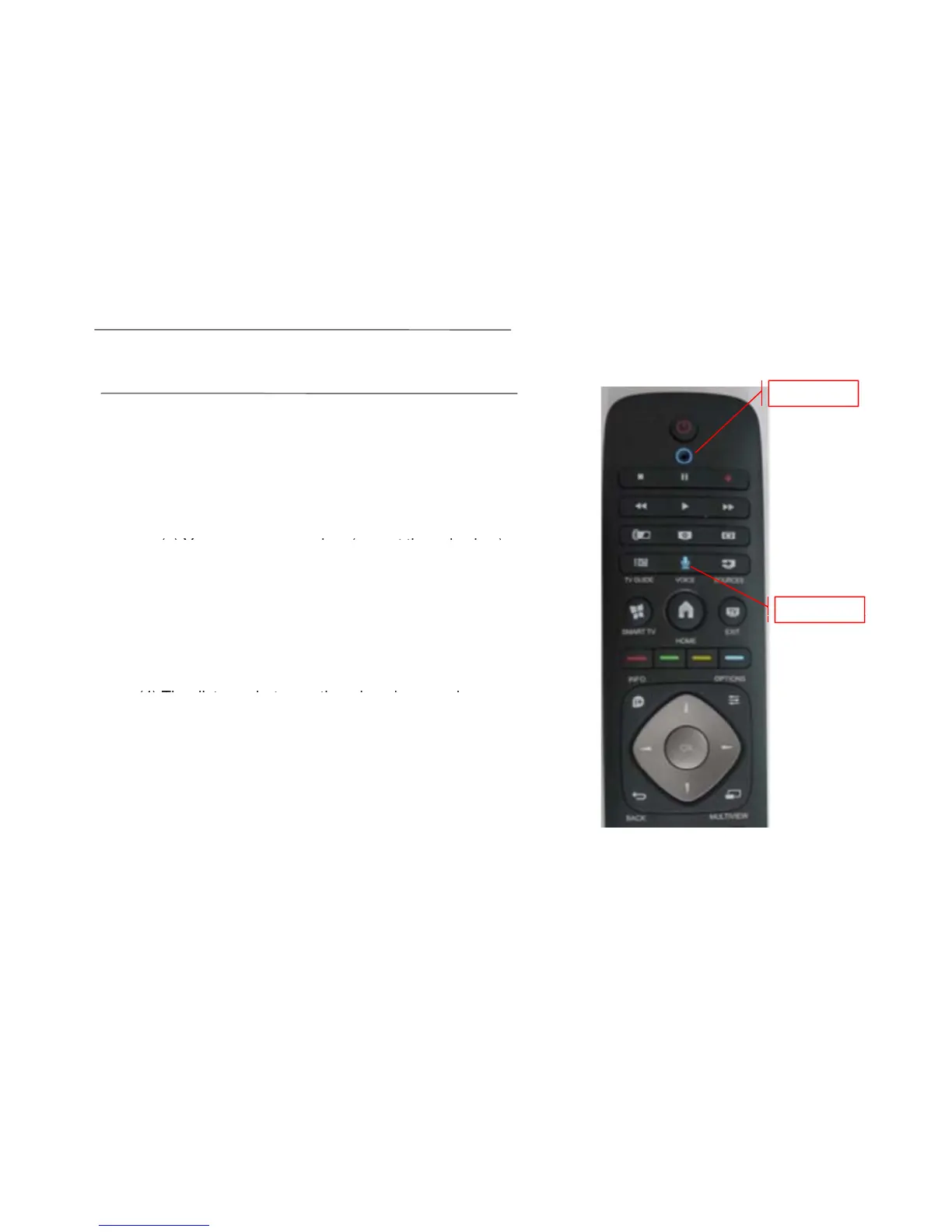
Voice
The remote control also have voice function:
() f ?
microphone
(
1
)
How to launch the voice
f
unction
?
You may press "Voice" to start the voice.
(2) How to shut down the voice function?
()Y k ( tth i k )
(
a
)
Y
ou may press any
k
ey
(
excep
t
th
e vo
i
ce
k
ey
)
to stop the voice function;
(b) Shake the remote can also stop the voice
function.
start button
(3) When you using the voice function ,please make
sure that the TV side shouid be facing up.
(4) Th di t b t th i h d
(4)
Th
e
di
s
t
ance
b
e
t
ween
th
e m
i
crop
h
one an
d
your
mouth should be 20-50cm.
(5) Press the voice key once ,can only use the
ftifbt11bt th ik
f
unc
ti
on
f
or a
b
ou
t
11
s,
b
u
t
you may press
th
e vo
i
ce
k
ey
again(within the 11s) to get another 11s for voice
function.
(6) Wh i i f ti th i t ill
(6)
Wh
en you are us
i
ng vo
i
ce
f
unc
ti
on,
th
e po
i
n
t
er w
ill
be useless.

Related product manuals