20
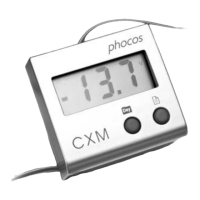
1. Connect CXM remote display to CXN controller
Please see Fig.
A
(Page 1) that shows how to connect the CXM remote display to a
CXN controller.
This product is intended for indoor use only. Protect it from direct sunlight and place
it in a dry environment. Never install it in humid rooms (such as bathrooms).
General Features
Mounting and Connecting
REMARK: Connect this product by following the steps described below to avoid
installation faults.
The CXM remote display is designed for displaying Panel Current, Load Current and
Battery Voltage, Ah, SOC, etc as true values for Phocos CXN series charge controllers.
Clear, readable 3-digit LCD display and symbols
2 push buttons to select displayed value
Allow retrieving data of last 7 days from the CXN datalogger
Prepared for DIN rail and wall mounting
2 meters long connecting wire
[ DIN Rail Mounting ]
2. Mounting the CXM remote display


 To Next Page
 Loading...