21
Please see Fig.
B
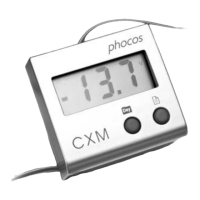
(Page 1) that shows how to install the CXM remote display on a
standard 35mm DIN rail.
[ Wall Mounting ]
Please see Fig.
C
(Page 2) that shows how to install the CXM remote display on the
wall.
Display Function
[ Current Value ]
Push the right button to toggle the parameters of your PV system today.
The parameters displayed in the LCD will toggle in this order :
SOC - V
bat (Battery Voltage) - Iin (Panel Current) - Iout (Load Current) - Ahin (Panel
Amperehours) - Ah
out (Load Amperehours) - Total Ahin (Total Panel Amperehours since
PV system build up) - SOC - V
bat (Battery Voltage) - ...
Please see Fig.
D
(Page 3) for reference.
[ History Data]
Step 1: First push the left button to toggle the day (Day 1 means yesterday).
The days displayed in the LCD will toggle in this order :
Day 1 - Day 2 - Day 3 - Day 4 - Day 5 - Day 6 - Day 7 - Today - Day 1 - Day 2 - ...
Please see Fig.
E
(Page 4) for reference.


 To Next Page
 Loading...