EasyManua.ls Logo

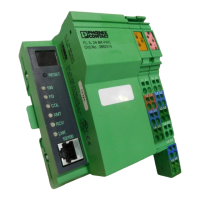
Phoenix Contact FL IL 24 BK - User Manual

Phoenix Contact FL IL 24 BK
330 pages
Print Icon
To Next Page IconTo Next Page
Loading...
Designation:
Order No.:
Hardware and Firmware User Manual for the
FL IL 24 BK / FL IL 24 BK-PAC
Ethernet/Inline Bus Coupler
FL IL 24 BK-PAC UM E
90 14 20 5
User Manual

Table of Contents

Question and Answer IconNeed help?

Do you have a question about the Phoenix Contact FL IL 24 BK and is the answer not in the manual?

Summary

User Manual

Hardware and Firmware User Manual for FL IL 24 BK;FL IL 24 BK-PAC Ethernet;Inline Bus Coupler

Hardware and Firmware User Manual for FL IL 24 BK/FL IL 24 BK-PAC Ethernet/Inline Bus Coupler.

Important Notes and Symbols

Explanation of Symbols Used

Defines the meaning of symbols used throughout the manual for clarity.

Legal and Safety Information

Statement of Legal Authority

Covers copyright protection, technical changes, and liability disclaimers.

Warnings and Precautions

Highlights warnings for SELV operation, ESD, shielding, and housing access.

Chapter 1: FL IL 24 BK(-PAC) - Hardware Overview

1.1 General Functions

Provides an overview of the bus coupler's capabilities and features.

1.2 Bus Coupler Structure and Indicators

Details the physical components and interfaces of the bus coupler.

1.3 Supply Voltage and Connector Assignment

Explains voltage connection, potential jumpers, and connector details.

Chapter 1: FL IL 24 BK(-PAC) - Module Details and Connections

1.5 Basic Module Structure and Identification

Explains basic module structure, connector types, and function labeling.

1.7 Function Identification and Labeling

Describes how modules are color-coded for function identification.

1.8 Electrical Potential and Data Routing

Explains the internal potential routing system and data flow.

Chapter 1: FL IL 24 BK(-PAC) - Installation and Operation

1.10 Circuits and Voltage Concepts

Details internal circuits, voltage provisions, and the voltage concept.

1.11 Mounting;Removing Modules and Cables

Provides instructions for installing and removing modules and cables.

1.12 Connecting the Voltage Supply

Explains how to provide the necessary supply voltage for the system.

Chapter 2: Startup;Operation

2.1 Default Settings and Firmware Start

Details default device settings and the sequence during firmware startup.

2.4 Assigning an IP Address

Describes methods for assigning IP addresses via Factory Manager or BootP.

Chapter 3: Driver Software

3.1 Documentation and Software Structure

Covers manual details and the software architecture of the driver.

3.2 Driver Software Functions

Explains the Device Driver Interface (DDI) functions for bus coupler interaction.

Chapter 4: Firmware Services

4.1 Overview of Firmware Services

Lists services available in both operating modes and expert mode.

4.3 Services for Parameterizing the Controller Board

Details services for controlling and parameterizing the controller board.

Chapter 5: PCP Communication

5.1 Transmission of Parameter Data

Explains parameter data transmission via the Peripherals Communication Protocol (PCP).

5.2 Supported PCP Commands

Lists the supported PCP commands used for device communication.

Chapter 6: Modbus;TCP Protocol

6.1 Modbus Protocol Details

Describes Modbus connections, port, conformance classes, and message format.

6.2 Modbus Function Codes

Lists the Modbus function codes supported by the bus coupler.

6.3 Modbus Table Mapping

Maps Modbus tables to the internal FL IL 24 BK(-PAC) tables for data access.

Chapter 7: Technical Data

General Data Specifications

Provides general technical specifications like housing, temperature, and protection.

24 V Supply Specifications

Details specifications for 24 V main, segment, and bus coupler supplies.

Summary

User Manual

Hardware and Firmware User Manual for FL IL 24 BK;FL IL 24 BK-PAC Ethernet;Inline Bus Coupler

Hardware and Firmware User Manual for FL IL 24 BK/FL IL 24 BK-PAC Ethernet/Inline Bus Coupler.

Important Notes and Symbols

Explanation of Symbols Used

Defines the meaning of symbols used throughout the manual for clarity.

Legal and Safety Information

Statement of Legal Authority

Covers copyright protection, technical changes, and liability disclaimers.

Warnings and Precautions

Highlights warnings for SELV operation, ESD, shielding, and housing access.

Chapter 1: FL IL 24 BK(-PAC) - Hardware Overview

1.1 General Functions

Provides an overview of the bus coupler's capabilities and features.

1.2 Bus Coupler Structure and Indicators

Details the physical components and interfaces of the bus coupler.

1.3 Supply Voltage and Connector Assignment

Explains voltage connection, potential jumpers, and connector details.

Chapter 1: FL IL 24 BK(-PAC) - Module Details and Connections

1.5 Basic Module Structure and Identification

Explains basic module structure, connector types, and function labeling.

1.7 Function Identification and Labeling

Describes how modules are color-coded for function identification.

1.8 Electrical Potential and Data Routing

Explains the internal potential routing system and data flow.

Chapter 1: FL IL 24 BK(-PAC) - Installation and Operation

1.10 Circuits and Voltage Concepts

Details internal circuits, voltage provisions, and the voltage concept.

1.11 Mounting;Removing Modules and Cables

Provides instructions for installing and removing modules and cables.

1.12 Connecting the Voltage Supply

Explains how to provide the necessary supply voltage for the system.

Chapter 2: Startup;Operation

2.1 Default Settings and Firmware Start

Details default device settings and the sequence during firmware startup.

2.4 Assigning an IP Address

Describes methods for assigning IP addresses via Factory Manager or BootP.

Chapter 3: Driver Software

3.1 Documentation and Software Structure

Covers manual details and the software architecture of the driver.

3.2 Driver Software Functions

Explains the Device Driver Interface (DDI) functions for bus coupler interaction.

Chapter 4: Firmware Services

4.1 Overview of Firmware Services

Lists services available in both operating modes and expert mode.

4.3 Services for Parameterizing the Controller Board

Details services for controlling and parameterizing the controller board.

Chapter 5: PCP Communication

5.1 Transmission of Parameter Data

Explains parameter data transmission via the Peripherals Communication Protocol (PCP).

5.2 Supported PCP Commands

Lists the supported PCP commands used for device communication.

Chapter 6: Modbus;TCP Protocol

6.1 Modbus Protocol Details

Describes Modbus connections, port, conformance classes, and message format.

6.2 Modbus Function Codes

Lists the Modbus function codes supported by the bus coupler.

6.3 Modbus Table Mapping

Maps Modbus tables to the internal FL IL 24 BK(-PAC) tables for data access.

Chapter 7: Technical Data

General Data Specifications

Provides general technical specifications like housing, temperature, and protection.

24 V Supply Specifications

Details specifications for 24 V main, segment, and bus coupler supplies.

Phoenix Contact FL IL 24 BK Specifications

General IconGeneral
Number of Channels1
Input Voltage24 V DC
Nominal Input Voltage24 V DC
Connection TechnologyScrew connection
Mounting TypeDIN rail
Input Voltage Range19.2 V DC ... 30 V DC
Connection MethodScrew connection
CategoryInterface module
Current Consumptiontyp. 3 mA (at 24 V DC)

Related product manuals