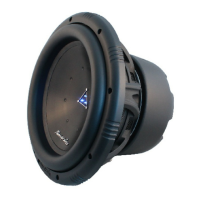
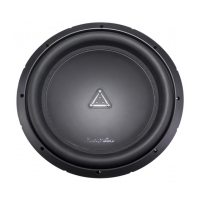
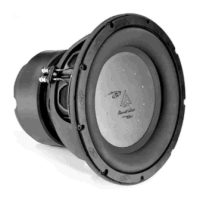
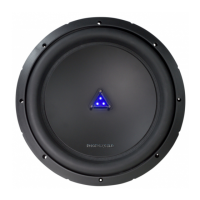
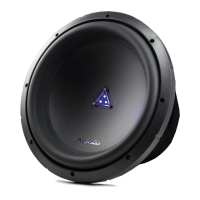
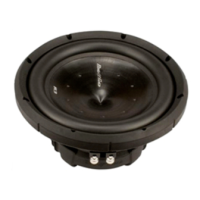
The Phoenix Gold Z Series Slim Active Bass Enclosures are a high-powered subwoofer solution designed to enhance the audio system in a vehicle. These enclosures are available in 8-inch and 10-inch models, offering flexibility for installation in various locations such as under seats or other hidden compartments. The integrated amplifier within each subwoofer features a range of controls and protection mechanisms to ensure optimal performance and longevity.
The primary function of these active bass enclosures is to reproduce low-frequency audio, commonly known as bass, adding depth and impact to the vehicle's sound system. By integrating both the subwoofer and amplifier into a single unit, they provide a convenient and space-saving solution for car audio enthusiasts.
Usage Features:
The Z Series Slim Active Bass Enclosures come equipped with a comprehensive set of controls on the front panel, allowing users to fine-tune the audio output to their preferences and the specific acoustics of their vehicle.
-
Remote Level Control Port: This port allows for the connection of an included remote level control, enabling independent adjustment of the subwoofer's volume level from the driver's seat. This feature provides convenient on-the-fly adjustments without needing to access the subwoofer directly.
-
Input Gain Control: This control is crucial for matching the output level of the audio source (head unit) to the input level of the subwoofer. Proper adjustment ensures that the subwoofer receives an optimal signal without distortion. Users are advised to set this control to minimum initially, then slowly increase it until a small amount of distortion is heard, and then reduce it slightly until the distortion is gone. It's important not to mistake this for a volume control, as misusing it can lead to input overload and excessive audio distortion.
-
Subsonic Filter: This control helps to filter out very low-frequency noise and rumble that can be detrimental to sound quality and potentially damage the subwoofer. By setting the subsonic filter, users can ensure that only the desired bass frequencies are reproduced.
-
Bass Boost: The bass boost feature allows users to increase the sound level in the bass frequencies, adding more punch and impact to the low end of their audio. This control offers a variable boost from 0 to 18dB at 45Hz.
-
Low Pass Filter: This control defines the frequency range that the subwoofer amplifier will receive. The subwoofer will reproduce all sounds below the frequency set by this control. Depending on how well the rest of the audio system covers the midrange frequencies, users can adjust this control to ensure a seamless blend between the subwoofer and other speakers.
-
Phase Control: The phase control (0 to 180 degrees) helps compensate for time alignment problems that can arise when the subwoofer is at a different distance from the listener compared to other speakers in the system. Adjusting the phase can improve the overall coherence and impact of the bass.
-
Auto Power On (ON/OFF): This feature is specifically for high-level (speaker-level) connections. When set to "ON," the subwoofer will automatically power on when a signal input is detected and turn off when no signal is present. If users prefer to use the remote turn-on/off connection, this switch should be set to "OFF."
-
Power Status LED: A green LED indicates that the unit is powered on and functioning correctly. If a problem is detected, the LED will illuminate red, signaling a protection mode engagement.
Connectivity:
The rear panel of the Z Series Slim Active Bass Enclosures offers various connection options for power and audio signals.
-
Power Terminals: These include connections for ground (GND), remote turn-on (REM), and +12V battery power (BATT+). Proper wiring of these terminals is essential for the subwoofer's operation. The ground wire should be kept short (less than 39 inches or 100cm) and use 8 gauge (or heavier) wire. The remote terminal connects to the head unit's remote output using 16 gauge (or heavier) wire. An empty fuse holder should be installed within 18 inches (45cm) of the car battery, with 8 gauge (or heavier) cable running to the amplifier's BATT+ connection.
-
Fuses: The unit includes a fuse in the left socket for circuit protection and a spare fuse in the right socket. It is crucial to use fuses of the correct value and never replace them with a wire or coin.
-
High Level (Speaker Level) Inputs: These inputs are used when the head unit does not have RCA outputs. Users can connect the speaker outputs from their receiver to the high-level input connector using the supplied cable and wire harness, ensuring correct polarity to avoid audio phase problems.
-
Low Level RCA Inputs: These are the recommended inputs for introducing the audio signal to the subwoofer if RCA outputs are available on the head unit or other signal sources. High-quality RCA cables should be used for optimal performance.
Maintenance Features:
The Z Series Slim Active Bass Enclosures are designed with built-in protection circuitry to safeguard the amplifier and ensure reliable operation.
-
MOSFET PWM (Pulse Width Modulated) Power Supply: This type of power supply is known for its efficiency and stability, contributing to the overall reliability of the amplifier.
-
Soft Turn-On Circuit: This circuit helps prevent sudden power surges when the amplifier is turned on, protecting both the amplifier and other components in the audio system.
-
Thermal, Overload, and Speaker Short Protection: The amplifier incorporates special protection circuitry that will disable the amplifier if it detects input overload, short circuits, or extremely high temperatures. When any of these conditions occur, the PROTECT LED on the control panel will glow red. To reset the subwoofer, the power to the system should be turned off and then on again. If the shutdown was due to thermal overload, the unit should be allowed to cool down before restarting. If it was due to input overload or a short circuit, these conditions must be corrected before attempting to power up the subwoofer again.
-
Remote Turn-On/Turn-Off Circuit: This circuit allows the subwoofer to be turned on and off remotely, typically in conjunction with the vehicle's head unit, for seamless integration into the car's electrical system.
Installation Considerations:
- Mounting Location: A suitable location in the vehicle should be chosen for mounting, such as under a seat. It is important to ensure sufficient air circulation around the mounting location to prevent overheating.
- Cleaning: The area where the subwoofer is to be mounted should be thoroughly cleaned, preferably with a vacuum cleaner, before attachment.
- Wiring: All wiring, including ground, remote, and power cables, should be connected according to the diagrams provided in the manual. High-quality cables are recommended for optimal performance and to minimize engine noise.
- Input Selection: It is crucial not to connect both high-level and low-level inputs from the receiver to the amplifier at the same time. Only one type of input should be used.
By understanding and utilizing these features, users can effectively integrate the Phoenix Gold Z Series Slim Active Bass Enclosures into their vehicle's audio system, enjoying powerful and clear bass reproduction while ensuring the longevity and reliability of the device.


 To Next Page


 General