EasyManua.ls Logo

PHOENIX MANUFACTURING D8801 - User Manual

PHOENIX MANUFACTURING D8801
8 pages
Print Icon
To Next Page IconTo Next Page
Loading...
1-999-2174 DATE: 1/04
OWNER’S GUIDE
USE AND CARE MANUAL
UL Classified Industrial /
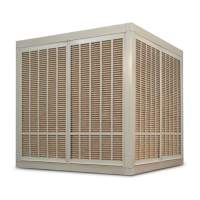
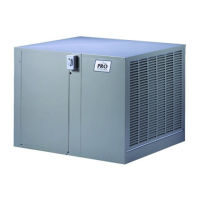
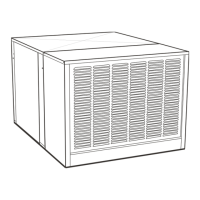
Commercial Evaporative Air Cooler
Safety
Installation
Start-up
Operation
Maintenance
Trouble Shooting
% Read all instructions carefully before installation.
% Use only the blower motor and circulating pump(s)
combinations marked on the Model Nameplate indicating
suitability for use in this model. Any other motors or pumps
cannot be substituted.
% Installation work and electrical wiring must be done by
qualified person(s) in accordance with all applicable
codes and standards, including fire rated construction.
% When cutting or drilling into a wall or ceiling, do not
damage electrical wiring or other concealed utilities (water
or gas lines, sewer lines, etc.).
% Cooler motor, pump, cabinet and junction box must be
grounded in accordance with all local and national codes.
A ground wire must be used between the power supply
and the cooler.
% Be sure that the cooler is connected to proper line voltage
stamped on the pump and blower (fan) motor specification
plate. NOTE: Improper voltage will void the pump and/or
motor warranties and may cause serious personal injury
or property damage.
% Do not operate this blower (fan) motor with any solid-state
speed control device.
! Always disconnect electrical power to unit before
working on or servicing cooler. More than one
disconnect switch will be required to de-energize the
equipment for servicing.
! Do not remove pad frames while cooler is running, this
may cause the blower (fan) motor to overload and
damage the motor windings.
NOTE:
! Do not locate unit near exhaust or vent pipes as odors or
fumes may be drawn into cooler.
! Use of anode devices, chemical additives or treatments in
this cooler will void the warranty.
! Your warranty does not cover shipping damage. Report all
shipping damage at once to dealer or carrier making the
delivery.
! For future reference, record the model, serial numbers
and installation date of your evaporative cooler here:
Model #
Serial #
Install Date:
These Industrial / Commercial Evaporative Air Coolers are covered by
the following City of Los Angeles (C.O.L.A.) Research Reports.
Electrical: RR930159 (3/4, 1 & 1-1/2 Hp single phase applications),
Mechanical: RR8075 (all applications)
WARNING - TO REDUCE THE RISK OF FIRE, ELECTRIC
SHOCK, OR INJURY TO PERSONS, OBSERVE THE FOLLOWING.
INSTALLER: Please deliver this guide to owner.
Congratulations: You have purchased a product of superior performance and design, which will give the best service when properly installed, operated and maintained.
This guide was designed to provide you and your installer with information needed to mount, operate, inspect, maintain, and troubleshoot your Industrial / Commercial
evaporative air cooler.
The first section, Installation and Start-Up, is especially for the installer. The second section, Regular Maintenance, contains operational and maintenance instructions for the
owner and/or maintenance operations personnel, while Troubleshooting includes information on commonly encountered problems.
PHOENIX MANUFACTURING, INC.
Installation and Start-up
Introduction 2
Mounting requirements 2
Location and placement 2
Duct systems 2
Exhaust openings 2
Electrical requirements 3
CONTENTS
Motor installation 3
Pump junction box location 4
Motor pulley adjustment 4
Belt adjustment 4
Overflow standpipe installation 4
Water line connections 4
Pump installation 4
Bleed off installation 4
General inspections 5
Pre - start - up 5
Start-up Checklist 5
Cabinet Inspection 4
Maintenance
Cleaning 5-6
Draining and touch-up 6
Lubrication 6
Changing cooler pads 6
Pump mounting diagram 7
Troubleshooting 8
Question and Answer IconNeed help?

Do you have a question about the PHOENIX MANUFACTURING D8801 and is the answer not in the manual?

Summary

Installation Location and System Design

Location

Guidance on choosing the proper location for the evaporative cooler, considering airflow and building integration.

Duct System Design

Details on designing, fabricating, and installing ductwork for effective air distribution to cooled areas.

Air Exhausting Requirements

Explanation of the need for proper exhaust openings to ensure free air movement and optimal cooling.

Installation Procedures

Electric Power Supply Requirements

Specifies the need for two separate electrical circuits for the blower motor and circulating pump.

Safety Disconnect Switches

Requirement for safety disconnect switches for motor and pump circuits, complying with NEC.

Over-current Protection

Details on over-current protection for branch circuits, motors, and pumps as per NEC standards.

Motor Installation

Steps for mounting the blower motor, aligning pulleys, and installing belts for proper operation.

Belt Adjustment

Instructions for adjusting belt tension and alignment to ensure efficient operation and motor longevity.

Pump Junction Box Installation

Guidance on mounting and wiring the pump junction box for both 115V and 230V pump connections.

Overflow Standpipe and Drain Line

Procedure for installing the overflow standpipe and connecting a drain line to the cooler reservoir.

Water Supply Connection

Instructions for connecting the water supply to the float valve, ensuring proper water level.

Bleed-off Installation

Details on installing the bleed-off assembly to minimize mineral scale build-up in the cooler.

General Inspection and Maintenance

Initial Start-up or Annual Inspection

Checklist for ensuring all connections and adjustments are made before initial start-up or annually.

Start-up Checklist

Procedure to verify cooler installation and operation before initial start-up or annually.

Cabinet Inspection Checklist

Items to check for leaks, pad wetting, water level, and component tightness after initial start-up.

Maintenance Schedule

Guidelines for regular maintenance and periodic inspections for optimal cooler performance.

Cleaning Procedures

Instructions for cleaning the cooler cabinet and components using warm water and a soft cloth.

Maintenance & Inspection Points

Key points to check during periodic inspections for long, trouble-free service life.

Set Screws, Bolts and Nuts

Torque specifications for setscrews on pulleys and cabinet hardware to ensure secure assembly.

Cleaning Water Pump & Hose

Steps for cleaning the water pump and hose assembly, including impeller and base plate.

Draining and Reservoir Cleaning

Procedure for draining the cooler reservoir and cleaning it, ensuring no water is drained onto the roof.

Lubrication

Information on lubricating motor bearings and blower shaft bearings based on motor type and usage.

Cooler Pad Replacement

Detailed steps for removing old pads, cleaning frames, and installing new pads for optimal cooling.

Replacement Parts

Guidance on ordering replacement parts, referencing serial and model numbers for accurate selection.

Troubleshooting Guide

Unit Fails to Start or Deliver Air

Diagnosing and correcting issues related to the unit not starting or delivering air, including power and belt problems.

Unit Starts, Air Delivery Inadequate

Troubleshooting inadequate air delivery, possibly due to exhaust issues or motor loading.

Inadequate Cooling

Identifying causes for poor cooling, such as pad condition, water supply, or clogged components.

Motor Cycles or Fails to Operate

Resolving motor issues like excessive tension, tight bearings, or misalignment.

Water Draining from Unit

Troubleshooting water leaks from float valves, standpipes, or other connections.

Knocking or Banging Sound

Diagnosing and fixing noises caused by dry bearings, rubbing parts, or loose components.

Blower Shakes or Rattles

Correcting issues causing blower vibration or rattling, typically related to loose belts or pulleys.

Excessive Humidity Inside

Addressing excessive humidity by ensuring adequate building exhaust.

Musty or Unpleasant Odor

Resolving odors caused by stale water or clogged/mildewed pads.

PHOENIX MANUFACTURING D8801 Specifications

General IconGeneral
Voltage115V
Power Supply115V/60Hz
Power Consumption700W
EER (Energy Efficiency Ratio)11.4
Operating Temperature62°F - 90°F
BTU8000
Cooling Capacity8000 BTU/h
Noise Level52 dB(A)

Related product manuals