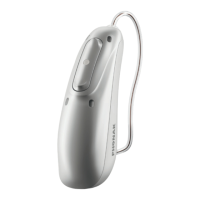
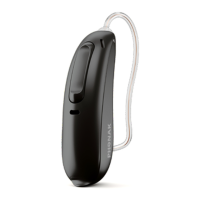
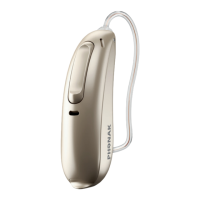
The Phonak Audéo L-312 is a wireless hearing aid designed to amplify and transmit sound to the ear, compensating for impaired hearing. It is part of the Phonak Audéo L90-312, L70-312, L50-312, L30-312, and L-312 Trial models. These devices are developed by Phonak, a Sonova brand, a world leader in hearing solutions based in Zurich, Switzerland. The hearing aids are classified as IP68, meaning they are water and dust resistant, designed to withstand daily life situations, and can be worn in the rain. However, they should not be fully submerged in water or used during showering, swimming, or other water activities, nor exposed to chlorinated water, soap, salt water, or other liquids with chemical content.
Function Description:
The Phonak Audéo L-312 functions as a sound amplifier and transmitter, designed for individuals with hearing loss. It includes a multi-function button that can act as a volume control and/or a program change button, depending on the hearing aid's programming. When paired with a Bluetooth® enabled phone, a short press on this button accepts an incoming call, and a long press rejects it. The device supports hands-free phone calls, with the user's voice picked up by the hearing aid microphones and transmitted to the phone. The hearing aid also features a Tinnitus Balance software feature, intended for use by people with tinnitus who desire amplification, providing supplementary noise stimulation to help defocus attention from tinnitus.
Important Technical Specifications:
- Hearing Aid Models: Audéo L-312 (L90/L70/L50/L30) and Audéo L-312 Trial.
- Battery Size: 312 (zinc-air).
- Wireless Technology: Bluetooth® enabled, operating between 2.4 GHz and 2.48 GHz frequency range.
- Bluetooth® Range: Approximately 1 meter.
- Bluetooth® Version: 4.2 Dual-Mode.
- Bluetooth® Profiles Supported: HFP (Hands-free profile), A2DP.
- Antenna Type: Resonant loop antenna.
- Modulation: GFSK, Pi/4 DPSK, GMSK.
- Radiated Power (EIRP): <2.5 mW.
- Ingress Protection Rating: IP68 (continuous immersion in 1 meter of fresh water for 60 minutes and 8 hours in a dust chamber as per IEC60529 standard).
- Operating Conditions:
- Temperature: +5 to +40 °C (+41 to +104 °F)
- Humidity (non-condensing): 0% to 85%
- Atmospheric pressure: 500 to 1060 hPa
- Storage Conditions:
- Temperature: -20 to +60 °C (-4 to +140 °F)
- Humidity: 0% to 93%
- Atmospheric pressure: 500 to 1060 hPa
- Expected Service Life: Five years.
- Commercial Service Period: Minimum five-year repair service period after product phase-out.
Usage Features:
- On/Off: The battery door also serves as the on/off switch. Closing the battery door turns the hearing aid on, and opening it turns the hearing aid off. A start-up melody may be heard when switching on.
- Battery Replacement: To replace the battery, remove the sticker from the new battery and wait 2 minutes. Open the battery door, place the battery with the flat side facing upwards into the battery door, and close it. A low power warning consists of two beeps, indicating approximately 30 minutes of remaining battery life. Only size 312 zinc-air batteries should be used.
- Putting on the Hearing Aid: Place the hearing aid behind the ear, then insert the earpiece into the ear canal. If an anchor is attached, tuck it into the bowl of the ear to secure the hearing aid.
- Removing the Hearing Aid: Pull on the bend of the tube to remove the hearing aid from behind the ear.
- Multi-function Button: Functions as a volume control and/or program change. For Bluetooth® enabled phones, a short press accepts an incoming call, and a long press rejects it.
- Flight Mode: To enter flight mode, press the lower part of the multi-function button for 7 seconds while closing the battery door. This disables Bluetooth® connectivity. To exit, open and close the battery door again.
- Initial Pairing (Bluetooth®): Enable Bluetooth® on your device (e.g., phone) and search for devices. Switch on both hearing aids (you have 3 minutes to pair). Select the hearing aid from the list to pair both simultaneously. A beep confirms successful pairing. Once paired, the hearing aid will automatically connect to the device when switched on and within range. Up to two devices can be connected, and up to eight devices can be paired.
- Phone Calls:
- Making a call: Enter the phone number and press the dial button. The dialing tone and caller's voice will be heard through the hearing aid, and your voice will be picked up by the hearing aid microphones.
- Accepting a call: An incoming-call notification will be heard. Accept by a short press (<2 seconds) on the multi-function button or directly on your phone.
- Ending a call: End by a long press (>2 seconds) on the multi-function button or directly on your phone.
- Rejecting a call: Reject by a long press (>2 seconds) on the multi-function button or directly on your phone.
- Connectivity Overview: The hearing aid can connect to Bluetooth® enabled devices, a Phonak Remote Control, a Roger™ microphone, and a TV Connector (connected to any audio source like TV, PC, or hi-fi system).
Maintenance Features:
- Daily Care: Inspect the earpiece for earwax and moisture. Clean surfaces with a lint-free cloth. Do not use household detergents, soap, or rinse with water.
- Weekly Care: Clean the earpiece with a soft, damp cloth or a special cleaning cloth for hearing aids.
- General Care: Leave the battery door open when not in use to allow moisture to evaporate. Always dry the hearing aid completely after use. Store in a safe, dry, and clean place.
- Earwax Protection (CeruStop/CeruShield™ Disk): Regularly check and exchange the earwax protector if dirty or if sound quality is reduced (recommended every four to eight weeks).
- Removing Earpiece: Hold the speaker in one hand and the earpiece in the other, then gently pull off the earpiece. Clean the speaker with a lint-free cloth.
- Exchanging CeruStop: Insert the removal side of the exchange tool into the used earwax protector until the shaft touches the rim. Pull straight out to remove. To insert a new protector, push the insertion side of the tool into the speaker hole until the outer ring is aligned. Pull the tool straight out, then attach the earpiece.
- Exchanging CeruShield™ Disk: Rotate the disk until a free opening appears under the bin icon. To remove a used protector, insert the speaker into the free opening until it clicks. Lift the speaker away. To insert a new protector, insert the speaker into the opening where the new protector is visible (opposite the bin icon) until it clicks. Lift the speaker away, then attach the earpiece.
- Attaching Earpiece: Hold the speaker in one hand and the earpiece in the other. Slide the earpiece over the speaker sound outlet until they fit perfectly together.
- Battery Storage: Remove the battery if not using the hearing aid for a long period. Store in a box with a drying capsule or in a well-ventilated location to prevent moisture impact.
- Product Safety: Avoid dropping the hearing aid. Use new batteries; replace leaking batteries immediately to prevent skin irritation. Do not immerse in water. Protect from heat and direct sunlight. Do not use microwave or other heating devices to dry. Do not wash microphone inputs.
- Dome Replacement: The dome should be changed every three months or if it becomes stiff or brittle to prevent detachment.

 Need help?
 General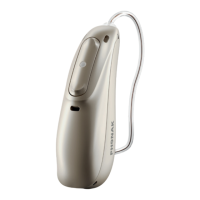



 To Next Page