21
You have now successfully inserted the right hearing
aid. Now insert your left hearing aid in the same way
(marked in blue, see step 5.1)
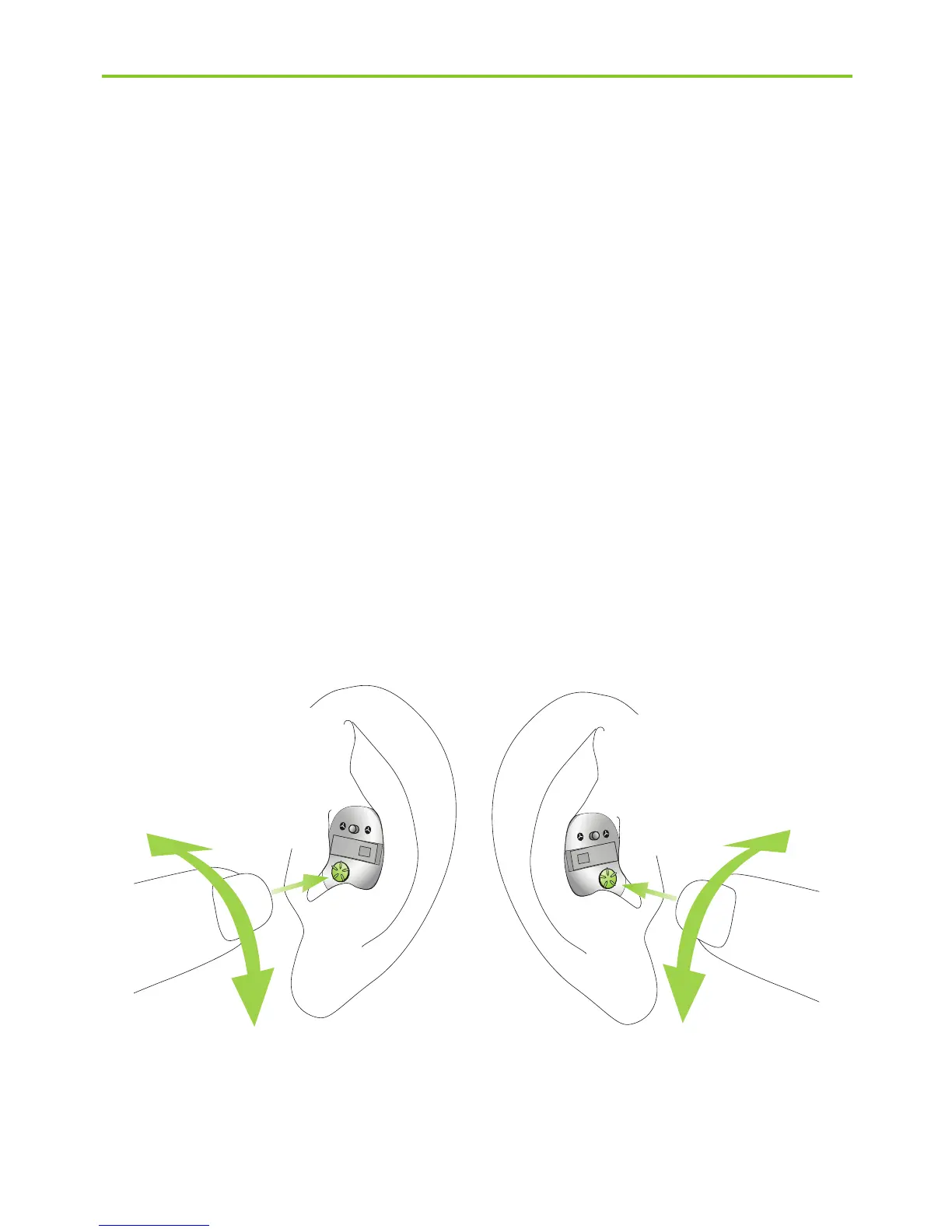
Step 6. Adjusting the volume control in the ear
To increase the volume (possible only on models with
an optional volume control), turn the volume control
forward. To decrease it, turn the volume control
backward using your forefinger (Fig. 6a).
Left ear Right ear
Fig. 6a
Louder
Softer
Louder
Softer



 To Next Page