12
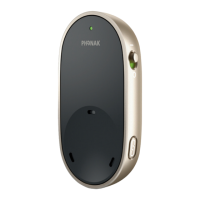
To redo the pairing procedure you can manually activate
the pairing mode by pressing the pairing button.
• Place the PartnerMic within 10 cm (4 inches) range from
the hearing aid
• Press the pairing button
• Pairing is complete when the indicator light turns green
Once successfully paired, any previously paired
hearing aid will be unpaired.


 To Next Page