13
IT/GB
RIPRODUZIONE • PLAYBACK DVD-CD-USB-SD CARD
REGOLAZIONI SCHERMO
Muoversi con i tasti direzionali del telecomando
per posizionarsi sulla impostazione da regolare.
SCREEN-SETTINGS
Use Direction-Keys of remote-control, to move to
the requested Setup-options.
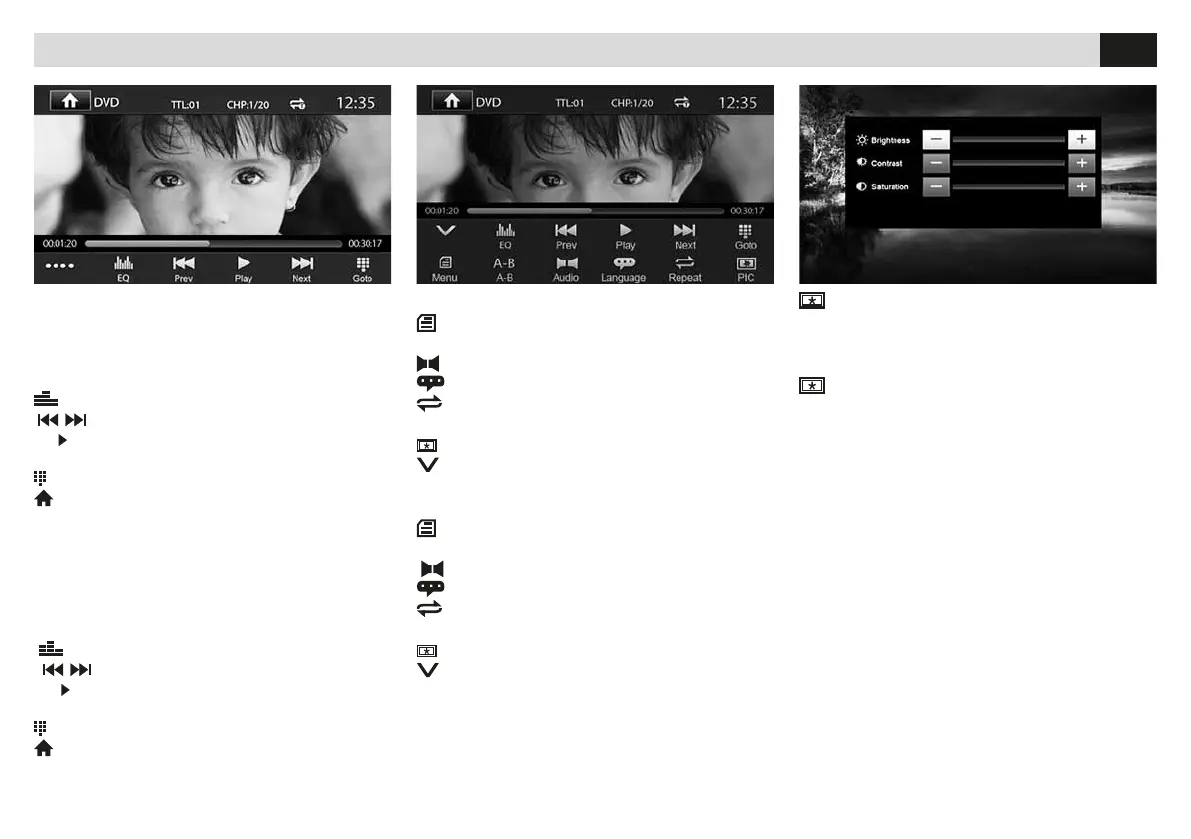
FUNZIONI DVD
MENÙ Torna al menù precedente.
A-B Ripetizione dal punto A al punto B.
AUDIO Cambia la lingua audio del DVD.
LANGUAGE Cambia la lingua dei sottotitoli.
REPEAT Imposta ripetizione
titolo/traccia/capitolo/cartella.
PIC Modica le regolazioni dello schermo.
Torna al menu precedente.
DVD-FUNCTIONS
MENU Back to Menu before.
A-B Repeat from A to B.
AUDIO Change DVD-Audio-Language.
LANGUAGE Change Subtitles-Language.
REPEAT Set Repetition of Title/Track
Chapter/Folder.
PIC Change Screen-Settings.
Back to Menu before.
FUNZIONI DVD
Con l’inserimento di un DVD appare il menu titoli
del lmato. Avviare la riproduzione confermando
con il tasto OK del telecomando o premendo sullo
schermo nel punto indicato dal DVD.
EQ Equalizzatore
Traccia/capitolo precedente o successivo.
Avvia o mette in pausa la riproduzione.
•••• Passa al menù esteso.
Seleziona traccia o capitolo da riprodurre.
Torna al menù principale.
DVD-FUNCTIONS
When DVD is introduced, the Titles-menu will
appear. Start Reproduction, by pressing OK on the
remote-control or press the spot shown by the
DVD on the screen.
EQ Equalizer
Track/Chapter before or after.
Start / Pause reproduction.
•••• Move to extended Menu.
Select Track or Chapter for reproduction.
Back to Main Menu.


 To Next Page