19
IT-EN
Easyconnection - Retrocamera • Easyconnection - Rear camera
GB - REAR-CAMERA
You can connect a rear-camera on CAMERA-input. The
VM002 offers the possibility of automatically visualizing
the rear-camera, if you connect the camera to the rever
-
se-gear-lights (See connection-schemes page 4).
IT - RETROCAMERA
Collegare una retrocamera all’ingresso CAMERA e alle
luci della retromarcia per l’alimentazione.
Il VM002 visualizza automaticamente l’immagine all’n
-
nesto della retromarcia. (Vedi collegamenti pag. 4).
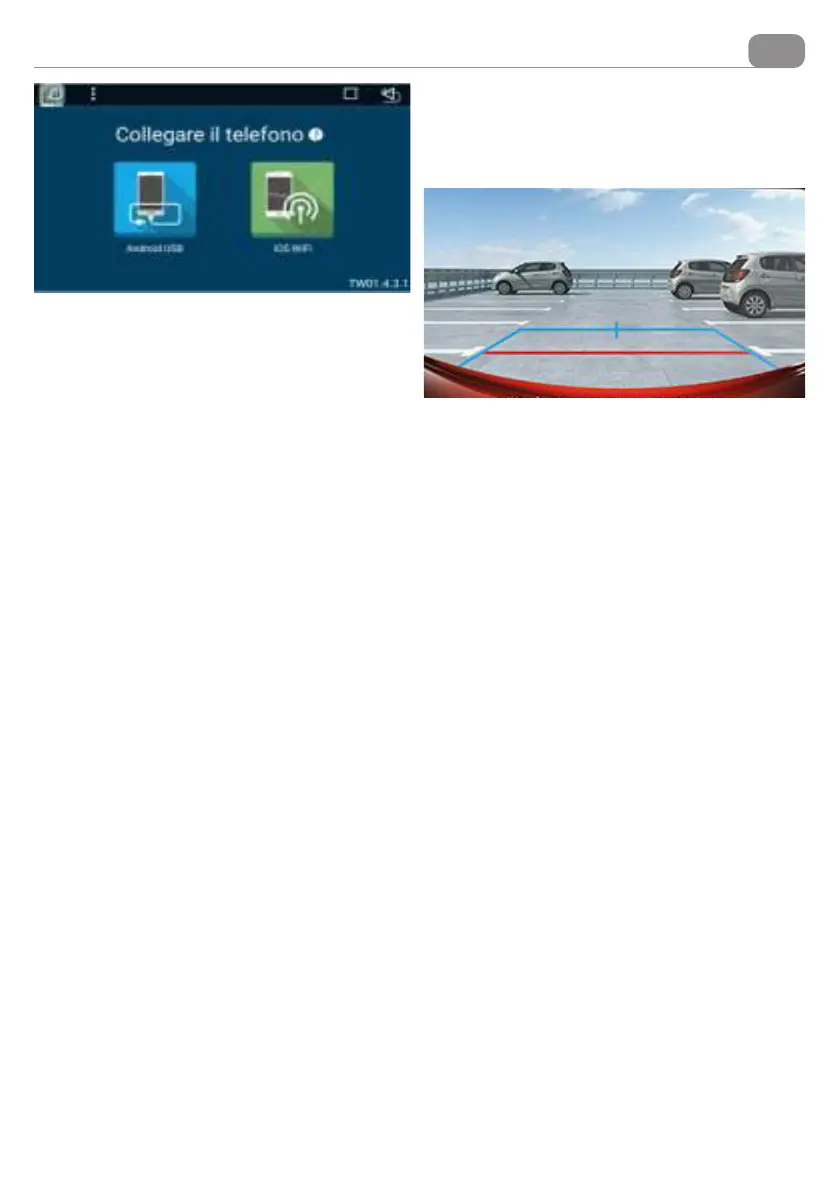
IT - Premere icona EASYCONNECTION nel menù
generale per accedere alle istruzioni di collegamento.
APPLE: Attivare l’hotspot sul telefono/tablet e accop-
piare il VM002. Avviare la duplicazione dello schermo e
selezionare il dispositivo EC - MIRROR.
ATTENZIONE:
La riproduzione dei video su EASYCONNECTION con
dispositivi iOS è limitata alle politiche di blocco APPLE.
Questa APP permette di ricevere sul VM002 quello che
viene visualizzato sullo schermo del dispositivo Apple.
(YOUTUBE non permette la duplicazione dello scher
-
mo).
ANDROID: Selezionare sul telefono il Menù FUNZIO
-
NI SVILUPPATORE (seguire le istruzioni del proprio
telefono). Attivare la funzione DEBUG USB e collegare
il telefono all’ingresso USB ANTERIORE con un cavo
USB che permetta la trasmissione dati. La funzione
EASYCONNECTION si avvierà in automatico.
ATTENZIONE: il funzionamento della funzione con
ANDROID è garantito con la versione ANDROID dal 6.0.
Per la riproduzione dell’audio accoppiare il bluetooth
del proprio smartphone con il VM002
EN - Press the EASYCONNECTION icon in the general
menu to access the connection instructions.
APPLE: Activate the hotspot on the phone/tablet and
connect the VM002. Start screen duplication and select
the EC - MIRROR device.
WARNING:
Video playback on EASYCONNECTION with iOS devices
is limited to APPLE lock policies.
With this APP you can receive on VM002 what is displa
-
yed on the screen of your Apple device.
(YOUTUBE does not allow screen duplication).
ANDROID: Select the DEVELOPER FUNCTIONS menu
on your phone (follow the instructions on your phone).
Activate the USB DEBUG function and connect the
phone to the USB FRONT input with a USB cable for
data transfer. The EASYCONNECTION function will start
automatically.
WARNING: The correct function with ANDROID is ensu-
red with the ANDROID version 6.0 or higher. For audio
playback, connect the Bluetooth of your smartphone to
the VM002.


 To Next Page
 Loading...