Need help?
Do you have a question about the Phonocar VM002 and is the answer not in the manual?
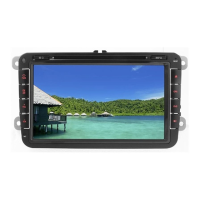
Details monitor, OS, processor, memory, and tuner specs.
Details power supply, speaker outputs, and steering wheel command connections.
Explains pre-amplifier outputs for audio and video signals.
Details USB plug-in ports for data transfer and connectivity.
Explains connections for brake signal and rear-camera input.
Details resistive SWC connections and cable color correspondence.
Explains reset, mute, main menu, navigation, and volume controls.
Describes main menu access, customization, and available functions.
Covers Wi-Fi, Car Infotainment, Device, Personal, and System settings.
Details accessing the radio function and operating its various controls.
Explains how to adjust equalizer settings and presets for audio tuning.
How to play music files from USB, including playback controls and options.
How to play video files from USB, including playback controls and screen options.
Steps to pair phones and search for new devices via Bluetooth.
How to download contacts from phone to the car radio's memory.
Instructions for making calls via keypad, contacts, or call history.
How to answer, reject, or manage incoming calls via Bluetooth.
Listen to music from a connected phone via Bluetooth A2DP/AVRCP.
Using Google Maps via Android system with data connection.
Using iGo Nextgen with TomTom maps for navigation without data.
Using Google Maps via Android system with data connection.
Using iGo Nextgen with TomTom maps for navigation without data.
Warning about data loss on iGO navigation after factory reset.
Instructions for connecting iOS/Android devices for screen mirroring.
How to connect a rear camera for automatic display when reversing.
Procedure for programming resistive and CAN-BUS steering wheel controls.
 General
| Brand | Phonocar |
|---|---|
| Model | VM002 |
| Category | Car Video System |
| Language | English |

 To Next Page