
 Need help?
Do you have a question about the Phonocar VM064 and is the answer not in the manual?
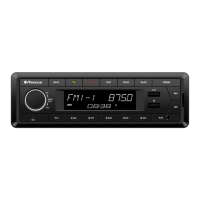
Detailed explanation of the front panel buttons, volume control, display functions, and connectivity ports.
Adjusting audio settings, clock format, and regional preferences for optimal performance.
Step-by-step guide to setting the device's current time accurately.
Configuration and explanation of Radio Data System features.
Instructions for selecting radio bands and storing favorite stations.
Guidance on searching and tuning into digital radio stations.
How to navigate and control audio playback from USB and SD card sources.
Methods for moving between music folders on storage devices.
Connecting external audio sources via the 3.5mm jack for playback.
Steps to activate Bluetooth, pair your smartphone, and enter the password.
Using the car radio for hands-free calls and streaming music via A2DP.
Essential safety guidelines to follow during device installation.
Detailed diagram and explanation of wiring connections for the car radio.
 General
| Resolution | 800 x 480 pixels |
|---|---|
| Touchscreen | Yes |
| Bluetooth | Yes |
| USB Port | Yes |
| Aux Input | Yes |
| Radio Tuner | FM/AM |
| SD Card Slot | Yes |
| Navigation | No |
| Compatibility | Universal |
| Display Type | LCD |
| Screen Size | 6.2 inches |
| Supported Audio Formats | MP3, WMA, AAC |
| Supported Video Formats | AVI, MP4 |

 To Next Page