8
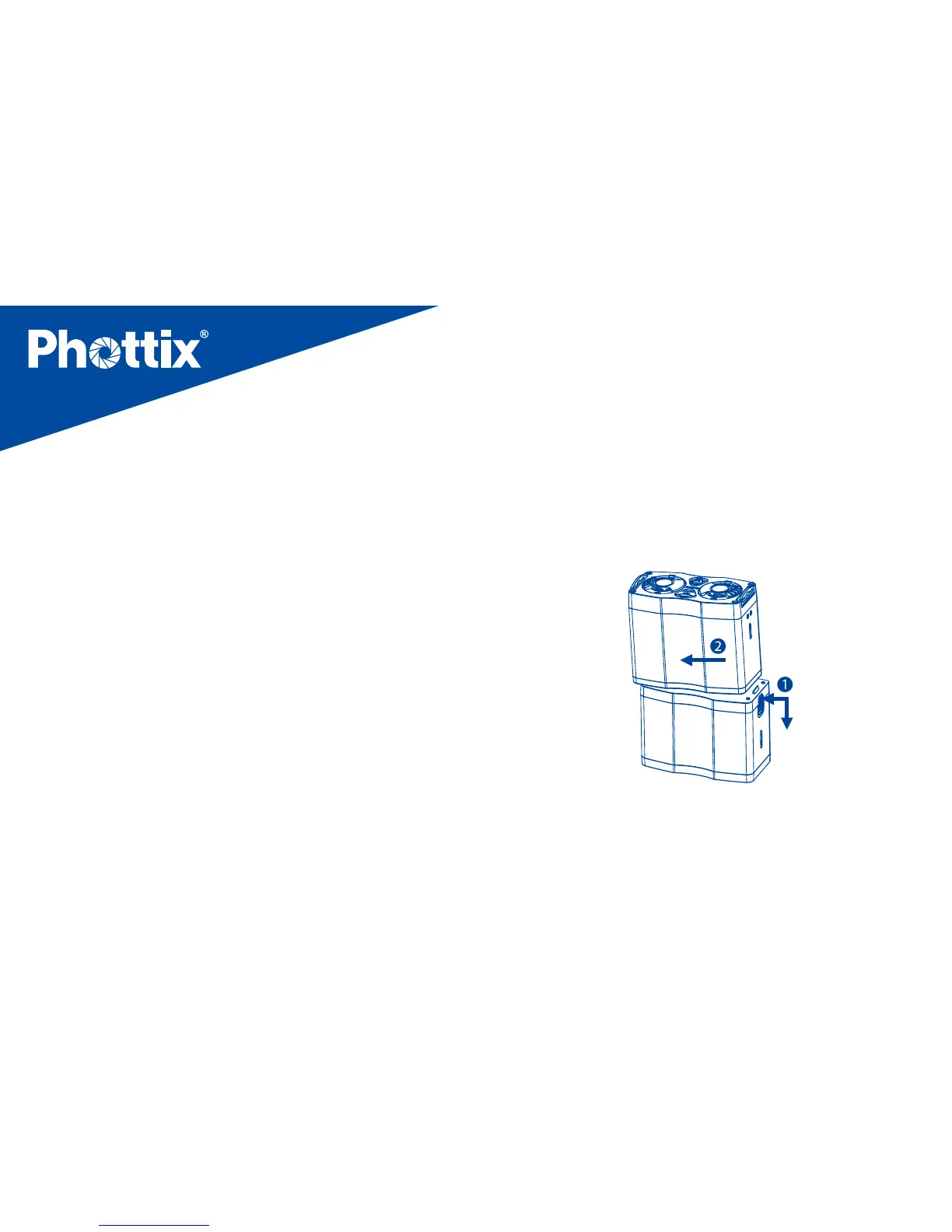
button downwards with one hand.
2. With the other hand hold the Body of the Phottix Indra
Battery Pack and pull it to the left. This will separate the
two parts. (See picture 1)
picture 1
To assemble
1. Hold the Li-ion cell in one hand and use the other hand
any ashes attached to the Indra Battery Pack will switch
to internal batteries power. (See you flash manual for
more details).Recycling time will become slower.
Note: when powering two studio lights, firing at 1/1
output levels and at a speed of once per 5s, at the same
time, after about 120 shots, the Phottix Indra Battery
Pack will trigger the overheating protection.
●
Turn off the Battery Pack when not in use. If left on
battery power will continue to drain even if no devices are
attached. Over-discharge will cause damage to the unit.
Assembling and disassembling the
Phottix Indra Battery Pack
To disassemble
1. Hold the Li-ion cell and slide the locking latch release


 To Next Page