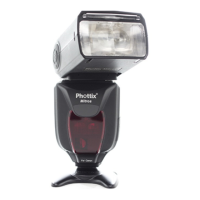
Overheating Protection
The Phottix Mitros+ contains an overheating protection circuit that will slow
ash recycle time to avoid overheating-related damage. Approximately 20
full-power ashes in a short amount of time will trigger this protection. A [ Hot! ]
Icon will appear when the overheating protection circuit is in operation.
To avoid further overheating or possible damage the ash will increase the re-
cycling time to assist in lowering the ash temperature. Wait 10 minutes before
using the ash.
If the ash continues to be used after the [ Hot! ] Icon appears and the ash does
not cool down a [ Stop ] icon will appear on the LCD. Cease using the ash and
wait 10 minutes for it to cool down..
Sync and USB Ports
1. The 3.5mm Sync Port can be used with a 3.5mm sync cable to trigger the
ash – from a ash trigger or camera. This port is input only – ash signals are
not output from this port.
2. The USB port is used for rmware upgrades. Firmware announcements and
instructions will be made available on Phottix websites.
Status LED
Left LED: Flash-ready indicator. In Quick Flash Mode, the LED will ash green
when the ash has the minimum recycle charge. It will ash red when fully
charged.
Right LED: Flash exposure conrmation lamp. If a standard ash exposure is
obtained, the ash exposure conrmation lamp will light blue for approximately
3 seconds. If the ash exposure conrmation lamp doesn’t light, move closer to
the subject or increase the camera ISO setting.
External Battery Port
The External Battery Port is a proprietary Phottix design for use with Phottix
ash cables. The external port is compatible with the Canon CP-E4 compact bat-
tery pack or compatible models when the included adapter is used.
Please note:
- Batteries must be used in the ash even when an external battery pack is
used.
- Never use non Canon-compatible battery packs.


 To Next Page