6
How to restore Phyn Plus
to factory settings
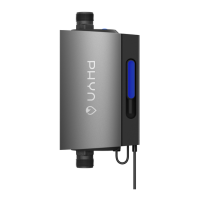
To restore Phyn Plus to its factory settings, locate the Action button on
the top of the unit. Tap the button three times, then press and hold it
for 5 seconds. Once the device has restored itself, you will need to
re-connect it to your home Wi-Fi network (see “Pairing Phyn Plus to
your Wi-Fi network” on page 2).
Safety precautions
• Do not block airfl ow to Phyn Plus. Keep immediate surrounding
area clear.
• Use cable tie mounts to ensure that no cables are hanging loose
and creating a hazard.
• To avoid risk of fi re and shock: use only the provided cable
and power adapter.
• To avoid risk of serious injury: keep Phyn Plus and all components
out of the reach of children and pets.
• We recommend using only an electrical outlet equipped with
a ground fault circuit interrupter (GFCI) (look for “Test” and
“Reset” buttons on your outlet).
• Phyn does not provide third-party monitored emergency
notifi cation or response.
WARNING: This product may contain chemicals
known to the State of California to cause cancer,
birth defects or other reproductive harm.


 To Next Page