6
www.phywe.com, © All rights reserved 09057-99 / 2115
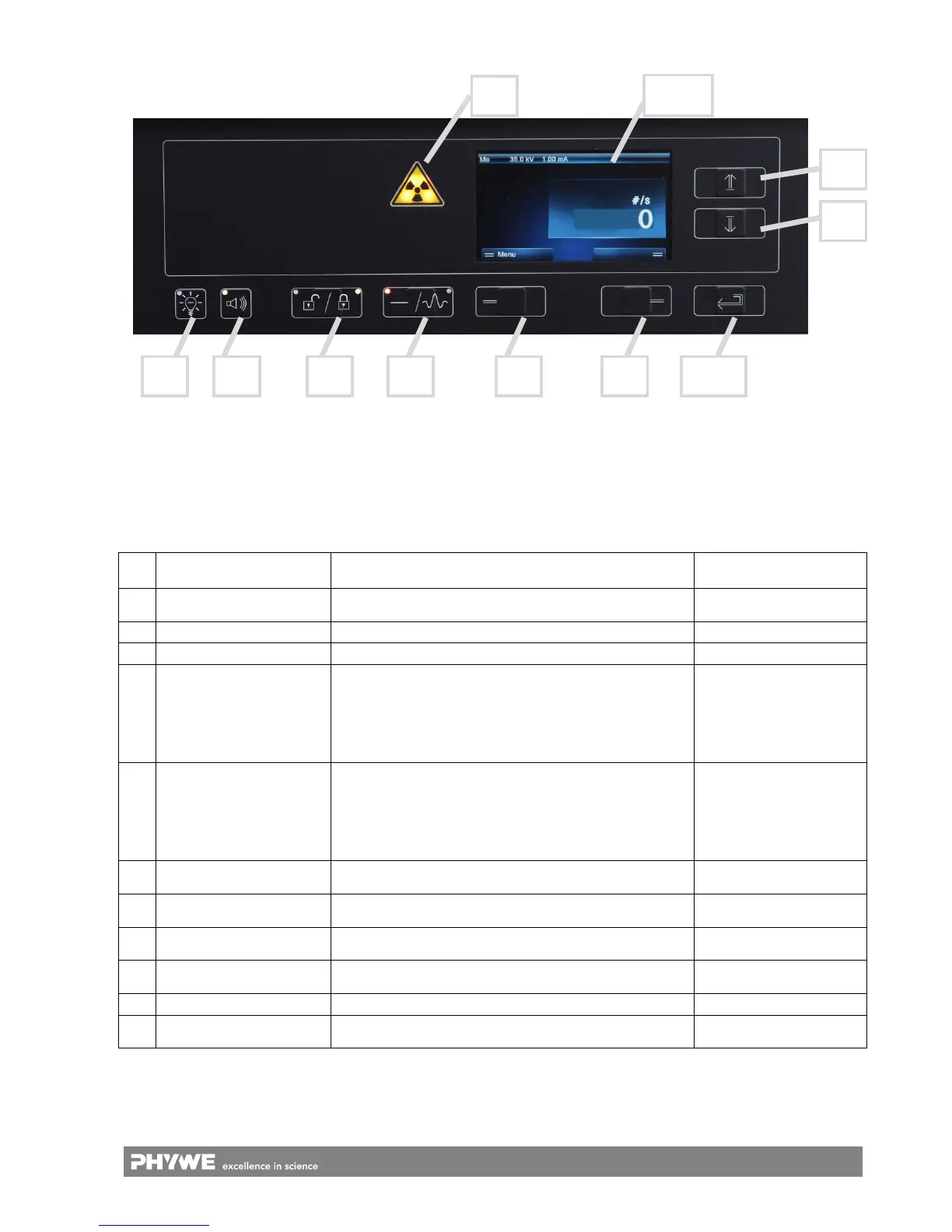
Table 1: Overview of the functional elements of the control panel
No. Name/Type Function
Lighting colour:
function activated
I
Triangular warning symbol
“X-rays”
X-ray status indication Bright yellow ( 2 LEDs)
II Lighting (button) For switching the light in the experiment chamber on/off Green
III Loudspeaker (button) Acoustic indication of the pulses Green
IV Door status (button) For locking and unlocking the door
White:
not lockable
Left LED green:
door can be locked
right LED green:
door locked
V X-rays (button) For activating the X-radiation
White: it is not possible
to swith on the unit
Left LED green:
X-ray can be activated
right LED green:
X-ray is activated
VI Button (no name)
The selection of the menu function will be displayed on the
screen above (on the bottom on the left-hand side)
White
VII Button (no name)
The selection of the menu function will be displayed on the
screen above (on the bottom on the right-hand side)
White
VIII Arrow key “up” (button)
For setting experiment parameters and for scrolling through
the menu
White
IX Arrow key “down” (button)
For setting experiment parameters and for scrolling through
the menu
White
X Enter (button) For confirming the selected value White
XI TFT display
For displaying the menus for the manual control of the unit
(77 mm x 50 mm)
Polychrome
Fig. 5: Control panel at the front of the unit
VIII
IX
I
XI
II III IV V VI VII X


 To Next Page
 Loading...