Need help?
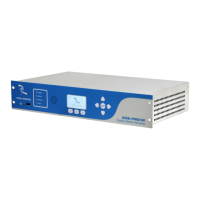
Do you have a question about the Pico Digital XDS-PRO4Q and is the answer not in the manual?
Overview of the NMS for receiver monitoring, management, and event logging.
General hazards to avoid for safe and reliable use, covering temperature, ventilation, grounding, etc.
Guidance on physically installing the receiver, including rack mounting and rack loading.
Information for connecting the receiver to a satellite dish, including grounding requirements.
Instructions for connecting the receiver to an Ethernet network, including IP configuration.
Overview of the web interface's General menu, including Status, Tuner, Setup, Relays, Opto Inputs, and Logs tabs.
Accessing programming schedules, recordings, and stored content like audio files.
Steps to access and log into the Affiliate Website, including password retrieval.
Guide to creating a play schedule for the receiver via the Affiliate website.
Instructions on how to modify relay mappings using the NMS.
 General
| Brand | Pico Digital |
|---|---|
| Model | XDS-PRO4Q |
| Category | Receiver |
| Language | English |


 To Next Page