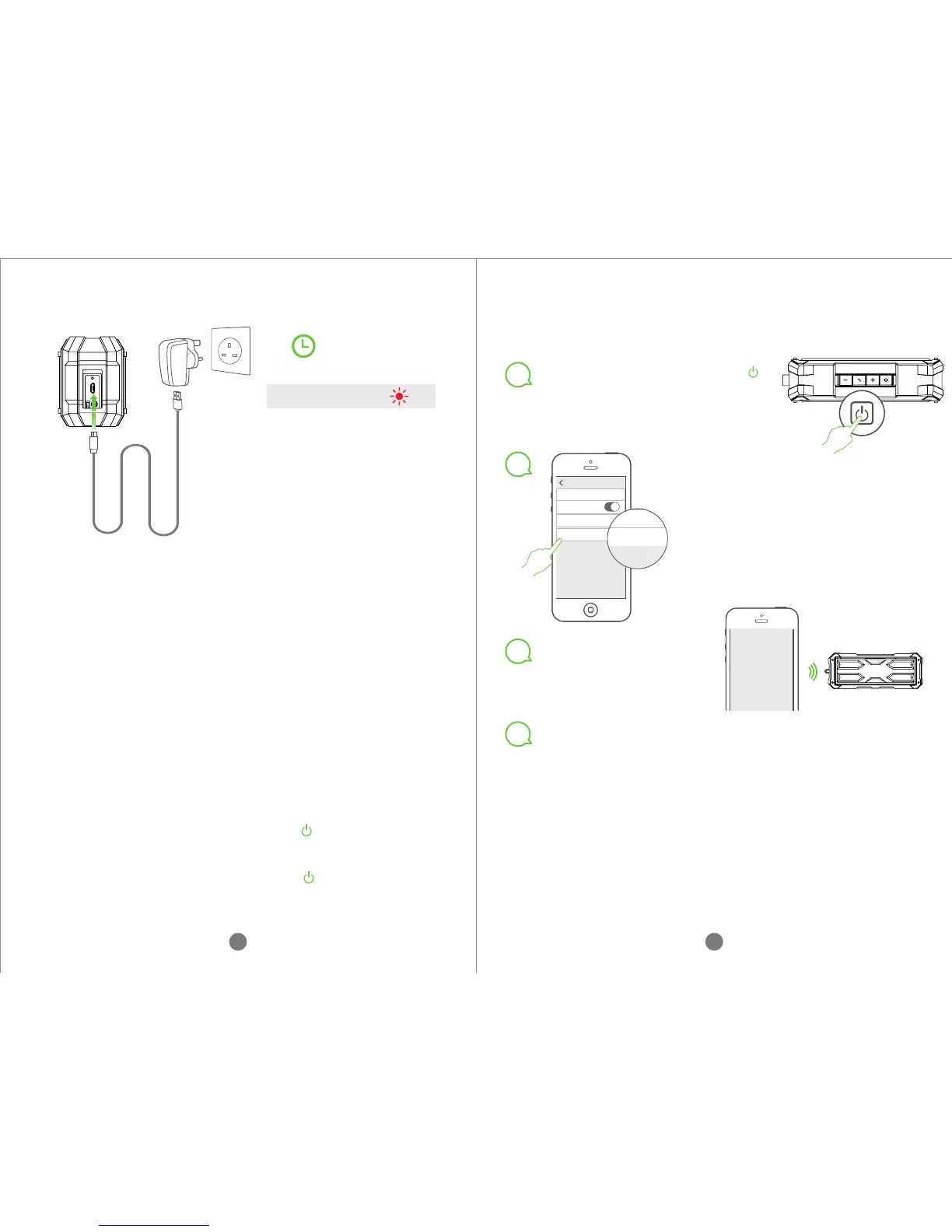
Connect one end of the provided USB charging cable
to the USB charging socket on the speaker.
Connect the other end of the provided USB charging
cable to computer or adapater.
The charging indicator light is red when the speaker
is being charged.
It takes about 8-10 hours to fully charge it if it is
connected to computer. About 6-8 hours if
connected to adapter(5V 1.5A).
The charging indicator light will turn to green when
the speaker is fully charged.
Charging light:
6-8 hours
Note: In order to prolong
the battery life, please
do not use it while it is
being charged.
1.
2.
3.
4.
POWER ON/OFF
Power on: long press the button“” to turn on the
speaker.
Power off: long press the button“”again to turn
off the speaker.
1.
2.
BLUETOOTH PAIRING
1
2
Long press the power button“ ”
to turn on the speaker, the blue
working indicator light will flash fast.
Turn on the Bluetooth function on
your phone. Search for Bluetooth
devices and select “ Bomber”.
(Enter code “0000” if needed.)
Setting
Bluetooth
Bluetooth
Now discoverable as “iPhone”
DEVICES
Bomber
3
You will hear sound
prompt when it is
connected.
Remark: The speaker has memory function. When
you turn on the speaker next time, it will automatically
connect to pre-paired phone if the Bluetooth function
on your phone is on. (Please make sure your phone is
in the range of pairing.)
CONNECTED
03 04
5.
5
Now, you can play music, long press the power button once
again to turn off the speaker when it is playing music.


 To Next Page