30
BIP-7000 Manual
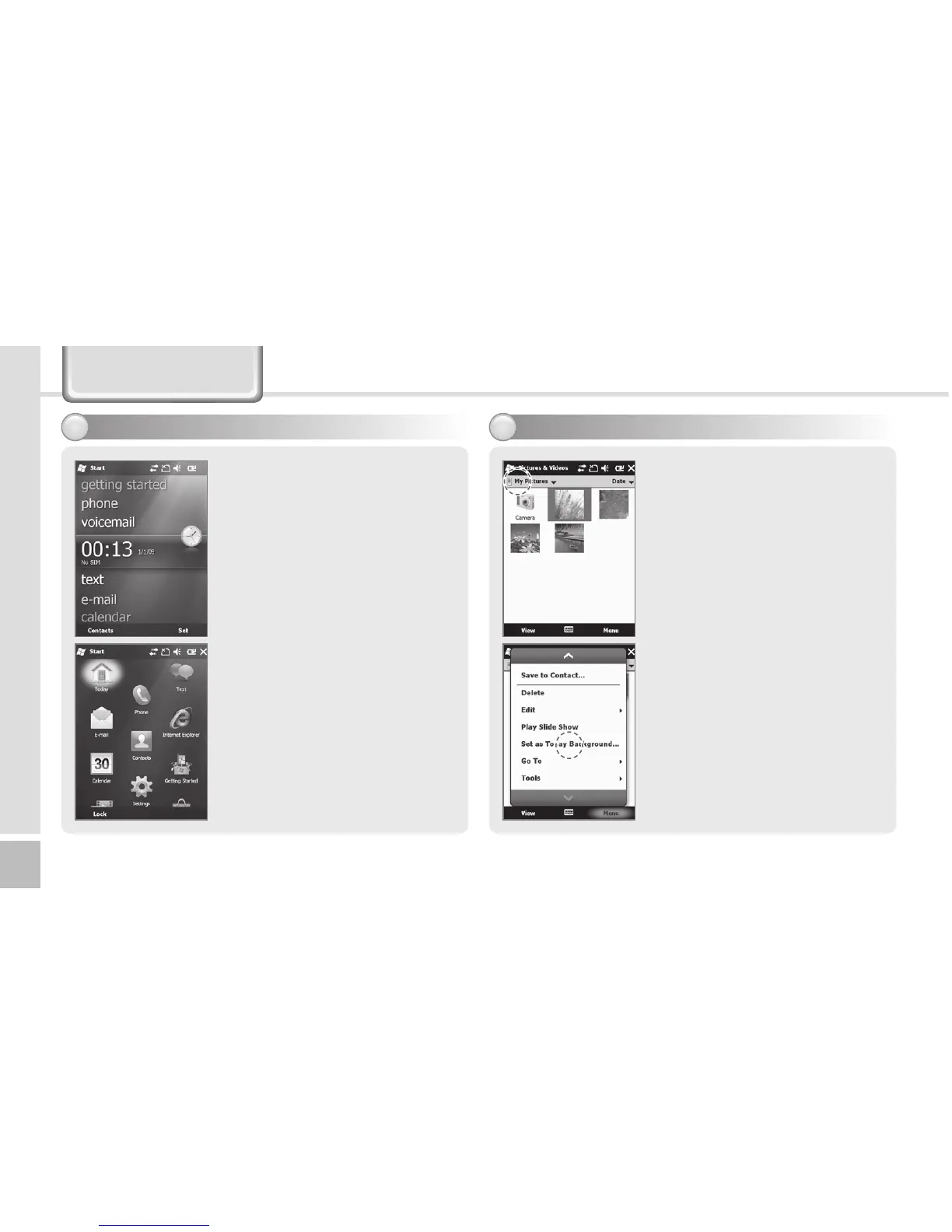
Today Screen
Terminal states such as [Start],
[Wi-Fi], [Com Status], [Volume]
and [Battery] are indicated on
the top of the screen.
Depending on the settings,
[Today Screen] may display
[Date], [Time], [Wireless Access
Setting], [User Info.],
[Message], [Work], [Schedule]
or [Lock Status].
See p.52 for details.
You can set the photo taken
by yourself as the background
image.
1
Select Start
Ķ
Pictures and
Videos
Ķ
My Pictures.
2 Select the [Menu] button
in the right bottom of the
screen.
3 Select [Set as Today
Background...].
4 Select the transparency level
of the background image,
and select [OK] button.
7JFXJOHUPEBZTDSFFO
4FUUJOHQIPUPJNBHFBTUIFCBDLHSPVOEJNBHF


 To Next Page
 Loading...