EasyManua.ls Logo

PIE PIECAL 211 - User Manual

PIE PIECAL 211
8 pages
Print Icon
To Next Page IconTo Next Page
Loading...
Practical Instrument Electronics
82 East Main Street Suite 3.14 • Webster, NY 14580 Tel: 585.872.9350 • Fax: 585.872.2638 • sales@piecal.com • www.piecal.com
Page 1
Product Description
Easy to use
With the PIECAL 211 you can check & calibrate all
your RTD instruments and measure RTD Sensors.
Automatic indication of connections on the display for
simple hookups.
Take it into the shop, plant or field
Carry it without worry - it comes protected with a
rubber boot and rugged, low profile switch. Easy to
operate even in the dark areas of the plant with the
backlit display.
Calibrate directly in temperature (°C & °F)
Stop carrying around a decade box and RTD
resistance tables. The PIECAL 211 works with the
RTDs you use including Platinum 100 (alpha = 3850,
3902, 3926) & 1000 (alpha = 3850, 3750) Ohm,
Copper 10 & 50 Ohm, Nickel 100 and 120 Ohm.
Easily set any value quickly to within 0.1° with the
adjustable digital potentiometer “DIAL plus store any
three temperatures for instant recall with the
EZ-CHECK™ switch.
Calibrate quickly with automatic output stepping
Choose between 2, 3, 5, 11 and 21 steps to
automatically increment the output in 100%, 50%,
25%, 10% or 5% of span. Select the step time to
match your system from 5, 6, 7, 8, 10, 15, 20, 25, 30
and 60 seconds.
Compatible with all process instruments
Connect directly to the RTD inputs of smart
transmitters, PLCs, DCS and multichannel recorders and verify their outputs or
displays. Works with older instruments with fixed excitation currents and newer
multichannel instruments that switch the excitation current between input channels.
Measure RTD Sensors
Trouble shoot sensor connections and find broken wires with patented technology. Connect your
two, three or four wire RTDs and the PIECAL 211 automatically detects the connections and
measures the RTD in degrees C or F.
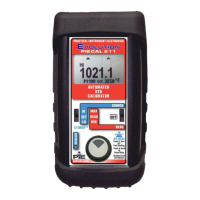
PIECAL 211
Automated Universal RTD Calibrator
Operating Instructions
PIECAL 211
Automated Universal RTD Calibrator
Operating Instructions
Copyright © 2011 All rights reserved • 211-9002 - Rev D 13 July 2011
www.GlobalTestSupply.com
Find Quality Products Online at: sales@GlobalTestSupply.com
Question and Answer IconNeed help?

Do you have a question about the PIE PIECAL 211 and is the answer not in the manual?

Summary

PIECAL 211 Product Description

Easy to Use Features

Describes the user-friendly design and automatic connection indication for simple hookups.

Durable Design for Field Use

Highlights the rugged construction, rubber boot, and backlit display for operation in harsh environments.

Direct Temperature Calibration

Enables direct calibration in °C/°F, supporting various RTD types and quick value setting with a digital potentiometer.

Automatic Output Stepping

Allows quick calibration with automatic output stepping in various percentages and step times.

Process Instrument Compatibility

Compatible with smart and older process instruments, handling fixed and switching excitation currents.

Measure RTD Sensors

Troubleshoots sensor connections and broken wires, automatically detecting connections for 2, 3, or 4-wire RTDs.

PIECAL 211 Basic Operation

Source, Off, and Read Switch

Explains the function of the main slide switch for outputting signals or reading sensors.

EZ-CHECK Switch Functionality

Details how to instantly output preset RTD temperatures or read current/max/min sensor temperatures.

EZ-DIAL Knob Operation

Describes using the knob for adjusting output, storing EZ-Check points, and accessing configuration menus.

Battery Replacement Guide

Provides instructions on how to change the four AA batteries and notes that configuration is reset upon removal.

PIECAL 211 Configuration Settings

Temperature Units (°C;°F)

Allows toggling between Celsius and Fahrenheit for temperature readings and outputs.

RTD Type and Alpha Selection

Enables cycling through various RTD types (Pt, Cu, Ni) and their corresponding alpha values.

Backlight On;Off Control

Option to keep the backlight on or turn it off to conserve battery life.

Automatic Stepping Configuration

Sets the number of steps for automatic output increments, based on EZ-Check values.

Step Time Adjustment

Allows selection of the time interval between automatic output steps.

Auto Shut-off Function

Configures the automatic power-off feature to save battery life after a period of inactivity.

Calibrating and Reading RTD Instruments

RTD Instrument Calibration (Source)

Provides a simulated RTD signal to devices, adjustable in fine or coarse increments.

Reading RTD Sensors

Measures temperature from an RTD probe or sensor, displaying current, max, and min readings.

Storing EZ-CHECK Outputs and Auto Stepping

Storing High and Low EZ-CHECK Values

Explains how to store desired high (span) and low (zero) temperatures for quick recall.

Initiating Automatic Stepping

Describes how to start and stop automatic stepping sequences between stored EZ-CHECK values.

PIECAL 211 RTD Ranges and Accuracies

PIECAL 211 Specifications Overview

Additional Information and Warranty

Included Accessories

Lists essential items included with the PIECAL 211, such as a rubber boot and wire kit.

Optional Accessories

Details optional accessories like a rechargeable battery kit for extended operation.

Product Warranty Details

Outlines the three-year warranty against defects and the liability limitations of the manufacturer.

PIE PIECAL 211 Specifications

General IconGeneral
Resolution0.01 mA
Ranges0 to 24 mA
Loop Voltage Compliance24 V
DisplayLCD
Power9V Alkaline Battery
Operating Temperature0°C to 50°C
Storage Temperature-20°C to 60°C

Related product manuals