Motorola
®
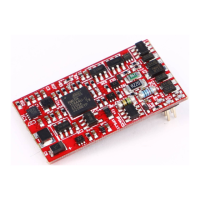
The decoder utilizes 4 Motorola® addresses to access functions F1 - F 16, when using a Motorola—based
command station. The three sequence addresses for the functions F5 - F16 are ascending to the decoder address
and can be activated in CV61 as required by the values 1 (F5 - F8), 2 (F5 - F12), or 3 (F5 - F16).
Conguration of CVs
In addition to the decoder address, the indexed CVs of a locomotive decoder are the most important CVs. These are
the CVs 12 and 29 in the PIKO SmartDecoder XP 5.1. As a rule, an indexed CV contains various basic settings of
a decoder, such as reversing the direction of travel. CV calculation examples can be found in the detailed operating
instructions.
RailCom
®
, RailCom Plus
®
In the decoder, CV29 (RailCom®) can be turned on or off via bit 3. If RailCom Plus® is turned on, the decoder
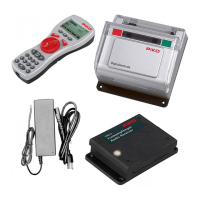
will be automatically recognized by a RailCom Plus®-enabled DCC control system (i.e. PIKO SmartControl) and
a locomotive icon, decoder name, and its special function icons will appear on the control system’s screen. With
RailCom Plus® technology, no locomotive data has to be stored in the DCC central control unit and no locomotive
addresses have to be programmed into the decoder.
mfx
®
PIKO SmartDecoder XP 5.1 is specically made for the mfx® data format. If your control system uses the mfx®
format, then the decoder is automatically recognized and is assigned its locomotive symbol, decoder address, and
its up to 16 special function symbols. With mfx® technology, no locomotive data has to be stored in the central
control unit and no locomotive addresses have to be programmed into the decoder.
Braking
The decoder understands the following braking methods:
Märklin® braking section (brakes with analog DC voltage)
DCC braking function
ABC (Automatic Brake Control) braking section
The decoder can stop the model with two adjustable braking distances that are accurate down to the centimeter.
More information on "braking behavior" can be found in the detailed operating instructions.
Shunting speed (RG)
The desired function key F0 - F68, via which the shunting speed (half speed) can be switched on, is entered in
CV157.
Starting and braking delays (ABV)
The desired function key F0 - F68, which can be used to switch off the ABV, is entered in CV156. The values of the
starting and braking delays can be changed in CVs 3 and 4.
Function outputs
A comprehensive description of all options related to the function outputs can be found in the detailed operating instructions.
Simple and extended function mapping
In the simple function mapping according to RCN-225
(CVs 33 - 46) the switching tasks such as lighting
and special function output can be freely assigned to the function keys F0 to F12 of the digital command station.
The switchable starting and braking delay and the shunting gear can be assigned to any function key up to F68 in
CVs 156 and 157 can be assigned to any function keys up to F68. More information can be found in the detailed
operating instructions.
Smoke generator control
A smoke generator can be connected to output A1, which can be controlled by the decoder either load- or speed-
dependent.
speed-dependent by the decoder. The assignment to the function keys is done exclusively via the extended function
mapping extended function mapping.
Extended function mapping
Due to its complex nature, extended function mapping cannot easily be set by programming individual CVs. To
work with extended function mapping, you will need the PIKO SmartProgrammer device (#56415) and, if desired,
the PIKO SmartTester (#56416). Detailed information on extended function mapping is available in the instruction
manual.
Servo control
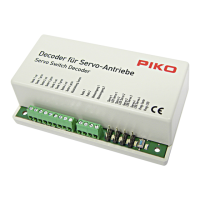
The decoder enables the control of a servo motor via function output A1. The assignment to the function keys is done
exclusively via the extended function mapping.
The use of a servo with the decoder requires electronics expertise.
Further information can be found in the detailed operating instructions.
ATTENTION: Soldering on the decoder should only be carried out by experienced specialists with the appropriate tools.
Decoders damaged by improper handling will not be covered by the warranty.
NOTE: To upload a PIKO locomotive project to the decoder, you need the test and programming device PIKO
SmartProgrammer (#56415) and (optional) the PIKO SmartTester (#56416).
Factory reset
To restore the decoder to its factory settings, program CV8 to a value of 8.
Programming
Conguration variables (CVs) form the basis of all the decoder’s settings. This decoder can be used with the
PIKO
SmartControl
light
DCC system, the PIKO SmartControl DCC system, or any other DCC- and Motorola based
systems.
For more information on programming options, please refer to the instruction manual.
Märklin® and mfx® are registered trademarks of Gebr. Märklin & Cie. GmbH, Göppingen
Motorola® is a registered trademark of Motorola Inc. Tempe, (Phoenix) Arizona / USA
RailCom® and RailComPlus® are registered trademarks of Lenz Elektronik GmbH
NOTE: This product is not a toy and is not suitable for children under 14 years of age. Any liability for damages of
any kind caused by improper use, as well as by not following these instructions, is excluded.
Service:
Internet: www.piko.de
E-Mail:info@piko.de
In the event of a defective decoder, please return the decoder module to PIKO along with proof of purchase, the decoder
address, and a short description of the problem.
Warranty Statement
Each decoder module is fully tested before shipment. Nevertheless, should a malfunction occur within the 2-year warranty
period, we will repair the module free of charge on presentation of the proof of purchase. This warranty is voided if the unit
has been damaged by improper use. Please note that, according to the German Electromagnetic Compatibility Law (EMV-
Gesetz), the decoder module may only be used inside models bearing the CE mark.
Product subject to changes. All rights reserved. Printed 08/2021.
Copy and duplication of this text are permissible only with the permission of the publisher.



 To Previous Page
 Loading...