
 Need help?
Do you have a question about the PINE64 Pinebook Pro and is the answer not in the manual?
Details issues with the v2.1 SSD adapter and potential repair kits.
Explains using an NVMe drive for data storage with kernel support.
States it's not possible to boot directly from NVMe due to SoC limitations.
Describes bypass cables for powering the mainboard without a battery and warnings.
Points to service guides for disassembly, mentioning specific component guides.
Lists power input specifications via barrel jack and USB-C.
Discusses potential boot issues when using a UART console cable.
Explains power-on issues after manipulating the eMMC switch and suggests pressing reset.
Describes an issue with palm rejection disabling keyboard input and a firmware fix.
Covers checking privacy switches, NetworkManager config, and power management.
Information on enabling and using Bluetooth devices.
Details common causes for lack of sound and troubleshooting steps.
Criteria for successful USB-C alternate mode video output and dock usage.
Describes mainboard switches for eMMC and UART, plus reset/recovery buttons.
Details bootable media like eMMC, USB, and SD card, and the boot order.
Details the different partitions of the eMMC storage, like boot0, boot1, and RPMB.
Explains how the RK3399 boot ROM searches for boot code on various media.
Provides the physical dimensions and weight of the Pinebook Pro.
Outlines the CPU's big.LITTLE architecture and ARMv8-A instruction set.
Describes the ARM Mali-T860MP4 Quad-core GPU and its capabilities.
Details the RAM type, channels, and capacity.
Provides details on the eMMC module, its version, and upgradeability.
Specifies the type and capacity of the Lithium Polymer battery.
Information about the 14.1" IPS LCD panel.
Details USB-C Alt mode DP video output resolution and lanes.
Describes the 3.5mm audio jack and built-in stereo speakers.
Lists WiFi standards, dual-band support, and Bluetooth version.
Lists specifications for MicroSD card compatibility and speed.
Details the types and capabilities of the USB ports.
Specifies PCIe lanes, length, power, and compatibility for NVMe adapters.
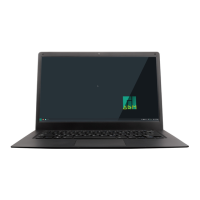
The Pinebook Pro is a Linux and *BSD ARM laptop designed as an open-source alternative to mid-range Chromebooks. It features a 14-inch IPS 1080p LCD panel, a premium magnesium alloy shell, and a high-capacity 10,000 mAh battery. The device emphasizes modularity and open-source compatibility.
The Pinebook Pro serves as a portable computing device, running various open-source operating systems such as Linux distributions (Ubuntu, Debian, Manjaro) and *BSD. Its core functionality is driven by the RK3399 System-on-Chip (SoC), supporting a range of tasks from general productivity to development.
The laptop is equipped with 4GB LPDDR4 system memory and high-capacity eMMC flash storage for its primary operating system and data. A 128Mb SPI boot Flash is also included. For connectivity and expansion, it provides a micro SD card reader (which is bootable), USB 2.0 and USB 3.0 ports, and a USB Type-C Host port that supports DisplayPort 1.2 video output and power input (3A 5V). An internal switch allows the headphone jack to function as a UART console.
For storage expansion, the Pinebook Pro includes a PCIe 4x interface for an NVMe SSD drive, which requires an optional adapter. This allows users to significantly increase storage capacity and potentially improve data access speeds.
Privacy features are integrated through physical switches for the microphone, Bluetooth/WiFi module, and camera, allowing users to physically disable these components when not in use.
The keyboard and trackpad operate via the USB 2.0 protocol, providing standard input functionality. The LCD panel utilizes the eDP MiPi display protocol for its visual output.
The Pinebook Pro offers flexible usage scenarios due to its open-source nature. Users can install and run a wide variety of operating systems, tailoring the device to their specific needs.
The device is capable of booting from eMMC, USB 2.0, USB 3.0, or an SD card. While direct booting from USB-C is not supported, the hard-coded ROM boot order prioritizes SPI NOR, eMMC, SD, and then USB OTG. The Pinebook Pro typically ships with a Debian + MATE build on the eMMC, with a boot order of SD then eMMC.
For users wishing to utilize an NVMe SSD, it can function as a data drive, provided the kernel has the necessary PCIe and NVMe drivers. It can automatically mount when booting from eMMC or an SD card, supporting both Linux and FreeBSD. While direct booting from an NVMe drive is not possible due to the SoC lacking NVMe boot code, users can configure the system to boot from eMMC and then transfer the root file system to the NVMe drive. This involves having the U-Boot code, kernel image, DTB, and extlinux.conf in a /boot partition on the eMMC, pointing to the NVMe drive for the root file system.
The Pinebook Pro can be powered via a 5V DC @ 3A barrel jack (3.5mm OD / 1.35mm ID) or a USB-C 15W PD quick charge. It is crucial to use only one power input at a time.
The USB-C port supports DisplayPort alternate mode, allowing video output up to 3840x2160 at 60Hz (or 30Hz if USB 3 is also desired for a dock). The device can connect to external displays via USB-C alternate mode DisplayPort, and if the external device uses an active translator, it can output to HDMI or VGA.
Audio output is available through built-in stereo speakers and a 3.5mm stereo earphone/microphone plug. If sound is not working from the headphone jack but works from speakers, the headphone/UART console switch might be set to UART mode and needs to be switched to headphone mode. When using USB-C alternate DisplayPort mode, audio may be redirected through this path to a monitor with speakers. For Bluetooth attached speakers or headsets, the pulseaudio-module-bluetooth package needs to be installed.
The device supports WiFi (802.11 b/g/n/ac, dual band 2.4Ghz & 5Ghz with a single antenna) and Bluetooth 5.0. Privacy switches allow users to physically disable the WiFi/BT module.
The Pinebook Pro is designed with a degree of user serviceability, with clear instructions for disassembly and component access.
To access internal components, the laptop must be powered off and folded closed. Ten Phillips head screws secure the bottom cover. After removing the screws, the cover can be lifted from the back (hinge side) and away from the chassis. During reassembly, ensure back-screw standoffs are in place and seated correctly. The bottom section slides into place, meeting the front lip of the keyboard section. The front section is secured with two short screws in the front left and right corners, followed by popping the bottom panel into place and securing the remaining screws. Screws should only be finger-tight to avoid stripping threads. If the back cover plate is not seated properly, gently flex the base with both hands in opposing directions until it pops into place.
Boot/Power On Issues:
Keys Not Registering/Missing Keys:
WiFi Issues:
/etc/NetworkManager/NetworkManager.conf as root, changing managed=false to managed=true, then reboot.iw dev wlan0 set power save off or iwconfig wlan0 power off), though this is not persistent across reboots.Sound Issues:
The mainboard features two switches:
The Reset (28) button performs an immediate reset of the laptop. The Recovery (28) button is used to place the device in maskrom mode for flashing eMMC using Rockchip tools.
Any changes or modifications not expressly approved by the responsible party could void the user's authority to operate the equipment. The device complies with Part 15 of the FCC Rules, meaning it must accept any interference received and not cause harmful interference. The SAR limit for USA (FCC) is 1.6 W/kg, and the device has been tested for typical operations at 0mm from the body.
 General
| RAM | 4GB LPDDR4 |
|---|---|
| Battery | 10, 000 mAh |
| Weight | 1.26 kg (2.78 lbs) |
| Wi-Fi | 802.11ac |
| Bluetooth | Bluetooth 4.1 |
| Webcam | 720p |
| Processor | Rockchip RK3399 |
| Storage | MicroSD card slot for storage expansion |
| Display | 1920x1080 resolution |
| Graphics | Mali-T860 |
| Operating System | Linux-based |
| Ports | USB 3.0, HDMI, headphone jack |
| Keyboard | Full-size keyboard |
| Trackpad | Multi-touch trackpad |
| Build | Magnesium alloy |

 To Next Page