
 Need help?
Do you have a question about the Pioneer AVH-1300NEX and is the answer not in the manual?
General compliance and warnings related to the product.
Crucial safety guidelines for installation and operation.
System preventing use of certain functions while driving.
Precautions for using USB ports to prevent damage.
Care instructions for the display to prevent damage.
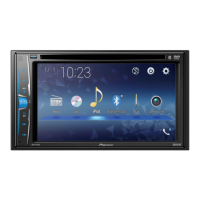
Identification of physical components on the head unit.
Identification of remote control buttons and functions.
Procedure for system reset to restore factory settings.
Initial system boot and setup process.
How to interact with the touchscreen interface.
Steps to pair a Bluetooth device.
Using the phone via Bluetooth for calls.
Playing audio wirelessly via Bluetooth.
Steps to connect and use AppRadio Mode.
On-screen keyboard functionality for text input.
List of available audio/video inputs.
Choosing an AV input.
Connecting via Lightning.
Connecting Android phones.
Explanation of HD Radio features.
Controls for HD Radio.
How to handle discs.
Handling discs and USB devices.
Initial steps for file playback.
How to connect an iPod.
Controls for iPod playback.
Connecting and using Pandora.
Connecting and using Spotify.
Activating the service.
Controls for SiriusXM listening.
Restricting access to channels.
Connecting and using AUX input.
Basic MIXTRAX functionality.
Initial setup of the adapter.
General system configurations.
Adjusting sound parameters.
Adjusting video output and display.
Adding menu items to favorites.
Adjusting clock settings.
Resetting the device.
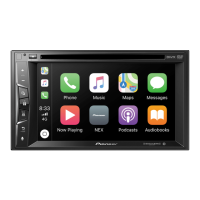
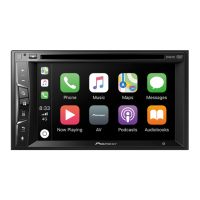
Steps to connect and use CarPlay.
Volume control for CarPlay.
Steps to connect and use Android Auto.
Automatic launch configuration.
Troubleshooting common errors.
General problem solving.
Media compatibility details.
Summary of supported media.
 General
| Display Size | 6.2 inches |
|---|---|
| Resolution | WVGA (800 x 480) |
| Bluetooth | Yes |
| Apple CarPlay | Yes |
| Aux Input | Yes |
| Built-in Amplifier | Yes |
| Screen Size | 6.2 inches |
| Android Auto | No |
| SiriusXM-Ready | Yes |
| Rear View Camera Input | Yes |
| DVD Player | Yes |
| HD Radio | No |
| AM/FM Tuner | Yes |
| Built-in Microphone | Yes |
| Steering Wheel Control Compatible | Yes |
| RMS Power Output | 14 watts x 4 channels |
| Max Power Output | 50W x 4 |
| RCA Preouts | 3 (Front, Rear, Subwoofer) |
| Power Output | 50W x 4 |


 To Next Page
