EasyManua.ls Logo

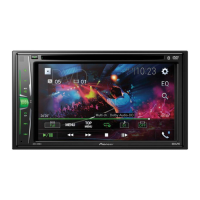
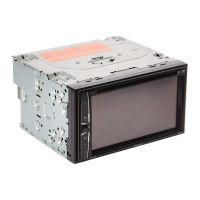
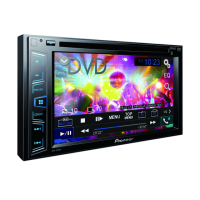
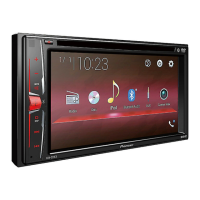
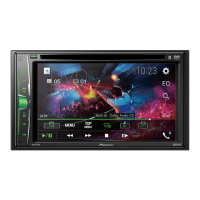
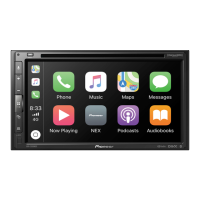
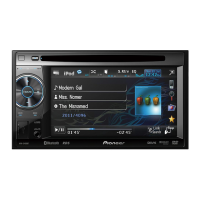
Pioneer AVH-2450BT - User Manual

Pioneer AVH-2450BT
112 pages
Print Icon
To Next Page IconTo Next Page
Loading...
Owners Manual
DVD RDS AV RECEIVER
AVH-P4450BT
AVH-P3450DVD
AVH-2450BT
AVH-1450DVD
English
<CRB3733-B/U>1

Table of Contents

Questions and Answers

  • K
    kennethsnyderJul 26, 2025
    Why is there no sound during still, slow motion, or frame-by-frame playback on my Pioneer Stereo Receiver?
    • D
      Danielle CurtisJul 26, 2025
      If you're not getting any sound during still, slow motion, or frame-by-frame playback on your Pioneer Stereo Receiver, it could be due to the parking brake cable not being connected. Connect the parking brake cable and apply the parking brake.
  • J
    Jacob RussellJul 31, 2025
    Why won't my Pioneer Stereo Receiver turn on?
    • K
      Kimberly VillegasJul 31, 2025
      If your Pioneer Stereo Receiver isn't turning on, it might be due to incorrectly connected leads and connectors. Double-check all connections to ensure they are properly set up.
  • C
    Candace OwensAug 5, 2025
    How to fix a blown fuse in a Pioneer AVH-2450BT Stereo Receiver?
    • D
      danielle97Aug 5, 2025
      If the fuse in your Pioneer Stereo Receiver has blown, identify and fix the underlying cause. Then, replace the blown fuse with a new fuse of the exact same rating.
  • T
    Timothy HarrisonAug 10, 2025
    What to do if my Pioneer AVH-2450BT won't play the disc I loaded?
    • E
      edwardsdanaAug 11, 2025
      If your Pioneer Stereo Receiver can't play the disc, check the disc type to ensure it's compatible with the unit.
  • N
    Nancy MontgomeryAug 15, 2025
    Why is the image stretched on my Pioneer AVH-2450BT?
    • J
      Jeffrey MossAug 15, 2025
      If the image on your Pioneer Stereo Receiver is stretched, the aspect ratio setting may be incorrect for your display. Select the appropriate setting for your display.
  • T
    Tiffany ReedAug 20, 2025
    Why is my Pioneer AVH-2450BT Stereo Receiver stuck in still, slow motion, or frame-by-frame playback?
    • K
      Kelsey ScottAug 20, 2025
      If your Pioneer Stereo Receiver is stuck in still, slow motion, or frame-by-frame playback, the parking brake might not be applied. Connect the parking brake cable and ensure the parking brake is applied.

Summary

Precautions

IMPORTANT SAFEGUARDS

Essential safety instructions for proper use and operation.

To ensure safe driving

Guidelines to prevent driver distraction and ensure road safety.

Playing moving images

Playing audio

Playing still images

Bluetooth telephone

Introduction of Bluetooth telephone operations

Covers pairing, making calls, and managing phone functions via Bluetooth.

Using Bluetooth wireless technology

Introduction of Bluetooth telephone operations

Details using the unit for Bluetooth phone calls and audio streaming.

Detailed instructions

Menu operations

Audio adjustments

Detailed settings for sound equalization, fader, balance, and loudness.

Other functions

Installation

Connecting the units

Safety warnings and procedures for connecting system components.

Additional information

Troubleshooting

Common issues, their causes, and solutions.

Error messages

Explanations of error codes and how to resolve them.

Pioneer AVH-2450BT Specifications

General IconGeneral
Display Size6.2 inches
BluetoothYes
USB PortYes
AUX InputYes
AM/FM TunerYes
Preamp Outputs3 (Front, Rear, Subwoofer)
Rear View Camera InputYes
Steering Wheel Control CompatibleYes
DVD PlayerNo
Audio Formats SupportedMP3, WMA, AAC
Video Formats SupportedMPEG-1, MPEG-2, MPEG-4
Max Power Output50W x 4
RMS Power Output22 watts x 4 channels
Equalizer13-band
Dimensions (W x H x D)178 x 100 x 165 mm

Related product manuals