EasyManua.ls Logo

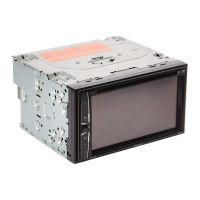
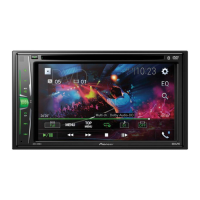
Pioneer AVH-4850BT - User Manual

Pioneer AVH-4850BT
32 pages
Print Icon
To Next Page IconTo Next Page
Loading...
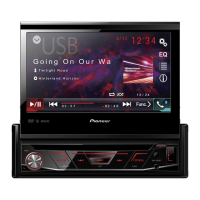
AVH-4850BT
DVD AV RECEIVER
Owner's Manual
English

Questions and Answers

  • A
    alanmoraAug 20, 2025
    Why is there no sound from my Pioneer AVH-4850BT, and the volume won't rise?
    • A
      Amanda HartmanAug 20, 2025
      If there is no sound and the volume level is not rising, the cables might not be connected correctly. Ensure that you connect the cables correctly.
  • J
    Joshua CarterAug 22, 2025
    What does 'Amplifier Error!' mean on my Pioneer AVH-4850BT?
    • L
      Laura TranAug 22, 2025
      If your Pioneer Stereo Receiver displays 'Amplifier Error!', it indicates that the unit fails to operate or the speaker connection is incorrect, which activates the protective circuit. Check the speaker connection. If the message persists even after switching the engine off and on, contact your dealer or an authorized Pioneer Service Station for assistance.
  • M
    matthewhoweAug 25, 2025
    Why is there no sound from the Bluetooth audio source on my Pioneer AVH-4850BT?
    • B
      Barbara MartinezAug 25, 2025
      If there is no sound from the Bluetooth audio source on your Pioneer Stereo Receiver, it could be due to several reasons: * There is a call in progress on a Bluetooth connected cellular phone. The sound will be played back when the call is terminated. * A Bluetooth connected cellular phone is currently being operated. Do not operate the cellular phone at this time. * A call was made with a Bluetooth connected cellular phone and then immediately terminated. As a result, communication between this unit and the cellular phone was not terminated properly. Reconnect the Bluetooth connection between this unit and the cellular phone.
  • V
    Victoria BrooksAug 26, 2025
    What to do if my Pioneer AVH-4850BT power will not turn on or the unit will not operate?
    • J
      Jennifer RobertsAug 26, 2025
      If the power will not turn on and the unit will not operate, here are a few things to check: * Confirm that all connections are correct. * Rectify the cause and then replace the fuse. Be sure to install a fuse with the same rating. * Press RESET, as noise or other factors may be causing the built-in microprocessor to operate incorrectly.
  • M
    Matthew OwenAug 28, 2025
    What to do if my Pioneer AVH-4850BT displays 'Bad Disc'?
    • H
      Haley ThorntonAug 28, 2025
      If you are seeing a 'Bad Disc' error on your Pioneer Stereo Receiver, the disc may be dirty. Clean the disc with a soft cloth. Also, ensure the disc is inserted with the label side up.
  • C
    christopher69Aug 30, 2025
    What to do if my Pioneer Stereo Receiver remote control is not working?
    • J
      Jonathan ClineAug 30, 2025
      If operation with the remote control is not possible on your Pioneer Stereo Receiver, it might be due to low battery power. Try loading a new battery.
  • W
    William BensonSep 1, 2025
    What to do if my Pioneer AVH-4850BT Stereo Receiver displays 'File Error'?
    • T
      Terry VegaSep 1, 2025
      If your Pioneer Stereo Receiver displays a 'File Error', the file format may not be compatible with the unit. Try changing to a supported file.
  • E
    Elizabeth GutierrezSep 2, 2025
    What to do if my Pioneer AVH-4850BT displays 'Unsupported format'?
    • M
      Maria MartinezSep 3, 2025
      If your Pioneer Stereo Receiver displays 'Unsupported format', the file format is not compatible with this unit. Change to a supported file.
  • M
    Miguel MitchellSep 4, 2025
    What to do if my Pioneer Stereo Receiver displays 'Unsupported Video'?
    • J
      Julian KempSep 4, 2025
      If your Pioneer Stereo Receiver displays 'Unsupported Video', it means that the video resolution exceeds 720X576. You should change to a supported file.
  • M
    Mark SteinSep 6, 2025
    Why do the sound and video skip on my Pioneer AVH-4850BT?
    • S
      Susan MartinSep 6, 2025
      If the sound and video skip on your Pioneer Stereo Receiver, the unit may not be firmly secured. Make sure that the unit is firmly secured.

Summary

Precautionary Information

Important Safeguards

Safety instructions for display installation and operation.

Ensuring Safe Driving

Guidelines for safe operation while driving.

Avoiding Battery Exhaustion

Tips to prevent battery drain when unit is in use.

About This Unit

General information and cautions about the unit.

Information to User

FCC compliance, RF exposure limits, and modification warnings.

DVD Video Disc Region Numbers

Explanation of disc region compatibility for DVD playback.

Basic Operation Guide

Head Unit Controls

Identification of controls on the main unit.

Remote Control Overview

Identification of buttons on the remote control.

Remote Control Use and Care

Guidelines for using and maintaining the remote control.

Adjusting LCD Panel Angle

How to adjust the display angle.

Media Insertion and Connection

Procedures for inserting/ejecting discs and connecting USB.

Navigating User Interface Screens

Navigating the unit's interface and menus.

Radio Functions

Select Radio as Playing Source

How to select radio as the audio source.

Select Radio Band

Switching between FM and AM bands.

Tuning Radio Stations

Methods for tuning radio stations.

Storing Strongest Stations

Using BSM to automatically store stations.

Manual Station Storage

Manually saving radio stations.

Automatic Station Search

Automatically searching and storing stations.

Recalling Stored Stations

How to access stored stations.

Preset Channel List Display

Viewing the list of saved radio channels.

Local;Distance Reception Setting

Adjusting reception sensitivity for stations.

FM Tuning Step Adjustment

Adjusting the FM tuning increment.

AM Tuning Step Adjustment

Adjusting the AM tuning increment.

Disc Playback

DVD Title and Chapter Selection

Navigating DVD titles and chapters.

VCD Track Selection

Selecting tracks for VCD playback.

CD Track Selection

Selecting tracks for CD playback.

DVD;VCD Frame-by-Frame Playback

Controls for frame-by-frame playback.

DVD;VCD Slow-Motion Playback

Controls for slow-motion playback.

Stopping Disc Playback

How to stop disc playback.

Adjusting Wide-Screen Mode

Adjusting the video aspect ratio.

Playback and Pause Controls

Controls for playing and pausing discs.

Track Time Display

Displaying track progress.

Fast Forward;Backward Playback

Controls for fast forwarding/backward.

DVD;VCD Subtitle Selection

Selecting subtitle languages for DVD/VCD.

DVD;VCD Audio Selection

Selecting audio languages for DVD/VCD.

DVD Top Menu Access

Accessing the DVD's top menu.

Disc Navigation (Goto)

Navigating to specific titles, chapters, or tracks.

DVD Angle Adjustment

Changing camera angles during DVD playback.

Playback Repeat Modes

Setting playback repeat modes.

DVD Menu Touch Panel Operation

Using touch panel keys for DVD menus.

DVD;VCD Return Key

Returning to playback point.

DVD;VCD Audio Output Selection

Selecting audio output channels.

DVD Title;Chapter Information

Displaying DVD title and chapter info.

VCD;CD Track Information

Displaying VCD/CD track info.

CD Track List Access

Accessing the CD track list.

CD Random Track Playback

Enabling random playback for CDs.

Bluetooth Device Registration and Connection

Device Pairing Process

Steps to pair a Bluetooth device with the unit.

Accessing Bluetooth Screen

How to access the Bluetooth menu.

Registering New Bluetooth Devices

Adding new Bluetooth devices to the unit.

Automatic Bluetooth Connection

Automatic connection of previously paired devices.

Deleting Registered Devices

Removing paired Bluetooth devices.

Manual Bluetooth Connection

Manually connecting a paired device.

Switching Bluetooth Visibility

Setting the unit's Bluetooth discoverability.

Entering Bluetooth PIN Code

How to enter the Bluetooth PIN code.

Displaying Device Information

Viewing Bluetooth device details.

Clearing Bluetooth Memory

Erasing all paired device data.

Hands-Free Phoning

Direct Dialing Instructions

Making calls by entering numbers directly.

Calling from Phone Book

Making calls from the phone's contact list.

Dialing from Call History

Making calls from call history.

Using Preset Dial Lists

Storing and using speed dial numbers.

Dialing from Preset List

Making calls using speed dial presets.

Receiving Phone Calls

How to answer or reject incoming calls.

Phone Settings Adjustment

Customizing phone call settings.

Automatic Call Answering

Enabling automatic call answering.

Ring Tone Switching

Enabling/disabling the unit's ring tone.

Setting Private Call Mode

Switching to private call mode.

Notes for Hands-Free Phoning

Important notes and considerations for hands-free operation.

Bluetooth Audio Player

Bluetooth Audio Playback Screen 1

Interface details for Bluetooth audio playback.

Bluetooth Audio Playback Screen 2

Alternative interface for Bluetooth audio.

Selecting Files from List

Choosing audio files from a list.

Compressed Files Playback

Folder Navigation

Navigating folders on storage devices.

File Category Selection

Filtering files by type (Music, Video, Photo).

Individual File Selection

Choosing specific files to play.

Selecting Files in Other Folders

Selecting files within sub-folders.

Playing Audio Files

How to play audio files from storage.

Playback Information Display

Details shown during playback.

Accessing Playback List

Accessing the list of playable files.

Playing Video Files

How to play video files.

Playing Photo Files

How to play photo files.

Video Subtitle Selection

Selecting subtitle language for video.

Video Audio Selection

Selecting audio language for video.

Media Repeat Modes

Setting repeat modes for media playback.

Photo Rotation

Rotating photo images.

Other Sources

AUX Source Connection

Connecting and using external audio/video devices via AUX.

AV Source Connection

Connecting and using external audio/video devices via AV input.

Camera View Function

Functionality for rear view camera.

Rear View Camera Operation

Automatic display of rear camera image.

Camera View Mode Settings

Using the camera for viewing while driving.

Settings Menu

Accessing the Setting Menu

Accessing the main settings menu.

Favorites Settings Configuration

Customizing and accessing favorite menu items.

System Settings Overview

General system configuration options.

Touch Panel Calibration

Calibrating the touch screen for accuracy.

Dimmer Duration Adjustment

Adjusting display dimming settings.

Steering Wheel Control Setup

Customizing steering wheel buttons.

Adjusting Audio Settings

Configuring audio parameters like EQ and loudness.

Preset Equalizer Selection

Selecting predefined audio equalizer modes.

EQ Mode Selection

Choosing specific EQ sound profiles.

Source Level Adjuster

Adjusting volume levels for different sources.

Adjusting Video Settings

Configuring video playback settings.

Setting Parental Lock

Setting parental control levels for discs.

Displaying DivX VOD Registration Code

Obtaining the unit's DivX VOD registration code.

Displaying DivX Deregistration Code

Obtaining the unit's DivX deregistration code.

Adjusting Bluetooth Settings

Configuring Bluetooth connection and features.

Connection and Installation

Connecting the Unit

General instructions for connecting the unit.

Important Connection Notes

Important considerations for connecting the unit.

Wiring Diagram

Visual guide to unit wiring connections.

Control Cable Functions

Functions of various control cables.

Auto Brightness Control

How the display brightness adjusts.

Telephone Mute Function

How audio mutes during calls.

Reverse Driving Source Switching

Automatic source switching for reverse driving.

Parking Brake Video Control

Controlling video display with parking brake.

Reverse Driving Cable Connections

Wiring for reverse driving signal.

Parking Brake Cable Connections

Wiring for parking brake switch.

Unit Installation Procedures

Procedures for installing the unit.

Installation Notes

Important notes before and during installation.

Dashboard Unit Installation Methods

Detailed steps for installing the unit in the dashboard.

Trim Ring Installation

How to install the trim ring.

Unit Uninstall Procedure

Procedure to remove the trim ring.

Disassembling the Unit from Bracket

Steps to remove the unit from its bracket.

Appendix

Troubleshooting Guide

Common issues and their solutions.

Common Troubleshooting Issues

General troubleshooting table for symptoms and causes.

Error Message Reference

Explanations of error messages and their remedies.

Disc and Player Handling Guidelines

Guidelines for using discs and the player.

Recommended Disc Types

Recommended disc types and player compatibility.

DVD-R;RW Disc Notes

Notes on DVD-R/RW playback.

CD-R;RW Disc Notes

Notes on CD-R/RW playback.

DualDisc Compatibility

Compatibility and usage notes for DualDiscs.

USB Storage Device Usage

Information about using USB storage devices.

DivX Video File Information

Information on DivX video file compatibility.

MPEG Video File Information

Information on MPEG video file compatibility.

Compressed Audio File Compatibility

Compatibility of audio file formats.

DivX Format Compatibility Details

Specifics of DivX video format support.

Display Screen Handling

Guidelines for operating and caring for the LCD screen.

LCD Screen Characteristics

Characteristics and potential issues of the LCD screen.

Keeping Display in Good Condition

Tips for cleaning and maintaining the display.

LED Backlight Information

Information about the LED backlight's performance and lifespan.

Copyright and Trademark Notices

Legal information on copy protection and trademarks.

DVD Video Trademark

Trademark information for DVD video.

MP3 Licensing Information

Licensing information for MP3 audio.

WMA Trademark

Trademark information for Windows Media.

DivX Trademark

Trademark information for DivX.

Dolby Digital Trademark

Trademark information for Dolby Digital.

Bluetooth Trademark

Trademark information for Bluetooth.

AAC Audio Information

Information about AAC audio compression.

FCC Statement and Compliance

FCC compliance statements and warnings.

FCC Radiation Exposure Statement

FCC limits for RF exposure.

Specifications

General Unit Specifications

General unit specifications like power, dimensions, weight.

Display Specifications

Specifications related to the display screen.

DVD Player Specifications

Specifications for DVD playback capabilities.

Audio Specifications

Specifications for audio output and processing.

Subwoofer Specifications

Specifications for the subwoofer output.

USB Specifications

Specifications for USB connectivity.

FM Tuner Specifications

Specifications for the FM radio tuner.

AM Tuner Specifications

Specifications for the AM radio tuner.

Bluetooth Specifications

Specifications for Bluetooth version.

Pioneer AVH-4850BT Specifications

General IconGeneral
BrandPioneer
ModelAVH-4850BT
CategoryStereo Receiver
LanguageEnglish

Related product manuals