
 Need help?
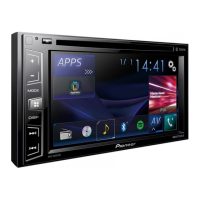
Do you have a question about the Pioneer AVH-X2800BS and is the answer not in the manual?
Critical safety advice for installation and operation.
Explanation of the parking brake interlock system.
Explains how to navigate through different screens and menus.
Step-by-step guide to pairing Bluetooth devices.
Guide to updating the product's Bluetooth software.
Various methods for initiating a phone call.
Instructions for answering or rejecting incoming calls.
How to call contacts stored in the phone book.
Using Siri Eyes Free Mode for voice commands.
Details on connections and functions for each device type.
Selecting the method for connecting the device.
Saving strongest broadcast frequencies to preset keys.
Saving strongest HD Radio frequencies to preset keys.
Instructions for skipping files, playback modes, and repeat settings.
Instructions for playing files from USB storage.
Controls for playing video files from discs.
Instructions for playing files from discs.
Selecting audio files using Music Browse mode.
Controls and features for the iPod video screen.
Steps for connecting an iPod to the product.
Using the product's iPod function from the iPod itself.
Searching and selecting songs or videos from playlists.
Controlling smartphone applications directly from the product.
Steps to start AppRadioOne for iPhone and Android.
Interface for Pandora playback, including track controls.
How to use Pandora and its access requirements.
Selecting stations, adding information to bookmarks, and recalling presets.
Steps to connect and start using Pandora.
Choosing stations from lists and creating new ones.
Saving Pandora stations to preset keys.
Interface for playing music and radio via Spotify.
How to use Spotify and its access requirements.
Controls for skipping tracks, saving songs, and switching modes.
Steps to connect and start using Spotify.
Interface for playing audio via Bluetooth.
Switching broadcast modes and managing channels.
Steps for subscribing to and activating the SiriusXM service.
Limiting access to SiriusXM channels with parental controls.
Setting keyboard language and calibrating the touch screen.
Steps for updating the product's firmware via USB.
Configuring rear view camera activation and polarity.
Recalling and customizing equalizer curves.
Setting up automatic equalizer adjustment based on acoustics.
Detailed steps for performing automatic equalizer measurement.
Setting parental lock levels and codes for DVD playback.
Resetting the product to its original factory settings.
Crucial safety warnings regarding product installation and servicing.
Warnings related to disabling the parking brake interlock.
Warnings and advice before installing the product.
Instructions for installing the microphone for hands-free operation.
Solutions for common issues with AV screen and operation.
Requirements and limitations for using app-based content services.
Explains error messages and corrective actions.
A comprehensive chart detailing media compatibility.
Electrical and physical specifications for the product.
Technical specifications related to audio performance.
 General
| Display Size | 6.2 inches |
|---|---|
| Resolution | WVGA (800 x 480) |
| Bluetooth | Yes |
| Auxiliary Input | Yes |
| Built-in Amplifier | Yes |
| SiriusXM Ready | Yes |
| Android Compatibility | Yes |
| Apple CarPlay | No |
| DIN Size | Double DIN |
| Touchscreen | Yes |
| Pandora Control | Yes |
| Spotify Control | Yes |
| RMS Power Output | 14 watts x 4 channels |
| Peak Output | 50 watts x 4 channels |
| Channels | 4 |
| Subwoofer Output | Yes |
| Video Playback | Yes |
| Backup Camera Input | Yes |
| Android Auto | No |
| AM/FM Tuner | Yes |
| DVD Playback | Yes |
| CD Playback | Yes |
| EQ Settings | 13-Band Graphic Equalizer |
| Smartphone App Control | Yes (AppRadio One) |
| Compatible Audio Formats | MP3, WMA, AAC |
| Compatible Video Formats | MPEG-1, MPEG-2, DivX |
| Steering Wheel Control Compatible | Yes |
| USB Port | Yes |
| RCA Preouts | 3 (Front, Rear, Subwoofer) |





 To Next Page