EasyManua.ls Logo

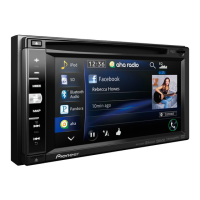
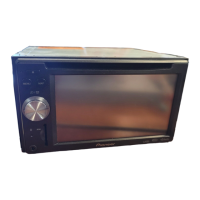
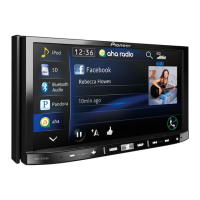
Pioneer AVIC-X851BT - User Manual

Pioneer AVIC-X851BT
64 pages
Print Icon
To Next Page IconTo Next Page
Loading...
Black plate (1,1)
Installation Manual
Manuel dinstallation
MULTIMEDIA NAVIGATION RECEIVER
RECEPTEUR DE NAVIGATION MULTIMEDIA
AVIC-Z150BH
AVIC-X950BH
AVIC-X850BT
AVIC-X8510BT
English Français
<CRD4732-A>1

Table of Contents

Questions and Answers

  • K
    Kristen SalazarAug 10, 2025
    How to fix a Pioneer Car Navigation system that won't turn on?
    • S
      Shelly VaughanAug 10, 2025
      If your Pioneer Car Navigation system isn't powering on, start by confirming that all connections are properly and securely made. If the connections are correct, the issue might be a blown fuse. Determine the cause of the fuse blowing, and then replace it with a new fuse of the same rating.
  • G
    ginamckinneyNov 25, 2025
    What to do if my Pioneer Car Navigation system can't position my vehicle correctly on the map?
    • A
      Andrew McdonaldNov 25, 2025
      If your Pioneer Car Navigation system is having trouble positioning your vehicle accurately, several factors could be at play. First, check the GPS antenna's location and signal reception. Obstacles might be blocking satellite signals, or the satellite positions relative to your vehicle may be inadequate; in these cases, continue driving until reception improves and keep the antenna clean. Additionally, noise or other factors might be causing the microprocessor to malfunction. Try parking your vehicle safely, turning off the engine, setting the ignition key to ACC OFF, and then restarting the engine and the navigation system. If you are using a cellular phone, keep its antenna away from the GPS antenna. It is also possible that signals from the GPS satellites have been modified to reduce a...

Pioneer AVIC-X851BT Specifications

General IconGeneral
Display Size6.2 inches
Resolution800 x 480 pixels
GPS NavigationYes
BluetoothYes
USB PortYes
Audio Formats SupportedMP3, WMA, AAC, WAV
Built-in AmplifierYes
Preamp Outputs3 (Front, Rear, Subwoofer)
TouchscreenYes
HD RadioYes
PandoraYes
SiriusXM ReadyYes
AppRadio ModeYes
DVD PlayerYes
SD Card SlotYes
Rear View Camera InputYes
Apple CarPlayNo
Android AutoNo
Voice ControlYes
CD PlaybackYes
AM/FM TunerYes
Video Formats SupportedMPEG-1, MPEG-2
Power Output14 watts RMS x 4 channels

Related product manuals