
 Need help?
Do you have a question about the Pioneer BCS-HF818 and is the answer not in the manual?
Provides critical safety warnings and precautions for the product's use and installation, including electrical hazards and ventilation.
Details the function of each button on the remote control for operating the player and its features.
Provides comprehensive details on supported file formats, codecs, and audio/subtitle options for various media types.
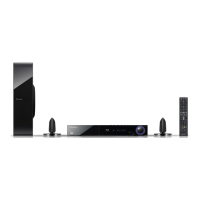
Provides step-by-step instructions for assembling the speakers, including subwoofer and front speaker setup.
Guides on how to correctly connect the speaker wires to the player's terminals, including important cautions.
Details how to connect the player to a TV using an HDMI cable, including setup and potential issues.
How to adjust the video output resolution for HDMI and Component Video connections via the setup menu.
Explains how to connect the player to a home network using a wired Ethernet connection for online services.
Step-by-step guide to configure wired network settings, including IP address assignment and connection testing.
Information about connecting to a network using an access point or wireless router, including supported standards.
Steps to set up the player for wireless network communication, including preparation and SSID selection.
Instructions on how to connect a USB device and play back movie, music, and photo files from it.
Guide to accessing and modifying various player settings through the setup menu.
Guide to configuring speaker settings, including volume, distance, and test tones for optimal sound.
Settings for network connection, status check, and managing BD-LIVE internet access.
Introduces general playback functions and navigation using the HOME menu interface.
Instructions on how to play various disc types and files from a USB device.
Covers fundamental controls for playing video, audio, and photo content, including navigation and playback commands.
Addresses common problems related to power, playback, remote control, and general unit operation.
Solutions for problems related to BD-LIVE, streaming services, server display, and wireless/wired network connection.
Troubleshooting steps for common issues like no picture, picture noise, no sound, or distorted sound.
Lists the technical specifications of the player, including power, dimensions, inputs/outputs, and system details.
Guidelines for safely handling, cleaning, and maintaining the player unit.
Best practices for handling, storing, and cleaning discs to ensure optimal playback quality.
 General
| Channels | 5.1 |
|---|---|
| 3D Support | Yes |
| Blu-Ray Support | Yes |
| DVD Support | Yes |
| HDMI inputs | 2 |
| HDMI output | 1 |
| Connectivity | HDMI, USB, Bluetooth |

 To Next Page