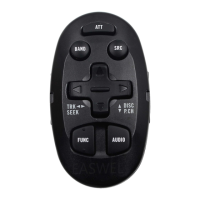
The Pioneer CU-SA004 is an Audio Video Programmable Remote Control Unit, designed to provide comprehensive control over various Pioneer audio and video components. This remote control unit is capable of "learning" commands from other remote controls, making it a versatile tool for managing a home entertainment system.
Function Description
The CU-SA004 serves as a universal remote control, programmable to operate Pioneer SR code compatible components, as well as "learned" commands from other remotes. It features dedicated sections for controlling amplifiers (AMP), televisions (TV), videodisc players (VDP), videocassette recorders (VCR), compact disc players (CD), and cassette decks (TAPE).
Power Control: The remote includes a POWER switch for turning on/off AMP, TV, and VCR.
Transmit/Learn Indicator: An indicator light (SR RECALL/USE/LEARN) flashes to show the status of the remote. When the SR RECALL/USE/LEARN selector is set to "SR RECALL" or "USE," the indicator flashes when a remote command key is pressed. In "LEARN" mode, the indicator lights when the unit is in the STANDBY mode, indicating it's ready to learn new commands.
SR RECALL/USE/LEARN Selector: This three-position switch determines the remote's operating mode:
- SR RECALL: Sets the remote to control Pioneer SR code compatible components.
- USE: Sets the remote to control Pioneer SR code compatible components and components with "learned" commands.
- LEARN: Sets the remote to "teach" commands from other remotes.
Transmission Mode Switch: This two-position switch selects the type of component being controlled:
- AUDIO MODE: For remote operation of CD players, tape decks, tuners, and other audio components.
- VIDEO MODE: For remote operation of VDP players, VCRs, TVs, and other video components.
AMP/TV SLEEP Switch: This switch activates the sleep timer function for the amplifier and TV. When the audio mode is selected, this switch turns off the amplifier automatically after the "sleep" time has elapsed. When the video mode is selected, this switch turns off the TV automatically after the "sleep" time has elapsed. This function applies only to components with Sleep Timer feature.
Cassette Deck Control:
- FUNCTION key: Switches amplifier input function.
- DECK I/II key: Switches to control DECK I or DECK II of a double cassette deck.
- REC key: Selects the recording mode. Two keys must be pressed at the same time.
- PAUSE key: Temporarily interrupts recording or playback.
- FF key: Fast forwards the tape.
- PLAY key: Starts playback.
- STOP key: Stops the tape.
- REW key: Rewinds the tape.
Compact Disc Player Control:
- DISC (DISC NO) key: For selection of particular discs in a multi-play compact disc player equipped with a disc magazine.
- PROGRAM key: Programs up to 10 tracks from the tuner station No. keys.
- MANUAL SEARCH key: For fast backward search.
- PAUSE key: Temporarily interrupts play.
- STOP key: Stops the disc.
- 10 Key (for future use): Used to select tracks when selecting more than 10 tracks.
- TRACK SEARCH key: Returns to the beginning of the current track or goes to the end of the current track.
- MANUAL SEARCH key: For fast forward search.
- PLAY key: Begins play.
- 0 – 10 (numeric) keys: For direct selection of a track or programming of tracks.
- CLEAR key: Erases the current program from memory.
- MEMORY key: Used for storing a program in memory.
Tuner Control:
- 1 to 12 (STATION CALL) keys: For direct tuning of stations stored in STATION CALL memory.
- BAND key: Switches between AM and FM or other.
- STATION + (UP) key: Increases the programmed station number.
- STATION – (DOWN) key: Decreases the programmed station number.
Videodisc Player (VDP or LD) Control:
- DISPLAY call key: Clears the chapter and frame/time display on the screen.
- PROGRAM key: Switches the 1 – 0/10 keys from the TV Channel keys to the VDP CH/FR-TM No. keys.
- 1 – 0/10 (numeric) keys: Used for chapter and frame/time number search and for chapter program play.
- CH/FR-TM (CHAPTER/FRAME-TIME) key: Used for chapter or frame (time) search operation.
- SEARCH key: Used for search and memory repeat operation.
- SCAN key: For fast forward scanning.
- PLAY key: Selects playback.
- EJECT key: Playback is stopped; when pressed once. Pressing again causes the disc tray to open.
- CLEAR key: Used for canceling repeat play-back, number correction and mode release during search operation and for canceling program play.
- MEMORY key: Used for chapter program play.
Videocassette Deck (VCR) Control:
- REC key: Selects the recording mode. Two keys must be pressed at the same time.
- REW key: Rewinds the tape and allows picture search.
- TV/VCR ANT key: This key can be used only for VCRs with a VCR/TV selector. It switches the antenna output between VCR and TV.
- STOP key: Stops the tape.
- PAUSE key: Temporarily interrupts recording or playback, producing a still picture during playback.
- PLAY key: Starts playback.
- FF key: Fast forwards the tape and allows picture search.
- VCR CH + (UP) key: Increases the next number in the channel memory each time it is pressed.
- VCR CH – (DOWN) key: Decreases the next number in the channel memory each time it is pressed.
TV Control:
- TV ANT key: Used to select the antenna on TVs which have 2 antenna inputs.
- TV DISP key: Puts display on TV screen. Clears display from screen.
- CHANNEL + (UP) key: Increases the next number in the channel memory each time it is pressed.
- CHANNEL – (DOWN) key: Decreases the next number in the channel memory each time it is pressed.
- 1 to 12 (CHANNEL CALL) keys: Used to select channels, using the CHANNEL CALL function.
- TV FUNC key: Selects each function in a cyclic.
- TV-VOL +/- keys: For volume adjustment.
Amplifier Control:
- FUNCTION SELECTOR keys: Press to select the audio source: V/AUX, TAPE, TUNER, PHONO, or CD.
- SURROUND VOLUME key: Adjusts volume of surround amplifier.
- SURROUND MODE key: Selects the surround mode in a loop sequence as shown above.
- STADIUM – SIMULATED SURROUND – DOLBY SURROUND – OFF: Selects surround sound modes.
- VIDEO FUNCTION key: Used to select a video source. The source switch cyclically.
- AUDIO SOURCE key: Used to select a audio source. The sources switch cyclically.
- SUR/AMP switch: Set the switch on the amplifier to the SUR position when a surround adaptor is connected. When an adaptor is not connected, set the switch to the AMP position.
- AMP VOLUME (MASTER VOLUME) key: Adjusts the overall (front and surround) volume.
- AMP MUTING (SURR OVER ALL) key: Used to temporarily mute the sound. The volume is restored when pressed again.
Important Technical Specifications
- Operation system: Programmable infrared remote control system.
- Applicable batteries: Two LR6/AM-3 alkaline batteries.
- Attachments: Two batteries, an operating instructions, a write-in guarantee and two templates.
- Outer dimensions: 73 W x 21 H x 218 D mm.
- Weight: 130 g (excluding batteries).
Usage Features
Remote Control Operation:
- Loading Batteries: The remote requires two LR6/AM-3 alkaline batteries. The battery compartment cover slides off, and the batteries are inserted according to the polarity indications. A RESET button is pressed after battery replacement.
- Range of Remote Control: The unit operates within a range of about 7 meters (23 feet) from the remote sensor, within angles of up to about 30 degrees.
- Battery Replacement: If the pressing of the control keys does not cause the TRANSMIT/LEARN indicator to light, or if learned commands are lost from memory, batteries need to be replaced.
- Incorrect use of batteries: Avoid mixing new and used batteries, different types of batteries, or batteries of the same size but different voltages/types.
- Power Saving: The unit will not operate when the cover is off, even if batteries are loaded. If batteries are not loaded and the cover is replaced, the memory will be lost after a few seconds. With batteries loaded and the cover off, memory is retained for about 30 minutes. Be careful not to lose the battery compartment cover.
Use of Learning Functions:
The CU-SA004 can "learn" commands from other remote controls, regardless of manufacturer, as long as they transmit infrared signals. This allows the user to consolidate multiple remotes into one.
- Programming New Commands: To program new commands, the SR RECALL/USE/LEARN selector is set to "LEARN." The remote unit is then placed on a table, and the remote to be learned from is placed opposite it, 2 to 5 cm apart. The PLAY key of the programmable remote control unit is pressed, then the TRANSMIT/LEARN indicator lights up. The PLAY key of the VCR remote control unit is pressed. The SR RECALL/USE/LEARN selector is set to "USE" to confirm the learned command.
- Checking Programmed Commands: To check if a command was successfully learned, press the key on the CU-SA004 that was programmed. The unit should respond as expected. If the VCR does not operate when pressing the key, the angle, position, and distance between both remote control units should be re-adjusted, and the programming procedure repeated.
- Returning to Initial Settings: To return all settings to the Pioneer Uniform Remote Control Code settings, set the SR RECALL/USE/LEARN switch to the SR RECALL position. Press the PROGRAM key, then the M-CLR button while the TRANSMIT/LEARN indicator is flashing. The programmed functions for the AUDIO and VIDEO positions are cleared, and the remote control unit is reset to the Pioneer uniform remote control codes.
- Memory Clear (M-CLR) Button: This button is used to clear programmed commands.
Note on CD Operation:
The program input and direct music selection procedures may differ slightly from those of the remote control unit supplied with Pioneer CD players. The manual provides specific steps for programmed playback operation and direct music selection using the CU-SA004.
Maintenance Features
- Battery Replacement: Regular battery replacement is necessary when the TRANSMIT/LEARN indicator fails to light or when programmed commands are lost. Always use new LR6/AM-3 alkaline batteries.
- Cleaning: The manual does not specify cleaning instructions, but general electronic device cleaning practices (e.g., wiping with a soft, dry cloth) are recommended.
- Troubleshooting: The manual provides guidance on what to do if the learning function does not work, including checking battery status, remote positioning, and repeating the learning process. If the remote is not functioning correctly, returning to initial settings is an option.

 Need help?
 General

 To Next Page