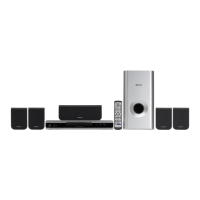
Need help?
Do you have a question about the Pioneer DCS-363 and is the answer not in the manual?
Details the buttons and indicators on the front panel of the system unit.
Explains the layout and function of each button on the remote control.
Guide for setting up home theater speakers for optimal surround sound experience.
Procedure for adjusting relative channel levels using test tones for accurate sound balance.
Covers the fundamental playback controls for DVD, CD, Video CD, DivX, WMA, MP3, and JPEG discs.
Instructions for tuning into FM and AM radio stations and memorizing presets.
Guidance on selecting and using various surround sound modes like Dolby Pro Logic.
Use the Disc Navigator to browse DVD and VCD/Super VCD content for playback.
Guides on using the Disc Navigator to find and play WMA, MP3, DivX, and JPEG files.
Methods for searching DVD, CD, VCD, and DivX discs by title, chapter, track, or time.
Connects USB mass storage devices for audio and JPEG playback.
Troubleshooting common USB ERR messages and device incompatibility issues.
Details the basic remote controls for playback of files from a USB device.
Guides on using the Navigator to find and play WMA, MP3, MPEG-4 AAC, and JPEG files from USB.
Guides on searching for radio stations broadcasting specific program types (PTY).
Provides access to audio adjustment features like Audio DRC for enhanced sound.
Allows adjustment of picture settings such as sharpness, brightness, contrast, and hue.
Configures TV screen aspect ratio and video output resolutions (HDMI, S-Video, RGB).
Sets preferences for audio language, subtitle language, and DVD menu language.
Guides on setting up Parental Lock levels and passwords for content control.
Detailed guide for setting speaker distances for precise surround sound calibration.
Instructions for connecting the player to HDMI-compatible displays for digital video.
Lists compatible disc types and formats, including logos for playable media.
Provides a detailed table of compatible media types and their specific format compatibilities.
Guidelines for handling, cleaning, and storing discs to ensure proper playback.
Provides essential tips for installing the system correctly for optimal performance and longevity.
Offers advice on choosing a suitable location and environment for system installation.
Provides solutions for common problems and malfunctions encountered with the system.
Addresses general issues such as power failure, no sound, or remote control not working.
Troubleshooting specific problems related to DVD, CD, and Video CD playback.
Solutions for problems with USB device recognition and file display.
Troubleshooting common issues with HDMI audio and video output.
Explains various error messages and their meanings for troubleshooting.
Procedure for resetting all system settings to their factory defaults.
Detailed technical specifications for the amplifier, disc section, tuners, and accessories.
 General
| Brand | Pioneer |
|---|---|
| Model | DCS-363 |
| Category | Home Theater System |
| Language | English |

 To Next Page