EasyManua.ls Logo

Pioneer DEH-14UB - User Manual

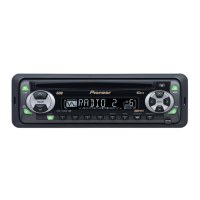
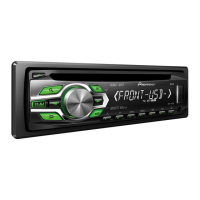
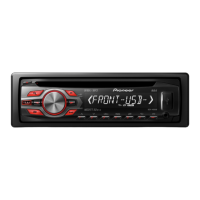
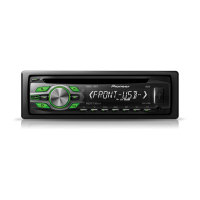
Pioneer DEH-14UB
44 pages
Print Icon
To Next Page IconTo Next Page
Loading...
Owners Manual
Mode demploi
Manual de instrucciones
CD RDS RECEIVER
AUTORADIO CD RDS
REPRODUCTOR DE CD CON RECEPTOR RDS
DEH-14UB
English EspañolFrançais

Table of Contents

Questions and Answers

  • M
    mannjohnJul 30, 2025
    How to fix no audio on my Pioneer Car Receiver?
    • T
      tonyaleeJul 30, 2025
      If there is no audio from your Pioneer Car Receiver, several factors could be at play. First, ensure the inserted disc contains playable files. If using a USB storage device, make sure audio files are transferred to it before connecting. For USB devices with security enabled, disable the security features as per the device's instructions. Additionally, confirm that you are playing audio files not embedded with Windows Media DRM 9/10. Finally, if the USB device consumes more than 500 mA, disconnect it as it exceeds the maximum allowable current.
  • D
    Debra HuangAug 4, 2025
    Why does my Pioneer Car Receiver keep skipping?
    • G
      Gerald DanielAug 4, 2025
      If your Pioneer Car Receiver skips tracks, it might be due to DRM protected files on the inserted disc. Another cause could be the connected USB storage device containing files embedded with Windows Media DRM 9/10. In both cases, try replacing the disc.
  • J
    Jasmine HannaAug 9, 2025
    What to do if my Pioneer DEH-14UB Car Receiver shows ERROR-07?
    • S
      Steven BennettAug 10, 2025
      If your Pioneer Car Receiver displays 'ERROR-07', it means the disc is dirty. Clean the disc to resolve this issue.
  • D
    Dennis ZamoraAug 15, 2025
    What does ERROR-15 mean on my Pioneer DEH-14UB Car Receiver?
    • N
      natasharodriguezAug 15, 2025
      If your Pioneer Car Receiver shows 'ERROR-15', it indicates that the inserted disc is blank. Replace the disc with a valid one.
  • K
    Katherine HopkinsAug 20, 2025
    What does ERROR-23 mean on a Pioneer DEH-14UB Car Receiver?
    • G
      Glenda KingAug 20, 2025
      If your Pioneer Car Receiver displays 'ERROR-23', it means the disc format is unsupported. Try replacing the disc with one that is compatible.
  • K
    Kim GarzaAug 25, 2025
    What to do if the repeat play range changes unexpectedly on Pioneer DEH-14UB?
    • P
      patrick77Aug 25, 2025
      If the repeat play range on your Pioneer Car Receiver changes unexpectedly, try selecting another repeat play range or selecting the repeat play range again.

Summary

Before You Start

User Information and Safety

Information on equipment modifications, FCC compliance, and safe listening practices to protect hearing.

About the Unit and Manual

Details about the unit's regional tuning, handling precautions, and manual terminology.

Demo Mode Operation

Explanation of automatic demo mode activation and cancellation procedures.

After-Sales Service and Support

Contact information for after-sales service, repairs, and accessing online resources.

Operating This Unit

Unit and Remote Control Layouts

Diagrams and labels identifying controls on the head unit and remote control.

Initial Setup Procedures

Steps for initial setup after installation, including clock and demo display settings.

Basic Operation and Front Panel

Instructions for turning unit on/off, basic controls, and front panel removal/attachment.

Source Selection and Volume Control

How to select audio sources and adjust the volume.

Remote Control Usage

Guidelines for operating the remote control and replacing its battery.

Menu Navigation and Function Settings

How to navigate menus and configure various unit functions.

Tuner Operations

Tuning, seeking, storing, and recalling radio stations.

Specialized Tuner Functions

Using BSM, Local Seek Tuning, and SEEK key assignment.

CD and USB Media Playback

Basic operations for playing music from CDs and USB storage devices.

File Selection and Playback Modes

Navigating and selecting files, and using advanced playback modes.

Audio Adjustments

Customizing audio settings like fader, balance, EQ, tone, loudness, and subwoofer.

System Initial Settings

Setting the clock, AUX input, and USB Plug & Play options.

Output and Display Configuration

Configuring rear output, preout, demo display, and scroll mode.

Installation Guide

Connection Safety and Guidelines

Critical warnings and instructions for safe and proper wiring connections.

Wiring for Subwoofers and Amplifiers

Diagrams and procedures for connecting the unit to subwoofers and external power amplifiers.

Mounting the Unit

Instructions for installing the unit using DIN front or rear mounting methods.

Unit and Panel Handling

Procedures for removing the unit, its front panel, and re-securing the panel.

Additional Information

Troubleshooting and Error Messages

Resolving common operational issues and understanding error codes for CD player and USB.

Media Handling and Compatibility

Guidelines for discs, USB devices, DualDiscs, and compressed audio file formats.

File Formats and Copyright

Specifications for WAV files, supplemental notes, and copyright information.

Appendix

Technical Specifications

Detailed specifications for general, audio, tuner, CD, and USB components.

Pioneer DEH-14UB Specifications

General IconGeneral
TunerAM/FM
CD PlaybackYes
USB InputYes
Aux InputYes
BluetoothNo
Display TypeLCD
MP3 PlaybackYes
WMA PlaybackYes
ID3 Tag DisplayYes
Preset Stations24
Remote ControlNo
Detachable FaceYes
Compatible Audio FormatsMP3, WMA
DIN Size1 DIN
RMS Power Output22 Watts RMS x 4 Channels
Peak Output50W x 4
Power Output50W x 4

Related product manuals