EasyManua.ls Logo

Pioneer DEH-1950 - User Manual

Pioneer DEH-1950
56 pages
Print Icon
To Next Page IconTo Next Page
Loading...
Black plate (1,1)
Operation Manual
CD Receiver
DEH-1950
DEH-1950G
English
Português (B)
Español
<CRD4146-A/N>1

Table of Contents

Question and Answer IconNeed help?

Do you have a question about the Pioneer DEH-1950 and is the answer not in the manual?

Summary

Before You Start

About this unit

General precautions and information about the unit.

Visit our website

Information on accessing the Pioneer website for updates.

Protecting your unit from theft

Methods to prevent theft by detaching the front panel.

Removing the front panel

Step-by-step instructions for detaching the unit's front panel.

Attaching the front panel

Step-by-step instructions for reattaching the unit's front panel.

Operating this unit

Whats What

Overview of unit's features and controls.

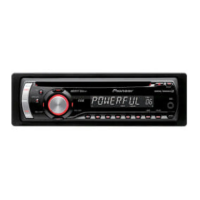
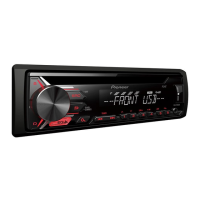
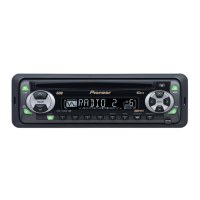
Head unit

Identification and function of buttons on the main unit.

LCD display

Explanation of the unit's LCD display indicators and sections.

Basic Operations

Core functions like turning the unit on/off and adjusting volume.

Turning the unit on and selecting a source

Instructions for powering the unit and choosing audio sources.

Adjusting the volume

How to control the sound level using the volume control.

Turning the unit off

Procedure for powering down the unit.

Tuner

Section covering radio operation.

Listening to the radio

Steps for tuning into radio stations.

Storing and recalling broadcast frequencies

How to save and retrieve radio station presets.

Tuning in strong signals

Using local seek tuning for optimal reception.

Storing the strongest broadcast frequencies

Using BSM to automatically store top stations.

Built-in Player

Operations related to the CD player.

Playing a disc

Instructions for inserting and playing a CD.

Repeating play

How to set the unit to repeat a track or all tracks.

Playing tracks in random order

How to play CD tracks in a random sequence.

Scanning tracks of a CD

How to preview the first 10 seconds of each track.

Pausing disc playback

How to temporarily stop and resume CD playback.

Audio Adjustments

Section for fine-tuning audio settings.

Using balance adjustment

Adjusting the front/rear and left/right speaker balance.

Using the equalizer

Selecting and adjusting preset equalizer settings.

Adjusting equalizer curves

Customizing equalizer settings and memorizing them.

Adjusting bass;mid;treble

Adjusting individual frequency bands (bass, mid, treble).

Adjusting loudness

Enhancing low and high frequencies at low volumes.

Adjusting source levels

Balancing volume levels across different sources.

Other Functions

Miscellaneous operational settings.

Adjusting initial settings

Configuring system-wide initial settings.

Setting the clock

Instructions for setting the unit's clock.

Turning the clock display on or off

How to enable or disable the clock display.

Setting the FM tuning step

Adjusting the frequency step for FM tuning.

Setting the AM tuning step

Adjusting the frequency step for AM tuning.

Switching the auxiliary setting

Activating the auxiliary input for external devices.

Additional Information

Error messages

Lists common error messages and their causes/actions.

Handling guideline of discs and player

Proper care and handling of CDs and the player.

Dual Discs

Information and precautions regarding dual-layer discs.

Specifications

General

General electrical and physical specifications of the unit.

Audio

Technical audio output and frequency response specifications.

CD player

Specifications related to the CD playback functionality.

FM tuner

Technical specifications for the FM tuner.

AM tuner

Technical specifications for the AM tuner.

Summary

Before You Start

About this unit

General precautions and information about the unit.

Visit our website

Information on accessing the Pioneer website for updates.

Protecting your unit from theft

Methods to prevent theft by detaching the front panel.

Removing the front panel

Step-by-step instructions for detaching the unit's front panel.

Attaching the front panel

Step-by-step instructions for reattaching the unit's front panel.

Operating this unit

Whats What

Overview of unit's features and controls.

Head unit

Identification and function of buttons on the main unit.

LCD display

Explanation of the unit's LCD display indicators and sections.

Basic Operations

Core functions like turning the unit on/off and adjusting volume.

Turning the unit on and selecting a source

Instructions for powering the unit and choosing audio sources.

Adjusting the volume

How to control the sound level using the volume control.

Turning the unit off

Procedure for powering down the unit.

Tuner

Section covering radio operation.

Listening to the radio

Steps for tuning into radio stations.

Storing and recalling broadcast frequencies

How to save and retrieve radio station presets.

Tuning in strong signals

Using local seek tuning for optimal reception.

Storing the strongest broadcast frequencies

Using BSM to automatically store top stations.

Built-in Player

Operations related to the CD player.

Playing a disc

Instructions for inserting and playing a CD.

Repeating play

How to set the unit to repeat a track or all tracks.

Playing tracks in random order

How to play CD tracks in a random sequence.

Scanning tracks of a CD

How to preview the first 10 seconds of each track.

Pausing disc playback

How to temporarily stop and resume CD playback.

Audio Adjustments

Section for fine-tuning audio settings.

Using balance adjustment

Adjusting the front/rear and left/right speaker balance.

Using the equalizer

Selecting and adjusting preset equalizer settings.

Adjusting equalizer curves

Customizing equalizer settings and memorizing them.

Adjusting bass;mid;treble

Adjusting individual frequency bands (bass, mid, treble).

Adjusting loudness

Enhancing low and high frequencies at low volumes.

Adjusting source levels

Balancing volume levels across different sources.

Other Functions

Miscellaneous operational settings.

Adjusting initial settings

Configuring system-wide initial settings.

Setting the clock

Instructions for setting the unit's clock.

Turning the clock display on or off

How to enable or disable the clock display.

Setting the FM tuning step

Adjusting the frequency step for FM tuning.

Setting the AM tuning step

Adjusting the frequency step for AM tuning.

Switching the auxiliary setting

Activating the auxiliary input for external devices.

Additional Information

Error messages

Lists common error messages and their causes/actions.

Handling guideline of discs and player

Proper care and handling of CDs and the player.

Dual Discs

Information and precautions regarding dual-layer discs.

Specifications

General

General electrical and physical specifications of the unit.

Audio

Technical audio output and frequency response specifications.

CD player

Specifications related to the CD playback functionality.

FM tuner

Technical specifications for the FM tuner.

AM tuner

Technical specifications for the AM tuner.

Pioneer DEH-1950 Specifications

General IconGeneral
TunerAM/FM
CD PlaybackYes
MP3 PlaybackYes
USB PortYes
Aux InputYes
BluetoothNo
Display TypeLCD
Detachable FaceYes
WMA PlaybackYes
Remote ControlYes
Preset EQYes
Bass BoostYes
High-Pass FilterYes
Low-Pass FilterYes
Subwoofer OutputYes
Power Output50W x 4
RMS Power Output22W x 4
PlaybackCD, MP3, WMA

Related product manuals