EasyManua.ls Logo

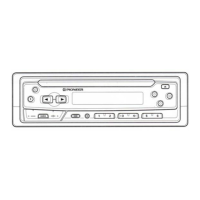
Pioneer DEH-2450F - User Manual

Pioneer DEH-2450F
55 pages
Print Icon
To Next Page IconTo Next Page
Loading...
High power CD player with FM/AM tuner
Operation Manual
DEH-3450
DEH-2450F
English
Español
Português (B)
dF
«W

Table of Contents

Question and Answer IconNeed help?

Do you have a question about the Pioneer DEH-2450F and is the answer not in the manual?

Summary

Before You Start

About This Manual

Provides an overview of the operation manual's purpose and content.

Safety Precautions

Details critical safety warnings and handling guidelines for the unit.

Remote Control Usage and Battery Installation

Instructions for installing the battery and using the remote control for the DEH-3450 model.

Unit Controls and Features Overview

Identifies and explains the functions of the unit's buttons and displays for easy operation.

Theft Protection: Detachable Front Panel

Guides on how to remove and attach the front panel for security purposes.

Powering the Unit On and Off

Instructions for turning the unit on, selecting audio sources, and powering it down.

Tuner Operation

Listening to the Radio

Step-by-step guide to tuning into AM and FM radio stations for audio playback.

Storing and Recalling Radio Frequencies

How to save and retrieve favorite radio stations using preset buttons for quick access.

Tuning to Strong Signal Broadcasts

Utilizing local seek tuning for best reception of strong radio stations.

Automatic Best Stations Memory (BSM)

Automatically stores the six strongest broadcast frequencies for easy selection.

Built-in CD Player

Playing a Compact Disc

Instructions for inserting, playing, and ejecting CDs in the unit's CD player.

Advanced CD Playback Modes

Details on random play, repeat play, and pausing CD playback for customized listening.

Audio Adjustments

Understanding Audio Settings

Introduction to various audio adjustment functions available on the unit for sound tuning.

Adjusting Speaker Balance and Fader

Setting front/rear and left/right speaker balance for optimal sound distribution.

Equalizer Curve Management

Recalling and customizing preset equalizer curves for desired sound characteristics.

Loudness and Front Image Enhancer

Enhancing sound at low volumes and improving front sound imaging through specific features.

Source Level Adjustment (SLA)

Balancing volume levels between different audio sources to prevent abrupt changes.

Initial Settings

Performing Initial Setup

Guides through the initial setup process for configuring the unit's basic functions.

Setting the Clock Time

Instructions for setting the current time displayed on the unit's clock.

Tuning Step Configuration (FM;AM)

Setting FM and AM tuning steps for improved seek tuning accuracy and station selection.

Additional Information

Time Display Settings

Options for enabling or disabling the time display on the unit, even when sources are off.

CD Player Care and Disc Handling

Guidelines for maintaining the CD player and handling discs properly to ensure performance.

Understanding CD Player Error Messages

Troubleshooting common error messages displayed by the CD player for problem resolution.

CD-R;CD-RW Disc Compatibility

Information on using recordable and rewritable CDs with the player and potential compatibility issues.

Product Specifications

Detailed technical specifications for the CD player unit, including dimensions and performance metrics.

Summary

Before You Start

About This Manual

Provides an overview of the operation manual's purpose and content.

Safety Precautions

Details critical safety warnings and handling guidelines for the unit.

Remote Control Usage and Battery Installation

Instructions for installing the battery and using the remote control for the DEH-3450 model.

Unit Controls and Features Overview

Identifies and explains the functions of the unit's buttons and displays for easy operation.

Theft Protection: Detachable Front Panel

Guides on how to remove and attach the front panel for security purposes.

Powering the Unit On and Off

Instructions for turning the unit on, selecting audio sources, and powering it down.

Tuner Operation

Listening to the Radio

Step-by-step guide to tuning into AM and FM radio stations for audio playback.

Storing and Recalling Radio Frequencies

How to save and retrieve favorite radio stations using preset buttons for quick access.

Tuning to Strong Signal Broadcasts

Utilizing local seek tuning for best reception of strong radio stations.

Automatic Best Stations Memory (BSM)

Automatically stores the six strongest broadcast frequencies for easy selection.

Built-in CD Player

Playing a Compact Disc

Instructions for inserting, playing, and ejecting CDs in the unit's CD player.

Advanced CD Playback Modes

Details on random play, repeat play, and pausing CD playback for customized listening.

Audio Adjustments

Understanding Audio Settings

Introduction to various audio adjustment functions available on the unit for sound tuning.

Adjusting Speaker Balance and Fader

Setting front/rear and left/right speaker balance for optimal sound distribution.

Equalizer Curve Management

Recalling and customizing preset equalizer curves for desired sound characteristics.

Loudness and Front Image Enhancer

Enhancing sound at low volumes and improving front sound imaging through specific features.

Source Level Adjustment (SLA)

Balancing volume levels between different audio sources to prevent abrupt changes.

Initial Settings

Performing Initial Setup

Guides through the initial setup process for configuring the unit's basic functions.

Setting the Clock Time

Instructions for setting the current time displayed on the unit's clock.

Tuning Step Configuration (FM;AM)

Setting FM and AM tuning steps for improved seek tuning accuracy and station selection.

Additional Information

Time Display Settings

Options for enabling or disabling the time display on the unit, even when sources are off.

CD Player Care and Disc Handling

Guidelines for maintaining the CD player and handling discs properly to ensure performance.

Understanding CD Player Error Messages

Troubleshooting common error messages displayed by the CD player for problem resolution.

CD-R;CD-RW Disc Compatibility

Information on using recordable and rewritable CDs with the player and potential compatibility issues.

Product Specifications

Detailed technical specifications for the CD player unit, including dimensions and performance metrics.

Pioneer DEH-2450F Specifications

General IconGeneral
CD PlaybackYes
MP3 PlaybackYes
WMA PlaybackYes
USB PortYes
Aux InputYes
BluetoothNo
Display TypeLCD
Display IlluminationRed
Channels4
RMS Power Output22 Watts x 4 Channels
TunerAM/FM
EQ Settings5-band
Power Output50 Watts x 4 Channels

Related product manuals