
 Need help?
Do you have a question about the Pioneer DEH-P3300 and is the answer not in the manual?
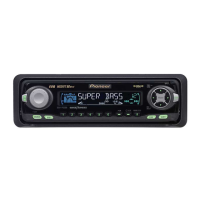
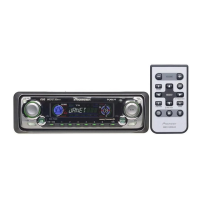
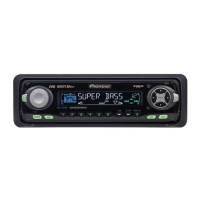
Overview of controls on the main car stereo unit.
Controls for the separate remote unit.
Product features and region compatibility details.
Guidance on using the operation manual effectively.
Notes on serial number and device security.
Explanation of XM READY mark for tuner compatibility.
Contact information for service and warranty.
Notes on operating the multi-CD player functions.
Steps to select and play audio sources.
How to tune radio stations using manual or seek.
Instructions for playing discs on the integrated CD player.
Guide to operating an external multi-CD player.
Explains display indicators and their controls.
Accessing and navigating the Function Menu.
Lists available functions in the Function Menu.
How to access the complex settings menu.
Lists available functions in the Detailed Setting Menu.
Explains PGM button operations for various sources.
Tuning to strong reception radio stations.
Automatic storage of broadcast stations.
Option to repeatedly play a track or disc.
Option to play tracks in a random sequence.
Previewing tracks by playing their beginnings.
Temporarily stopping and resuming track playback.
Function to input titles for CDs.
Setting repeat play modes for multi-CDs.
Setting random play modes for multi-CDs.
Scanning tracks or discs in a multi-CD player.
Temporarily pausing playback on a multi-CD player.
Function to program and play specific tracks.
How to program tracks for instant selection.
How to play programmed tracks.
Removing a programmed track from the ITS list.
Removing a programmed disc from the ITS list.
Inputting titles for discs in a multi-CD player.
Playing discs using their entered titles.
Showing the title of the currently playing disc.
Adjusting sound quality with compression and bass emphasis.
Activating or deactivating compression and DBE.
Changing displayed text for CD TEXT information.
Scrolling long text for CD TEXT information.
Adjusting the sound stage and focus.
Explains SFEQ settings principles.
Choosing from preset equalizer curves.
Details on creating and using custom equalizer curves.
Accessing the audio settings menu.
Overview of audio adjustment options.
Adjusting low, mid, and high frequency bands.
Fine-tuning equalizer frequency and Q factor.
Adjusting bass levels and cut-off frequencies.
Adjusting treble levels and frequencies.
Compensating for low-volume sound deficiencies.
Enabling or disabling subwoofer output.
Adjusting subwoofer cut-off frequency and level.
Maintaining consistent volume across sources.
Features for preventing front panel theft.
Step-by-step guide to remove the front panel.
Step-by-step guide to reattach the front panel.
Information on the warning tone feature.
How to access the initial setup menu.
Adjusting the unit's clock display.
Enabling or disabling the warning tone.
Activating auxiliary input for external equipment.
Adjusting display brightness via headlights.
Configuring rear output for speakers or subwoofer.
Turning the time display ON or OFF.
Connecting and using external auxiliary equipment.
Choosing the AUX input as the audio source.
Inputting custom titles for AUX source.
Guidelines for using and caring for the CD player.
Troubleshooting common error messages and solutions.
Power, dimension, and consumption specifications.
Technical specifications for the CD playback system.
Technical specifications for the FM tuner.
Technical specifications for the AM tuner.
 General
| Brand | Pioneer |
|---|---|
| Model | DEH-P3300 |
| Category | Car Receiver |
| Language | English |







 To Next Page