
 Need help?
Do you have a question about the Pioneer DEH-P5050UB and is the answer not in the manual?
Details on unit features, WMA, MP3, AAC, and iPod compatibility.
Instructions for removing, attaching, and protecting the front panel.
Guidance on installing the battery and using the remote control.
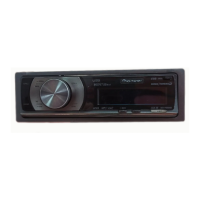
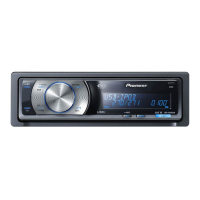
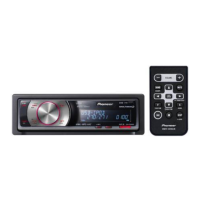
Identifies and explains the functions of head unit and remote control buttons.
Details the meaning of various indicators shown on the main display.
Instructions for turning the unit's power on/off and choosing audio sources.
Adjusting volume, selecting bands, and manual/seek tuning.
Procedure for saving and retrieving broadcast frequencies.
Accessing tuner menus, BSM, and tuning for strong signals.
Opening, ejecting, selecting tracks/folders, and fast forward/reverse.
Viewing text info, selecting tracks by title, and files by name.
Configuring repeat ranges, random playback, and track scanning.
Using Sound Retriever to improve audio and entering custom disc titles.
Controls for USB playback, displaying file info, and selecting files.
Details on using repeat, random, scan, and pause modes with USB devices.
Controls for iPod playback, fast forward/reverse, and browsing by category.
Viewing text information for songs and albums on the iPod.
Shuffle all songs, browse by artist albums, and control iPod from the device.
Adjusting playback speed for audiobooks on the iPod.
Overview of available audio adjustment functions.
Guide to adjusting front/rear and left/right speaker balance.
Using preset EQ curves and fine-tuning EQ settings.
Adjusting loudness for low volume and configuring subwoofer output.
Using HPF, bass boost, and adjusting volume levels between sources.
Entering the settings menu and setting the unit's clock.
Adjusting the frequency step for FM and AM seek tuning.
Configuring warning tones, activating AUX inputs, and adjusting display dimmer.
Setting the rear speaker output for full-range or subwoofer connection.
Managing demo mode, text scrolling, and activating Bluetooth audio.
Setting the PIN code for Bluetooth device connections.
Checking the system and module versions of the Bluetooth adapter.
Connecting and selecting AUX inputs, customizing AUX source names.
Information on controlling compatible external Pioneer units.
Selecting external units as sources and assigning functions to keys.
Basic operations for playing iPod music using an adapter.
Browsing songs and displaying text information from iPod via adapter.
Using shuffle mode and basic controls for Bluetooth audio players.
Detailed steps for connecting, playing, stopping, and disconnecting Bluetooth audio players.
Displaying Bluetooth device address and initial setup for hands-free calling.
Steps for connecting your phone and registering it for hands-free use.
Making calls via voice recognition and handling incoming/waiting calls.
Finding and establishing Bluetooth connections with cellular phones.
Disconnecting phones and registering new or existing phone profiles.
Setting automatic connection and transferring contacts to the phone book.
Steps to find and call contacts stored in the phone book.
Accessing call history and dialing numbers manually.
Instructions for clearing call history, phone book, and other memory.
Configuring auto-answer/reject, ring tone, and echo cancellation.
Basic controls for multi-CD players and using CD TEXT features.
Adjusting sound quality with compression and dynamic bass emphasis.
Steps for creating, playing, and managing ITS instant track selection playlists.
Erasing CDs from ITS playlists and using disc title functions.
Basic controls for operating a connected TV tuner.
Tuning TV channels, storing, and recalling broadcast stations.
List of error messages, their causes, and recommended actions for the CD player.
Error messages for USB devices and compatibility information.
Troubleshooting error messages related to iPod connection and compatibility.
Guidelines for handling discs and the player to ensure longevity.
Specifications for WMA, MP3, and AAC audio file compatibility.
Requirements and compatibility for USB audio players and memory.
Important notes on using USB devices and file naming conventions.
Understanding how audio files are sequenced and organized in USB memory.
Guidelines for handling iPods and recommended settings before connecting.
Important considerations for compressed audio files on discs.
Details on power, grounding, audio output, equalizer, and CD player performance.
Specifications for USB interface, FM/AM tuners, and infrared remote control.
 General
| Model | DEH-P5050UB |
|---|---|
| Channels | 4 |
| Max Power Output | 50 W x 4 |
| RMS Power Output | 22 W x 4 |
| Tuner | AM/FM |
| CD Playback | Yes |
| MP3 Playback | Yes |
| WMA Playback | Yes |
| AAC Playback | Yes |
| USB Port | Yes |
| AUX Input | Yes |
| Bluetooth | No |
| Preamp Outputs | 3 (Front, Rear, Subwoofer) |
| Preamp Voltage | 2 V |
| Display Illumination | Multi-Color |
| Detachable Face | Yes |
| Built-in Equalizer | Yes |
| EQ Bands | 5 |
| High-Pass Filter | Yes |
| Low-Pass Filter | Yes |
| Subwoofer Output | Yes |
| Remote Control | Yes |
| SiriusXM Ready | No |
| DIN Size | 1 DIN |



 To Next Page
