EasyManua.ls Logo

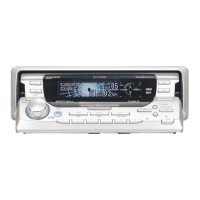
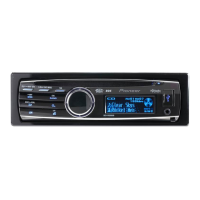
Pioneer DEH-P8300UB - User Manual

Pioneer DEH-P8300UB
96 pages
Print Icon
To Next Page IconTo Next Page
Loading...
Owners Manual
Mode demploi
Manual de instrucciones
CD RDS RECEIVER
AUTORADIO CD RDS
REPRODUCTOR DE CD CON RECEPTOR RDS
DEH-P8300UB
English EspañolFrançais

Table of Contents

Questions and Answers

  • D
    Dustin RamseyJul 28, 2025
    What to do if my Pioneer DEH-P8300UB says NO AUDIO?
    • M
      Margaret BrownJul 28, 2025
      If your Pioneer Car Receiver displays 'NO AUDIO', it means there are no songs on the connected USB device. Transfer audio files to the USB storage device, and then connect it to the receiver.
  • M
    Miranda DavidsonAug 2, 2025
    How to turn off demo mode on Pioneer Car Receiver?
    • L
      Lori EspinozaAug 2, 2025
      To cancel demo mode on your Pioneer Car Receiver, simply press the /DISP/ on SCRL button.
  • L
    Lauren HarrisAug 6, 2025
    What does 'NOT COMPATIBLE' mean on my Pioneer DEH-P8300UB Car Receiver?
    • E
      Eric BellAug 7, 2025
      If your Pioneer Car Receiver displays 'NOT COMPATIBLE', it means the connected USB storage device is not supported. Connect a USB Mass Storage Class compliant device instead.
  • T
    teresa17Aug 10, 2025
    Why does my Pioneer DEH-P8300UB Car Receiver display 'PROTECT'?
    • E
      Erika HallAug 10, 2025
      If your Pioneer Car Receiver shows 'PROTECT', it indicates that all the files on the USB storage device are embedded with Windows Media DRM 9/10. You should transfer audio files not embedded with Windows Media DRM 9/10 to the USB storage device and connect it.
  • D
    david54Aug 15, 2025
    Why does my Pioneer DEH-P8300UB display 'SKIPPED'?
    • L
      Luis MaldonadoAug 15, 2025
      If your Pioneer Car Receiver displays 'SKIPPED', it means the connected USB storage device contains files embedded with Windows Media DRM 9/10. Try playing an audio file that is not embedded with Windows Media DRM 9/10.
  • L
    Larry LeeAug 23, 2025
    What to do if my Pioneer DEH-P8300UB Car Receiver is interfered with by electric waves?
    • D
      Daniel GrayAug 23, 2025
      If your Pioneer Car Receiver is experiencing interference, and you are using a device that transmits electric waves nearby, move those electrical devices away from the unit.
  • C
    Christopher LeonSep 10, 2025
    What to do if my Pioneer DEH-P8300UB connected USB storage device has security enabled?
    • S
      Shannon SmithSep 12, 2025
      If the connected USB storage device to your Pioneer Car Receiver has security enabled, disconnect your device and replace it with a compatible USB storage device.

Summary

Before You Start

Safety and Hearing Protection

Guidelines to protect hearing and avoid damage from high volumes.

Operating this unit

Source Management

Operating different audio sources like tuner, discs, USB, and iPod.

Audio Adjustments

Detailed adjustments for sound output like fader, equalizer, bass, and subwoofer.

Available accessories

Bluetooth Audio Operation

Controls and operations for Bluetooth audio playback via adapter.

Bluetooth Telephone Functions

Connecting and using a cellular phone for hands-free calls.

Phone Call Management

Making, receiving, and managing phone calls including call waiting.

Installation

Wiring and Connections

Essential steps for connecting the unit, power amp, and speakers.

Additional Information

Pioneer DEH-P8300UB Specifications

General IconGeneral
Detachable FaceYes
Preamp Voltage4 Volts
RMS Power Output22 Watts
Preamp Outputs3 Sets
Sub Preamp OutputYes
Auxiliary InputYes
USB InputYes
iPod CompatibilityYes
HD RadioNo
Satellite Radio ReadyYes
NavigationNo
Remote ControlYes
CD Signal-to-Noise94 dB
FM Sensitivity8 dBf
Channels4
Built-in DisplayYes
CD PlayerYes
CD-R/RW PlaybackYes
MP3 PlaybackYes
WMA PlaybackYes
Peak Output50 Watts
RMS Power Bandwidth20 Hz - 20 kHz
Max Power Output50 Watts x 4 Channels
USB CompatibilityYes
EqualizerYes

Related product manuals