
 Need help?
Do you have a question about the Pioneer DEH-S5000BT and is the answer not in the manual?
Important safety warnings and usage precautions for the device.
Details on obtaining after-sales service and support for Pioneer products.
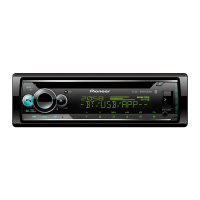
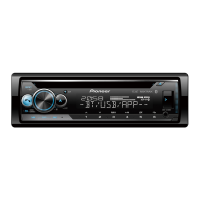
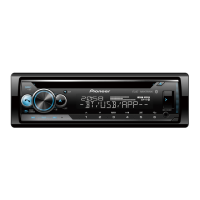
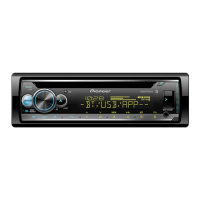
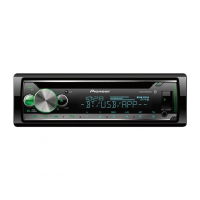
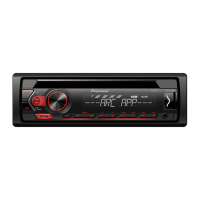
Overview of the unit's primary controls and their functions.
Information on the remote control and frequently used operations.
Explains the meaning of various icons and indicators shown on the unit's display.
Instructions for securely detaching and reattaching the unit's front panel.
Steps to reset the unit's microprocessor to resolve operational issues.
Guide to safely replacing the battery in the remote control unit.
Introduction to accessing the unit's setup menu for initial configuration.
Instructions for tuning in and saving preset radio stations.
Steps for inserting and playing audio discs in the CD player.
How to connect USB storage devices and iPhones to the unit for playback.
Instructions for connecting and playing audio from devices via the AUX input.
Details on operations for playing audio files from CD and USB sources.
Step-by-step instructions for pairing and connecting Bluetooth-enabled devices.
Overview of settings for managing Bluetooth connections and paired devices.
Instructions for making, receiving, and managing phone calls using Bluetooth.
Common operations for managing calls, including ending, rejecting, and volume.
How to preset phone numbers and use voice recognition with an iPhone.
Steps to connect and stream audio from a Bluetooth-enabled device.
Common operations for controlling audio playback from Bluetooth sources.
Instructions for connecting and controlling applications from mobile devices.
How to connect and enjoy Pandora internet radio through the unit.
Operations for controlling Pandora playback and managing stations or playlists.
Instructions for connecting and enjoying music from the Spotify streaming service.
Operations for controlling Spotify playback and searching for tracks or content.
Information on compatible iPhone and Android devices for the Pioneer ARC APP.
Detailed steps for establishing a connection between the unit and the Pioneer ARC APP.
Guide to adjusting cut-off frequency and slope values for speaker crossovers.
Details on various function settings that can be configured for different sources.
Options for selecting audio sources and connecting Bluetooth devices.
How to adjust equalizer curves, speaker levels, and subwoofer settings.
Configuring crossover settings and optimizing sound based on listening position.
Adjusting time alignment and managing saved sound settings.
Settings for language, clock format, and beep tone preferences.
Settings for display items, AUX input, and Bluetooth audio signal.
Settings for phone connectivity and Pioneer ARC APP connection types.
Customizing key and display colors, and adjusting display brightness.
Configuring MIXTRAX playback length and the area for illumination effects.
Selecting flash patterns for illumination and MIXTRAX special effects.
Essential warnings and guidelines for safe and correct wiring and grounding.
Diagrams and instructions for connecting power cords and speakers to the unit.
Details on connecting wire harnesses and optional power amplifiers.
Instructions for installing and removing the unit's mounting sleeve in the dashboard.
Guidelines for positioning and installing the microphone for optimal voice recognition.
Solutions for common operational problems and display messages encountered.
Interpretation of error codes related to the CD player and general system functions.
Troubleshooting steps for USB device, iPhone connection, and communication errors.
Solutions for common errors with Pandora and Bluetooth device connectivity.
Troubleshooting steps for app connection failures and network-related issues.
Guidelines for using CDs and the player, including compatible disc types.
Information on limitations and best practices for using USB storage devices.
Details on compatibility for various compressed audio file formats like WMA and MP3.
Specifications for AAC/FLAC files and USB device compatibility, including iPhone models.
Legal information regarding copyrights and trademarks of software and brands used.
Technical specifications for power, grounding, dimensions, and chassis.
Detailed specifications for audio output, equalizer bands, filters, and time alignment.
Technical details for CD player compatibility and USB interface specifications.
Specifications for FM/AM tuners and Bluetooth connectivity.
Detailed specifications for the amplifier output and signal-to-noise ratio.
 General
| MP3 playback | Yes |
|---|---|
| CD-RW playback | - |
| Audio formats supported | AAC, FLAC, MP3, WAV, WMA |
| DIN size | 1 DIN |
| Product color | Black |
| Volume control | Rotary |
| Audio output channels | - channels |
| Maximum power per channel | 50 W |
| Display type | LCD |
| Display number of lines | 2 lines |
| USB version | 2.0 |
| Bluetooth profiles | A2DP |
| Line outputs (RCA) | 3 |
| USB ports quantity | 1 |
| Bluetooth functions | Handsfree calling |
| Supported radio bands | AM, FM |
| Preset stations quantity | 24 |
| Menu languages | ENG, ESP, FRE |
| RMS rated power | 200 W |
| Playback disc types | CD, CD-R, CD-RW |


 To Next Page