
 Need help?
Do you have a question about the Pioneer DEH-X8500BS and is the answer not in the manual?
Guidance on maintaining hearing health by setting safe listening volumes.
Details on tuner frequency allocation and warnings for cord handling.
Information on contacting dealers or distributors for service and support.
Advice on contacting dealers or authorized service stations for troubleshooting.
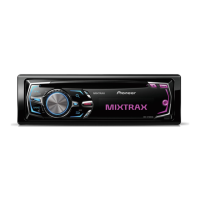
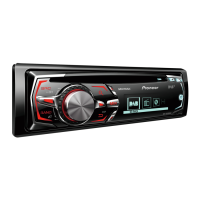
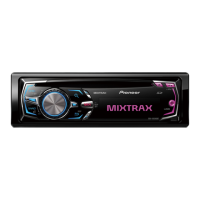
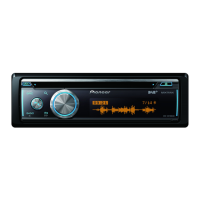
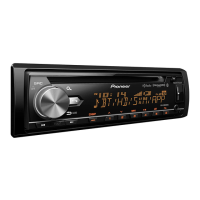
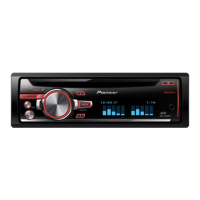
Identifies parts of the head unit for specific models.
Identifies buttons and functions of the remote control.
Describes how to play CDs and songs from USB storage devices.
How to navigate through folders on a USB storage device.
How to select individual tracks for playback.
How to fast forward or rewind tracks.
How to return to the main folder on a USB device.
How to switch between audio file types.
How to switch between different storage devices on USB.
Overview of iPod indicators and basic playback controls.
How to connect and play music from an iPod.
How to select tracks or chapters on an iPod.
How to fast forward or rewind iPod tracks.
How to select albums from an iPod.
Important notes regarding Bluetooth usage and battery drain.
Note about variations in operations based on cell phone type.
Warning about using advanced features while driving.
Safety reminder to park before performing operations.
Steps to set up the unit for hands-free phone calls.
Basic operations for making, answering, and ending calls.
How to use voice recognition with iPod or BT Audio.
How to access and manage Bluetooth device connections.
Important notes about Bluetooth audio player compatibility and operation.
Note about potential noise from cellular phones during Bluetooth audio playback.
Important notes and terms of service for third-party apps.
Lists compatible devices for smartphone applications.
Instructions for connecting and using iPhone with apps.
Instructions for connecting and using Android devices with apps.
Important requirements for using Pandora.
Lists requirements like iPhone compatibility and Pandora account.
Details limitations of the Pandora service access.
Steps to start using Pandora with an iPhone.
Steps to start using Pandora with an Android device.
Steps to start using other smartphone applications with an iPhone.
Steps to start using other smartphone applications with an Android device.
Basic operations for app playback, including track selection.
How to change the displayed text information for apps.
How to access and adjust function settings for apps.
How to pause and resume app playback.
How to use Sound Retriever for app audio.
How to access the audio menu to adjust sound settings.
How to access and select entertainment display options.
How to select background images and settings.
How to set the clock display.
How to access the illumination menu.
How to select the length of playback time for MIXTRAX.
How to adjust the flash area setting for MIXTRAX.
How to remove fixed sounds from MIXTRAX sound effects.
How to remove loop effects from MIXTRAX sound effects.
How to remove flanger effects from MIXTRAX sound effects.
How to remove echo effects from MIXTRAX sound effects.
How to remove crossfade effects from MIXTRAX sound effects.
How to select the preferred language for the unit.
How to set the date.
How to set the clock time.
How to set the elapsed time display and timer/alarm.
How to enable or disable music browsing features.
How to update the unit's Bluetooth software.
How to configure rear output for full-range or subwoofer connection.
How to select and use an AUX source.
Steps to subscribe to the SiriusXM Satellite Radio service.
Overview of SiriusXM basic operations and indicators.
How to select SiriusXM bands (SXM-1, SXM-2, SXM-3).
How to return to the live broadcast.
How to select SiriusXM channels when in Operate Mode.
How to skip channels backward or forward using Replay mode.
How to fast forward or rewind SiriusXM channels.
How to change the text information displayed for SiriusXM.
How to find the SiriusXM Radio ID for activation.
How to select where the broadcast starts when switching preset channels.
Options for scanning channels or songs.
How to scan preset music channels, playing each song for eight seconds.
How to scan channels within categories, playing each for five seconds.
How to select the currently playing channel or song.
How to skip tracks during Tune Scan.
How to skip channels during category scan.
How to select a channel from a list.
How to select a channel from all available channels.
How to select a channel from the current category list.
How to store and recall favorite SiriusXM channels.
Details on using iTunes tagging for SiriusXM.
How to pause and resume SiriusXM playback.
How to select the operation mode for SiriusXM.
How to scan songs from preset channels.
How to select broadcast start point for preset channels.
How to set up parental controls for SiriusXM channels.
How to lock specific SiriusXM channels.
How to unlock all previously locked channels.
How to change the parental control passcode.
Diagrams and instructions for connecting wires and components.
Warnings about speaker usage, ground wire, and battery drain.
Important notes regarding ignition switch connection and battery drain.
Instructions for connecting the ground wire.
Caution regarding microphone lead placement and obstruction.
Note on microphone placement for optimal voice pickup.
Steps to install the microphone on the sun visor.
Steps to install the microphone on the steering column.
Common issues, causes, and actions for troubleshooting.
Advice on handling and reporting error messages.
Lists common error messages and their causes/actions.
Lists CD player specific error messages and their causes/actions.
Lists USB/iPod error messages and their causes/actions.
Lists Bluetooth device related error messages and their causes/actions.
Lists Pandora application related error messages and their causes/actions.
Lists general app related error messages and their causes/actions.
Lists SiriusXM related messages and their causes/actions.
Guidelines for handling discs and the player.
Visual indicators for compatible discs.
Disc size and adapter usage guidelines.
Disc shape recommendations.
Warning about inserting non-CD items.
Warnings about using damaged discs.
Compatibility note for unfinalized discs.
Handling precaution for disc surfaces.
Storage recommendation for discs.
Handling precautions for disc surfaces.
Disc cleaning instructions.
Note on condensation and player performance.
Factors affecting disc playback.
Impact of road shocks on disc playback.
General advice for disc usage.
Warnings about printable discs.
Warning about attaching labels.
Guidelines for using USB storage devices.
Technical specifications for WMA audio files.
Technical specifications for MP3 audio files.
Technical specifications for WAV audio files.
Technical specifications for AAC audio files.
Notes on file name display and WMA file compatibility.
Information on disc folder hierarchy and file system.
Information on USB storage device folder hierarchy and file system.
Disclaimer regarding data loss on USB devices.
Disclaimer regarding USB device compatibility.
Information on Bluetooth trademarks and logos.
Information on iTunes trademarks.
Licensing information for MP3 technology.
Information on WMA trademarks and licensing.
Information on iPod and iPhone trademarks and compatibility.
Information on Android trademark.
Information on SiriusXM trademarks.
Information on Pandora trademark.
Information on MIXTRAX trademark.
General specifications of the unit (power, dimensions, weight).
Audio specifications (power output, impedance, preout).
Specifications related to the CD player.
Specifications for USB connectivity.
FM tuner specifications (frequency, sensitivity, S/N).
AM tuner specifications (frequency, sensitivity, S/N).
Bluetooth specifications (version, output power).
Amplifier specifications compliant with CEA-2006 standards.
 General
| Model | DEH-X8500BS |
|---|---|
| DIN Size | Single DIN |
| Channels | 4 |
| Subwoofer Preamp RCA Output | Yes |
| Display Type | LCD |
| CEA-2006 Compliant | Yes |
| MP3 Playback | Yes |
| WMA Playback | Yes |
| AAC Playback | Yes |
| WAV Playback | Yes |
| Bluetooth Compatibility | Yes |
| HD Radio | Yes |
| SiriusXM Radio Ready | Yes |
| USB Input | Yes |
| AUX Input | Yes |
| Memory Card Slot | No |
| iPod Compatibility | Yes |
| Android Compatibility | Yes |
| Steering Wheel Control Compatible | Yes |
| Remote Control | Yes |
| Tuner | AM/FM |
| Built-in Equalizer | Yes |
| High-Pass Filter | Yes |
| Low-Pass Filter | Yes |
| Subwoofer Output | Yes |
| Faceplate Security | Detachable |
| Peak Power Output | 50 Watts x 4 |
| Preamp RCA Outputs | 3 pairs (front, rear, subwoofer) |
| Preamp Voltage | 4 volts |
| Equalizer | 13-band |
| Preamp Outputs | Front, Rear, Subwoofer |
| Dimensions (W x H x D) | 7" x 2" x 6.5" |



 To Next Page