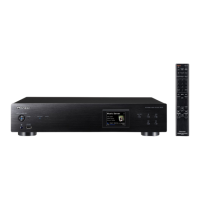
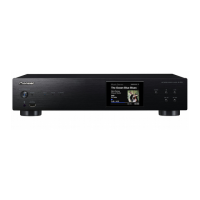
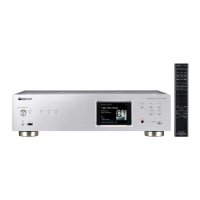
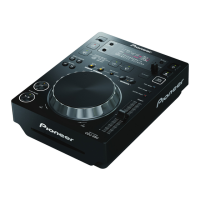
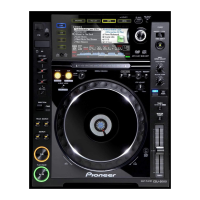
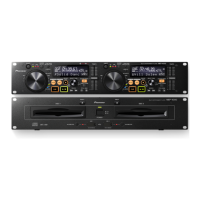
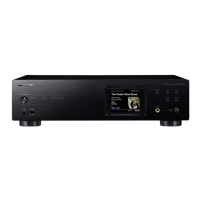
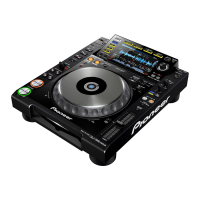
The Pioneer DJ CDJ-2000NXS2 and CDJ-TOUR1 are multiplayers designed for professional DJ use, offering advanced control and audio output capabilities for TRAKTOR series software by Native Instruments. These devices are equipped with an interface that enables high-precision USB-HID control of TRAKTOR without the need for control discs, and they can also function as audio output devices for the software.
Function Description:
The primary function of the CDJ-2000NXS2 and CDJ-TOUR1 multiplayers in conjunction with TRAKTOR is to provide a tactile and precise control surface for DJing. Users can connect one or more multiplayers (up to four) to a PC or Mac via USB to control various aspects of the TRAKTOR software. This includes deck selection, transport controls, and other performance features. When configured, the multiplayers are recognized by TRAKTOR as controllers, allowing DJs to manipulate tracks and effects directly from the hardware. Beyond control, these multiplayers can also serve as high-quality audio output devices for TRAKTOR, routing the software's audio through their internal digital-to-analog converters (DACs) and outputting it to a mixer or sound system. This dual functionality makes them versatile tools for professional DJ setups, integrating seamlessly with software-based workflows while retaining the familiar feel of hardware.
Important Technical Specifications:
While specific technical specifications like frequency response, signal-to-noise ratio, or exact dimensions are not detailed in the provided manual excerpts, several key operational specifications are highlighted:
- USB-HID Control: The multiplayers utilize USB-HID (Human Interface Device) for high-precision control of TRAKTOR series software, eliminating the need for traditional control CDs or vinyl.
- Multiplayer Connectivity: Up to four multiplayers can be connected simultaneously to a single PC/Mac for TRAKTOR series control, requiring one USB cable per multiplayer.
- Audio Output Capability: The devices can function as audio output interfaces for TRAKTOR.
- Driver Requirements (Windows): For Windows users, installation of specific driver software is required to enable audio output functionality.
- Mac OS Aggregated Device Support: For Mac users, an "Aggregated Device" setup is recommended for using multiple multiplayers as audio devices. Pioneer DJ provides a "CDJ/XDJ Aggregator" tool to simplify this process, eliminating the need for separate driver installations for audio output on Mac.
- Firmware and Software Updates: Both the multiplayer firmware and TRAKTOR software must be updated to their latest versions to ensure compatibility and optimal performance.
Usage Features:
- Seamless TRAKTOR Integration: The multiplayers are designed for deep integration with TRAKTOR, offering a plug-and-play experience once initial setup is complete.
- USB-MIDI Control Mode: To activate control mode, users press the [LINK] button on the multiplayer and select [USB MIDI] under [CONTROL MODE]. This establishes communication with TRAKTOR.
- Deck Selection: After entering USB-MIDI mode, the multiplayer's main display will prompt the user to "Turn SELECTOR to choose TRAKTOR deck." The rotary selector allows users to assign the multiplayer to control a specific TRAKTOR deck (A, B, C, or D).
- Audio Device Configuration (Windows): On Windows, after installing the driver, users select "Pioneer CDJXDJ ASIO" as the [Audio Device] in TRAKTOR's [Audio Setup] menu. The multiplayer should then be automatically selected as the audio output device. Manual selection is possible if needed.
- Audio Device Configuration (Mac OS): On Mac, after connecting multiplayers via USB, users run the "CDJ/XDJ_Aggregator" tool to create a combined audio device named "Pioneer CDJ/XDJ." This aggregated device is then selected in TRAKTOR's [Audio Setup]. The multiplayer(s) will automatically be chosen for audio output, with manual selection available if necessary.
- High-Precision Control: The USB-HID interface ensures accurate and responsive control, crucial for professional DJ performance.
- No Control Discs: The direct USB-HID connection eliminates the need for timecode CDs or vinyl, simplifying setup and reducing potential points of failure.
Maintenance Features:
- Firmware Updates: Regular firmware updates for the multiplayers are essential to maintain compatibility with the latest TRAKTOR software versions and to ensure optimal performance. Pioneer DJ provides these updates via their support page.
- Software Updates: Keeping the TRAKTOR series software updated to its latest version is equally important for seamless operation and access to new features or bug fixes. Native Instruments' website is the source for these updates.
- Driver Management (Windows): Windows users need to ensure they have the latest driver software installed for their multiplayer from the Pioneer DJ support page.
- Mac OS Tool (CDJ/XDJ Aggregator): Mac users should download and utilize the "CDJ/XDJ Aggregator" tool from the Pioneer DJ support page for simplified setup of multiple multiplayers as audio devices. This tool helps manage the aggregated device configuration.
- Connection Integrity: Ensuring stable USB and audio cable connections is fundamental for reliable operation. Using high-quality cables is implicitly recommended for professional use.
- System Requirements: Users are advised to check the Native Instruments website for the latest system requirements for TRAKTOR to ensure their PC/Mac meets the necessary specifications for smooth performance.

 Need help?
 General

 To Next Page