EasyManua.ls Logo

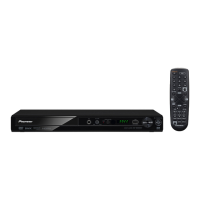
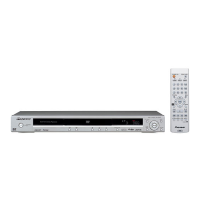
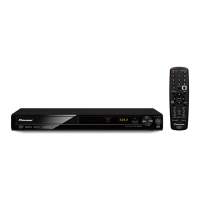
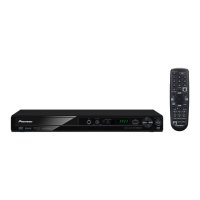
Pioneer DV 300 - User Manual

Pioneer DV 300
43 pages
Print Icon
To Next Page IconTo Next Page
Loading...
Register Your Product at
http://www.pioneerelectronics.com (US)
http://www.pioneerelectronics.ca (Canada)
DVD Player
DV-300-K
Operating Instructions
DV300_KUC_EN.book 1 ページ 2007年3月11日 日曜日 午後8時49分

Table of Contents

Question and Answer IconNeed help?

Do you have a question about the Pioneer DV 300 and is the answer not in the manual?

Summary

Safety and Warning Information

Safety Symbol Explanations

Explains the meaning of the lightning flash and exclamation point symbols in the product enclosure and manual.

Operating Cautions and Warnings

Lists critical cautions regarding electric shock, radiation, eye hazards, fire, moisture, and hazardous materials.

Important Safety Instructions

Installation and Operation Safety Guidelines

Covers essential safety guidelines for setting up, operating, and maintaining the device, including grounding and ventilation.

Servicing and Replacement Parts Safety Procedures

Details safety procedures for servicing, damage requiring service, and the use of replacement parts to prevent hazards.

Product Information and Usage Advice

Power Cord Handling and Safety Precautions

Provides crucial safety instructions for handling the power cord to prevent damage and electrical hazards.

Safe Listening Practices Guidance

Offers advice on setting safe listening levels to protect hearing and enjoy audio content.

Before You Start: Player Overview

Key Player Features and Capabilities

Details the key features of the DVD player, including DAC compatibility, audio formats, and video capabilities.

Included Accessories Confirmation

Lists the accessories included with the DVD player for user confirmation.

Before You Start: Setup Procedures

Remote Control Battery Installation Guide

Instructions on how to correctly insert batteries into the remote control, including important safety notes.

Installation Location Guidelines for Optimal Performance

Guidelines for choosing a suitable location for the player to ensure optimal performance and longevity.

Before You Start: Disc and Content Compatibility

Supported Disc and Content Formats

Lists the various disc types (DVD, CD, etc.) and their playback compatibility with the player.

Specific Disc Type Compatibility Details

Details compatibility for CD-R/RW and DVD+R/RW, DVD-R/RW discs, including format requirements.

DualDisc Playback Information

Explains how DualDisc media is handled, noting specific side support for playback.

Before You Start: Media File Compatibility

Compressed Audio File Support (MP3;WMA)

Details compatibility for MP3 and WMA audio files, including supported formats, sampling rates, and limitations.

DivX Video and External Subtitle Support

Introduces DivX video format, its playback capabilities, and support for external subtitle files.

Before You Start: Advanced Compatibility

DivX and JPEG File Playback Capabilities

Details the player's DivX video and JPEG image file compatibility, including supported formats and extensions.

PC-Created Disc Playback Considerations

Discusses potential compatibility issues with discs created on a PC, including software settings and UDF format.

Connections: Basic Setup Guide

Easy Connections for Initial Setup

Guides users through the basic audio/video connections using supplied cables for initial setup.

Important Connection Notes and Warnings

Provides essential notes on power, copy protection, and progressive scan settings during connection.

Connections: Video Output Options

Using the S-Video Output for Better Picture

Instructions on using the S-video output for a better picture quality connection.

Using the Component Video Output for Best Quality

Details how to connect using component video jacks for the best picture quality.

Connections: Advanced Video and Audio Setup

Progressive Scan Video Output Configuration

Explains how to set up and use progressive scan video output for a stable, flicker-free image.

Connecting to an AV Receiver for Surround Sound

Guides on connecting the player to an AV receiver for multichannel surround sound and audio/video signals.

Controls and Displays: Front Panel Identification

Front Panel Button and Indicator Functions

Identifies and describes the function of each button and indicator on the player's front panel.

Controls and Displays: Remote Operation

Remote Control Layout and Button Functions

Details the layout and function of buttons on the remote control for operating the player.

Remote Control Usage Tips and Considerations

Provides tips and considerations for effective and reliable remote control operation.

Getting Started: Player Operation Basics

Powering On the Player and TV

Instructions on how to power on the DVD player and ensure the TV is set to the correct input.

Navigating On-Screen Displays (OSDs)

Explains how to navigate and interact with the player's graphical on-screen menus and displays.

Getting Started: TV and Display Setup

Setting Player for TV Aspect Ratio

Guides on configuring the player's video output settings based on TV aspect ratio (16:9 or 4:3).

Setting On-Screen Display Language

Instructions for selecting the preferred language for the player's on-screen menus and displays.

Playing Discs: Basic Playback Controls

Fundamental Playback Operations

Covers fundamental controls for playing DVD, CD, DivX, MP3/WMA discs, including loading and starting playback.

Important Disc Playback Notes

Important notes regarding specific playback behaviors like menu access and file type recognition.

Playing Discs: Detailed Playback Controls

Playback Button Functionality Explained

A detailed table explaining the function of various playback control buttons on the remote.

Resume and Last Memory Functionality

Explains how the player remembers the last playback position for DVDs and CDs.

Playing Discs: Navigating Disc Menus

Navigating DVD-Video Disc Menus

Describes how to navigate DVD-Video disc menus for selecting content and features.

Video CD PBC Menu Navigation

Explains how to interact with Video CD Playback Control (PBC) menus for navigation and playback.

Getting Started: Troubleshooting Common Issues

Disc Ejection and Playback Failure Troubleshooting

Addresses common issues like disc ejection, playback failure, region codes, and disc damage.

Aspect Ratio Display Problems on TVs

Explains why black bars appear on widescreen or standard TVs during playback of certain discs.

Playing Discs: Advanced Playback Features

Disc Scanning and Slow Motion Playback

Instructions on how to fast-scan discs and play them in slow motion.

Frame Advance and Frame Reverse Functions

Explains how to advance or reverse DVD discs frame-by-frame.

Playing Discs: Media Browsing Options

Viewing JPEG Slideshows on Discs

Guides on starting and controlling a slideshow from JPEG picture discs, including audio playback.

Disc Navigator for DVD and VCD Browsing

Explains how to use the Disc Navigator to browse DVD/Video CD contents for desired playback.

Playing Discs: File Navigation with Disc Navigator

Disc Navigator for WMA;MP3;DivX;JPEG Files

Instructions on using the Disc Navigator to find and play WMA, MP3, DivX, and JPEG files by filename.

Playing Discs: Playback Modes

Looping Sections with A-B Repeat Function

Details how to use the A-B Repeat function to loop a specific section of a track or title.

Using Repeat Play Options

Explains the different repeat play options available for discs, such as Title, Chapter, or Disc repeat.

Playing Discs: Playback Customization

Random Playback Functionality

Guides on setting up random play for titles, chapters, or tracks, and its limitations.

Creating and Managing Program Lists

Instructions on how to create and manage custom playback orders for titles, chapters, or tracks.

Playing Discs: Program Playback Operations

Building and Playing Program Lists

Details how to build, edit, and play a programmed sequence of tracks or chapters.

Program Menu Options and Functions

Lists additional program menu functions like playback start/stop and program deletion.

Playing Discs: Search and Language Options

Disc Search Functions by Title, Chapter, or Time

Explains how to search for content by title, chapter, track number, or time.

Switching Subtitles and Audio Languages

Instructions on how to select available subtitle languages and audio tracks during playback.

Playing Discs: Visual Enhancement Features

Screen Zooming Functionality

Details how to magnify parts of the screen during playback for DVDs, Video CDs, and JPEGs.

Switching Camera Angles and Displaying Disc Info

Explains how to switch camera angles and display disc information on-screen.

Audio and Video Adjust Menus: Audio Settings

Accessing and Using Audio Settings

Introduces the Audio Settings menu for adjusting sound features like Equalizer and Virtual Surround.

Dynamic Range Control (DRC) Functionality

Explains how Audio DRC adjusts quiet and loud sounds for better dialog clarity.

Virtual Surround Sound Feature Explained

Details the Virtual Surround feature for creating realistic surround sound from two speakers.

Audio and Video Adjust Menus: Sound and Picture Adjustment

Dialog Enhancement and Equalizer Settings

How to use Dialog enhancement and the various preset Equalizer curves for sound adjustment.

Video Adjust Menu Options for Picture Quality

Guides on adjusting picture quality settings like sharpness, brightness, contrast, gamma, hue, and chroma.

Initial Settings Menu: Core Configurations

Navigating the Initial Settings Menu

Explains how to access and navigate the Initial Settings menu for configuration.

Digital Audio Output Settings Configuration

Details settings for digital audio output, including Dolby Digital, DTS, and PCM formats.

Initial Settings Menu: Video and Language Settings

Video Output Configuration Options

Configuration for video output, including TV screen aspect ratio and component output (progressive/interlace).

Language Preference Settings for Audio, Subtitles, and Menus

Options for setting audio language, subtitle language, and DVD menu language.

Initial Settings Menu: Display and Other Options

Display Settings for OSD and Angle Indicators

Settings for OSD language and the display of angle indicators during multi-angle scenes.

Advanced Options: Parental Lock and DivX VOD

Access to options like Parental Lock and DivX VOD settings.

Initial Settings Menu: Parental Controls Management

Setting Up Parental Lock Levels and Passwords

Details how to set parental lock levels and manage passwords for content control.

Changing Passwords and Adjusting Lock Levels

Instructions on changing the existing parental lock password and adjusting the lock level.

Initial Settings Menu: Regional and VOD Settings

Country;Area Code Management Procedures

How to set or change the player's country/area code for region-specific content.

Displaying DivX VOD Registration Code

Instructions to display the DivX VOD registration code needed for content provider registration.

Additional Information: Player and Disc Care

General Care for Player and Discs

General advice on handling, storing, and cleaning discs and the player unit.

Disc and Exterior Cleaning Procedures

Specific methods for cleaning discs and the player's exterior surfaces.

Pickup Lens Cleaning Guidance

Guidance on cleaning the player's optical pickup lens, recommending professional service if needed.

Additional Information: Usage and Display Settings

Condensation Effects and Player Movement Safety

Information on condensation effects and safety precautions when moving the player.

Screen Sizes and TV Setting Adjustments

Explains different DVD screen aspect ratios and TV settings for optimal display on widescreen and standard TVs.

Additional Information: Maintenance and Troubleshooting

Resetting Player to Factory Defaults

Step-by-step procedure to reset all player settings to factory defaults.

DVD-Video Region Codes and Troubleshooting

Explains DVD region coding, compatibility, and troubleshooting common operational issues.

Language Code List Usage for Preferences

Guidance on using the language code list to set preferences for audio, subtitles, and menus.

Additional Information: Reference Glossary

Glossary of Technical Terms and File Formats

Definitions of technical terms and file formats used throughout the manual.

Additional Information: Code Lists Reference

Language Code Reference List

A comprehensive list of language codes and their corresponding languages for setting preferences.

Country;Area Code Reference List

A list of country/area codes and their corresponding regions for setting player compatibility.

Additional Information: Technical Specifications

Summary of Technical Specifications

Technical specifications of the DVD player, including power, dimensions, and output levels.

Summary

Safety and Warning Information

Safety Symbol Explanations

Explains the meaning of the lightning flash and exclamation point symbols in the product enclosure and manual.

Operating Cautions and Warnings

Lists critical cautions regarding electric shock, radiation, eye hazards, fire, moisture, and hazardous materials.

Important Safety Instructions

Installation and Operation Safety Guidelines

Covers essential safety guidelines for setting up, operating, and maintaining the device, including grounding and ventilation.

Servicing and Replacement Parts Safety Procedures

Details safety procedures for servicing, damage requiring service, and the use of replacement parts to prevent hazards.

Product Information and Usage Advice

Power Cord Handling and Safety Precautions

Provides crucial safety instructions for handling the power cord to prevent damage and electrical hazards.

Safe Listening Practices Guidance

Offers advice on setting safe listening levels to protect hearing and enjoy audio content.

Before You Start: Player Overview

Key Player Features and Capabilities

Details the key features of the DVD player, including DAC compatibility, audio formats, and video capabilities.

Included Accessories Confirmation

Lists the accessories included with the DVD player for user confirmation.

Before You Start: Setup Procedures

Remote Control Battery Installation Guide

Instructions on how to correctly insert batteries into the remote control, including important safety notes.

Installation Location Guidelines for Optimal Performance

Guidelines for choosing a suitable location for the player to ensure optimal performance and longevity.

Before You Start: Disc and Content Compatibility

Supported Disc and Content Formats

Lists the various disc types (DVD, CD, etc.) and their playback compatibility with the player.

Specific Disc Type Compatibility Details

Details compatibility for CD-R/RW and DVD+R/RW, DVD-R/RW discs, including format requirements.

DualDisc Playback Information

Explains how DualDisc media is handled, noting specific side support for playback.

Before You Start: Media File Compatibility

Compressed Audio File Support (MP3;WMA)

Details compatibility for MP3 and WMA audio files, including supported formats, sampling rates, and limitations.

DivX Video and External Subtitle Support

Introduces DivX video format, its playback capabilities, and support for external subtitle files.

Before You Start: Advanced Compatibility

DivX and JPEG File Playback Capabilities

Details the player's DivX video and JPEG image file compatibility, including supported formats and extensions.

PC-Created Disc Playback Considerations

Discusses potential compatibility issues with discs created on a PC, including software settings and UDF format.

Connections: Basic Setup Guide

Easy Connections for Initial Setup

Guides users through the basic audio/video connections using supplied cables for initial setup.

Important Connection Notes and Warnings

Provides essential notes on power, copy protection, and progressive scan settings during connection.

Connections: Video Output Options

Using the S-Video Output for Better Picture

Instructions on using the S-video output for a better picture quality connection.

Using the Component Video Output for Best Quality

Details how to connect using component video jacks for the best picture quality.

Connections: Advanced Video and Audio Setup

Progressive Scan Video Output Configuration

Explains how to set up and use progressive scan video output for a stable, flicker-free image.

Connecting to an AV Receiver for Surround Sound

Guides on connecting the player to an AV receiver for multichannel surround sound and audio/video signals.

Controls and Displays: Front Panel Identification

Front Panel Button and Indicator Functions

Identifies and describes the function of each button and indicator on the player's front panel.

Controls and Displays: Remote Operation

Remote Control Layout and Button Functions

Details the layout and function of buttons on the remote control for operating the player.

Remote Control Usage Tips and Considerations

Provides tips and considerations for effective and reliable remote control operation.

Getting Started: Player Operation Basics

Powering On the Player and TV

Instructions on how to power on the DVD player and ensure the TV is set to the correct input.

Navigating On-Screen Displays (OSDs)

Explains how to navigate and interact with the player's graphical on-screen menus and displays.

Getting Started: TV and Display Setup

Setting Player for TV Aspect Ratio

Guides on configuring the player's video output settings based on TV aspect ratio (16:9 or 4:3).

Setting On-Screen Display Language

Instructions for selecting the preferred language for the player's on-screen menus and displays.

Playing Discs: Basic Playback Controls

Fundamental Playback Operations

Covers fundamental controls for playing DVD, CD, DivX, MP3/WMA discs, including loading and starting playback.

Important Disc Playback Notes

Important notes regarding specific playback behaviors like menu access and file type recognition.

Playing Discs: Detailed Playback Controls

Playback Button Functionality Explained

A detailed table explaining the function of various playback control buttons on the remote.

Resume and Last Memory Functionality

Explains how the player remembers the last playback position for DVDs and CDs.

Playing Discs: Navigating Disc Menus

Navigating DVD-Video Disc Menus

Describes how to navigate DVD-Video disc menus for selecting content and features.

Video CD PBC Menu Navigation

Explains how to interact with Video CD Playback Control (PBC) menus for navigation and playback.

Getting Started: Troubleshooting Common Issues

Disc Ejection and Playback Failure Troubleshooting

Addresses common issues like disc ejection, playback failure, region codes, and disc damage.

Aspect Ratio Display Problems on TVs

Explains why black bars appear on widescreen or standard TVs during playback of certain discs.

Playing Discs: Advanced Playback Features

Disc Scanning and Slow Motion Playback

Instructions on how to fast-scan discs and play them in slow motion.

Frame Advance and Frame Reverse Functions

Explains how to advance or reverse DVD discs frame-by-frame.

Playing Discs: Media Browsing Options

Viewing JPEG Slideshows on Discs

Guides on starting and controlling a slideshow from JPEG picture discs, including audio playback.

Disc Navigator for DVD and VCD Browsing

Explains how to use the Disc Navigator to browse DVD/Video CD contents for desired playback.

Playing Discs: File Navigation with Disc Navigator

Disc Navigator for WMA;MP3;DivX;JPEG Files

Instructions on using the Disc Navigator to find and play WMA, MP3, DivX, and JPEG files by filename.

Playing Discs: Playback Modes

Looping Sections with A-B Repeat Function

Details how to use the A-B Repeat function to loop a specific section of a track or title.

Using Repeat Play Options

Explains the different repeat play options available for discs, such as Title, Chapter, or Disc repeat.

Playing Discs: Playback Customization

Random Playback Functionality

Guides on setting up random play for titles, chapters, or tracks, and its limitations.

Creating and Managing Program Lists

Instructions on how to create and manage custom playback orders for titles, chapters, or tracks.

Playing Discs: Program Playback Operations

Building and Playing Program Lists

Details how to build, edit, and play a programmed sequence of tracks or chapters.

Program Menu Options and Functions

Lists additional program menu functions like playback start/stop and program deletion.

Playing Discs: Search and Language Options

Disc Search Functions by Title, Chapter, or Time

Explains how to search for content by title, chapter, track number, or time.

Switching Subtitles and Audio Languages

Instructions on how to select available subtitle languages and audio tracks during playback.

Playing Discs: Visual Enhancement Features

Screen Zooming Functionality

Details how to magnify parts of the screen during playback for DVDs, Video CDs, and JPEGs.

Switching Camera Angles and Displaying Disc Info

Explains how to switch camera angles and display disc information on-screen.

Audio and Video Adjust Menus: Audio Settings

Accessing and Using Audio Settings

Introduces the Audio Settings menu for adjusting sound features like Equalizer and Virtual Surround.

Dynamic Range Control (DRC) Functionality

Explains how Audio DRC adjusts quiet and loud sounds for better dialog clarity.

Virtual Surround Sound Feature Explained

Details the Virtual Surround feature for creating realistic surround sound from two speakers.

Audio and Video Adjust Menus: Sound and Picture Adjustment

Dialog Enhancement and Equalizer Settings

How to use Dialog enhancement and the various preset Equalizer curves for sound adjustment.

Video Adjust Menu Options for Picture Quality

Guides on adjusting picture quality settings like sharpness, brightness, contrast, gamma, hue, and chroma.

Initial Settings Menu: Core Configurations

Navigating the Initial Settings Menu

Explains how to access and navigate the Initial Settings menu for configuration.

Digital Audio Output Settings Configuration

Details settings for digital audio output, including Dolby Digital, DTS, and PCM formats.

Initial Settings Menu: Video and Language Settings

Video Output Configuration Options

Configuration for video output, including TV screen aspect ratio and component output (progressive/interlace).

Language Preference Settings for Audio, Subtitles, and Menus

Options for setting audio language, subtitle language, and DVD menu language.

Initial Settings Menu: Display and Other Options

Display Settings for OSD and Angle Indicators

Settings for OSD language and the display of angle indicators during multi-angle scenes.

Advanced Options: Parental Lock and DivX VOD

Access to options like Parental Lock and DivX VOD settings.

Initial Settings Menu: Parental Controls Management

Setting Up Parental Lock Levels and Passwords

Details how to set parental lock levels and manage passwords for content control.

Changing Passwords and Adjusting Lock Levels

Instructions on changing the existing parental lock password and adjusting the lock level.

Initial Settings Menu: Regional and VOD Settings

Country;Area Code Management Procedures

How to set or change the player's country/area code for region-specific content.

Displaying DivX VOD Registration Code

Instructions to display the DivX VOD registration code needed for content provider registration.

Additional Information: Player and Disc Care

General Care for Player and Discs

General advice on handling, storing, and cleaning discs and the player unit.

Disc and Exterior Cleaning Procedures

Specific methods for cleaning discs and the player's exterior surfaces.

Pickup Lens Cleaning Guidance

Guidance on cleaning the player's optical pickup lens, recommending professional service if needed.

Additional Information: Usage and Display Settings

Condensation Effects and Player Movement Safety

Information on condensation effects and safety precautions when moving the player.

Screen Sizes and TV Setting Adjustments

Explains different DVD screen aspect ratios and TV settings for optimal display on widescreen and standard TVs.

Additional Information: Maintenance and Troubleshooting

Resetting Player to Factory Defaults

Step-by-step procedure to reset all player settings to factory defaults.

DVD-Video Region Codes and Troubleshooting

Explains DVD region coding, compatibility, and troubleshooting common operational issues.

Language Code List Usage for Preferences

Guidance on using the language code list to set preferences for audio, subtitles, and menus.

Additional Information: Reference Glossary

Glossary of Technical Terms and File Formats

Definitions of technical terms and file formats used throughout the manual.

Additional Information: Code Lists Reference

Language Code Reference List

A comprehensive list of language codes and their corresponding languages for setting preferences.

Country;Area Code Reference List

A list of country/area codes and their corresponding regions for setting player compatibility.

Additional Information: Technical Specifications

Summary of Technical Specifications

Technical specifications of the DVD player, including power, dimensions, and output levels.

Pioneer DV 300 Specifications

General IconGeneral
TypeDVD Player
Progressive ScanYes
Video OutputComposite, Component
Audio OutputStereo, Coaxial Digital
Video DAC108 MHz/12-bit
Audio DAC192 kHz/24-bit
HDMI OutputNo
Coaxial Audio OutputYes
Disc Types ReadDVD, CD
Playback FormatsMP3, WMA, JPEG
Disc CompatibilityDVD, CD, CD-R/RW, DVD-R/RW
Output Resolution480p

Related product manuals