EasyManua.ls Logo

Pioneer DVR-A06 - User Manual

Pioneer DVR-A06
14 pages
Print Icon
To Next Page IconTo Next Page
Loading...
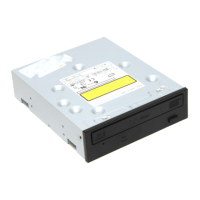
DVR-A06 / DVR-106
(OEM)
DVD-R/RW, +R/+RW & CD-R/RW Writer
DVD and CD Reader
ATAPI Tray-load Drive
O PERATING I NSTRUCTIONS
Version 1.00
May 2003
Pioneer Corporation
Pioneer Electronics (USA), Inc.
Business Solutions Division

Other manuals for Pioneer DVR-A06

Question and Answer IconNeed help?

Do you have a question about the Pioneer DVR-A06 and is the answer not in the manual?

Summary

Important Safety and Compliance

FCC Declaration of Conformity

Details compliance with FCC rules for digital devices, ensuring protection against harmful interference.

General Information

After-Sales Service

Safety Instructions

Drive Precautions

Covers installation environment, power, cleaning, and general handling safety for the drive.

Disc Precautions

Guidelines for handling DVD/CD media to prevent damage to the drive and media.

8 cm Disc Playing Precautions

Advises on precautions when playing 8cm discs, especially regarding horizontal mounting.

Features

Accessories

Lists the items included in the box with the Pioneer DVR-A06 drive.

Specific Features

Details the drive's write/read speeds, buffer memory, IDE modes, and supported media formats.

Interface

Drive Front View

Identifies and explains the components and controls on the front panel of the drive.

Drive Back View and Ports

Describes the connectors and configuration jumpers located on the back of the drive.

Region Code Information

Explains the DVD region code system and its limitations on playback.

Installation

Positioning the Drive

Provides instructions on how to physically mount the drive within a computer system.

Connections

Details how to connect the drive's power and data cables to the computer.

Specifications

General Functions

Lists general operational parameters like installation position, disc diameter, and transfer rates.

Specific Functions

Outlines specific technical details such as audio output, power supply, dimensions, weight, and operating conditions.

Summary

Important Safety and Compliance

FCC Declaration of Conformity

Details compliance with FCC rules for digital devices, ensuring protection against harmful interference.

General Information

After-Sales Service

Safety Instructions

Drive Precautions

Covers installation environment, power, cleaning, and general handling safety for the drive.

Disc Precautions

Guidelines for handling DVD/CD media to prevent damage to the drive and media.

8 cm Disc Playing Precautions

Advises on precautions when playing 8cm discs, especially regarding horizontal mounting.

Features

Accessories

Lists the items included in the box with the Pioneer DVR-A06 drive.

Specific Features

Details the drive's write/read speeds, buffer memory, IDE modes, and supported media formats.

Interface

Drive Front View

Identifies and explains the components and controls on the front panel of the drive.

Drive Back View and Ports

Describes the connectors and configuration jumpers located on the back of the drive.

Region Code Information

Explains the DVD region code system and its limitations on playback.

Installation

Positioning the Drive

Provides instructions on how to physically mount the drive within a computer system.

Connections

Details how to connect the drive's power and data cables to the computer.

Specifications

General Functions

Lists general operational parameters like installation position, disc diameter, and transfer rates.

Specific Functions

Outlines specific technical details such as audio output, power supply, dimensions, weight, and operating conditions.

Pioneer DVR-A06 Specifications

General IconGeneral
TypeDVD Recorder
EnclosureInternal
Read Speed DVD8x
Read Speed CD32x
Write Speed DVD-R4x
Write Speed DVD-RW2x
Write Speed DVD+R4x
Write Speed DVD+RW2.4x
Buffer Size2 MB
Disc FormatsDVD-R, DVD-RW, DVD+R, DVD+RW, CD-R, CD-RW
InterfaceATAPI
Supported FormatsDVD-Video, CD-DA, CD-ROM

Related product manuals