EasyManua.ls Logo

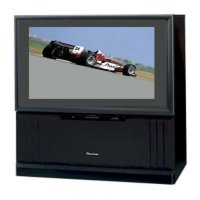
Pioneer Elite PRO 510HD - User Manual

Pioneer Elite PRO 510HD
92 pages
Print Icon
To Next Page IconTo Next Page
Loading...
Operating Instructions
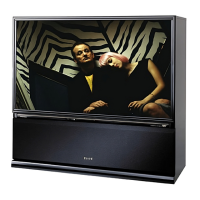
PROJECTION MONITOR RECEIVER
PRO-610HD
PRO-510HD

Questions and Answers

  • R
    Roberto BryantAug 12, 2025
    What to do if no picture appears on Pioneer Elite PRO 510HD Projection TV?
    • T
      Taylor IrwinAug 12, 2025
      If no picture appears on your Pioneer Projection TV screen, ensure that the DVD/LD player or VCR is correctly connected and functioning. Also, verify that the input selector is set to the appropriate source.
  • C
    Cory SmithAug 15, 2025
    Why is there no sound on my Pioneer Elite PRO 510HD Projection TV?
    • B
      Benjamin MathewsAug 15, 2025
      If your Pioneer Projection TV has no sound, check if the MUTING button is activated, indicated by a red volume indicator. If it is, turn the MUTING button off.
  • P
    Patrick GrahamAug 20, 2025
    How to fix Pioneer Elite PRO 510HD Projection TV remote control not working?
    • M
      Mr. Sean Williams IIAug 20, 2025
      If your Pioneer Projection TV is not responding to the remote control, check the batteries in the battery compartment, ensuring they match the correct polarities (+ and –). Replace the batteries if they are worn out. Also, avoid strong lights shining directly on the remote control sensor.
  • C
    cartermistyAug 23, 2025
    What to do if Pioneer Projection TV cannot receive a TV broadcast station?
    • A
      Amber MorrisAug 25, 2025
      If you're unable to receive a TV broadcast station on your Pioneer Projection TV, make sure the antenna cable is properly connected and check for any breaks or shorts in the cable. Also, ensure that the channels have been correctly preset.
  • S
    Stephanie RileyAug 27, 2025
    Why picture on Pioneer Elite PRO 510HD doesn't appear immediately after changing channels?
    • H
      Hannah MoralesAug 27, 2025
      If the picture on your Pioneer Projection TV does not appear immediately after changing channels, the TV-CATV MODE may be set incorrectly. Ensure that the TV-CATV MODE is set correctly.
  • C
    Chad RogersAug 31, 2025
    What to do if Pioneer Projection TV monitor is inoperative?
    • B
      Breanna Carson MDAug 31, 2025
      To troubleshoot an inoperative Pioneer Projection TV monitor, press the RETURN button. Then, turn the MAIN POWER supply off and on. If that doesn't work, disconnect the power cord, wait a few minutes, reconnect it, and try operating the monitor again.
  • A
    Austin HaynesSep 3, 2025
    How to fix color issues on Pioneer Elite PRO 510HD Projection TV?
    • A
      adamsgeraldSep 3, 2025
      To resolve abnormal, dim, sharp, or uneven colors on your Pioneer Projection TV, try adjusting the picture quality and color convergence settings.
  • Y
    youngdavidSep 7, 2025
    How to display closed caption on Pioneer Elite PRO 510HD Projection TV?
    • P
      Patrick WebsterSep 7, 2025
      To display closed captions on your Pioneer Projection TV, first check the CC menu settings. Then, ensure that the video cassette, Videodisc, or broadcast being played contains closed caption data.

Summary

IMPORTANT SAFETY INSTRUCTIONS AND WARNINGS

FOR YOUR PERSONAL SAFETY

Detailed safety precautions for operation.

PROTECTION AND LOCATION OF YOUR PROJECTION MONITOR RECEIVER

Guidelines for safe placement and environmental factors.

OPERATION OF YOUR PROJECTION MONITOR RECEIVER

Instructions for operating the monitor.

BASIC OPERATIONS

BEFORE USE

Initial setup steps before watching TV.

CONNECTING THE ANTENNA

How to connect antennas for optimal signal reception.

CONNECTING VIDEO;AUDIO EQUIPMENT

How to connect external devices like VCRs, DVD players.

FRONT PANEL FUNCTIONS

Explanation of buttons and indicators on the monitor's front panel.

REMOTE CONTROL UNIT FUNCTIONS

Explanation of the remote control's buttons and features.

PICTURE ADJUSTMENTS

How to adjust picture quality settings.

SOUND ADJUSTMENTS

How to adjust audio settings.

VARIOUS FUNCTIONS

USING THE DIGITAL TUNER (sold separately) TO WATCH DTV

RECORDING DTV PROGRAMS

Instructions on how to record DTV broadcasts.

TROUBLESHOOTING

Power and Inoperability Issues

Solutions for power, inoperative, and remote control problems.

Pioneer Elite PRO 510HD Specifications

General IconGeneral
BrandPioneer
ModelElite PRO 510HD
CategoryProjection TV
LanguageEnglish

Related product manuals