EasyManua.ls Logo

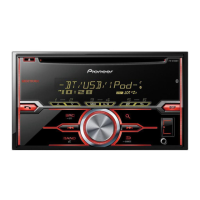
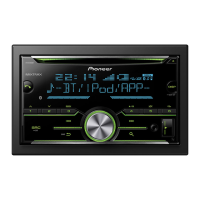
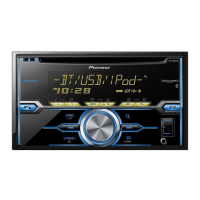
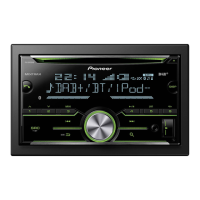
Pioneer FH-X70BT - User Manual

Pioneer FH-X70BT
24 pages
Print Icon
To Next Page IconTo Next Page
Loading...
Owners Manual
CD RDS RECEIVER
FH-X70BT
FH-X500UI

Questions and Answers

  • J
    johnsonmichaelJul 31, 2025
    Why is there a call in progress on my Pioneer Car Receiver when using a Bluetooth connected phone?
    • D
      danielle47Jul 31, 2025
      A call might be in progress on your Pioneer Car Receiver via a Bluetooth connected phone because the phone is currently being operated. Avoid operating the phone at this time. Alternatively, if a call was recently terminated, try reconnecting the Bluetooth connection between the unit and the phone, as the communication may not have ended properly.
  • A
    Alison AshleyAug 15, 2025
    Why does the repeat play range change unexpectedly on my Pioneer Car Receiver?
    • L
      Lisa ReedAug 15, 2025
      The repeat play range on your Pioneer Car Receiver may change unexpectedly because, depending on the selected range, the range may change when another folder or track is selected, or during fast forwarding/reversing. Try selecting another repeat play range.

Summary

Before You Start: Safety and Compliance

Protecting Your Hearing: Safe Listening Levels

Essential guidelines for setting safe listening volumes to prevent hearing damage from loud audio.

Critical Safety Warnings: Installation and Exposure

Important warnings about product installation, servicing, chemical exposure, and potential hazards.

Operating this Unit: Tuner Functions

Tuner Operations: Band, Tuning, and Seeking

How to select radio bands, tune stations manually, seek frequencies, and use preset stations.

Operating this Unit: CD and USB Media Playback

USB Storage Device Playback and Navigation

Managing playback of audio files from USB storage devices, including selection, navigation, and stopping.

Operating this Unit: Audio Adjustments

Operating this Unit: iPod Integration

iPod Basic Playback and Navigation

How to play songs from an iPod, select tracks/albums, and navigate through iPod content.

Operating this Unit: iPod, Pandora, and Bluetooth Setup

Operating this Unit: Pandora and Bluetooth Operations

Bluetooth Setup for Hands-Free Phoning

Steps required to set up the unit for using the hands-free phone calling feature via Bluetooth.

Bluetooth Hands-Free Calling Operations

Basic operations for making, answering, ending, rejecting, and managing calls using Bluetooth.

Operating this Unit: Bluetooth Phone and Audio Management

Phone Number Management and Voice Recognition

Storing, recalling phone numbers, and using voice recognition for iPod/BT audio.

Bluetooth Connection Menu Operations

Managing Bluetooth connections, including device lists, adding/deleting devices, and connection settings.

Operating this Unit: Detailed Phone and Audio Functions

Detailed Phone Menu Operations

Accessing and managing call history, phone book entries, and preset phone numbers for calls.

Bluetooth Audio Setup and Playback

Configuring and operating the Bluetooth audio playback feature, including connection and basic playback controls.

Operating this Unit: Advanced Audio Settings

Fader, Balance, and Equalizer Customization

Customizing speaker balance (fader/balance) and sound equalization (EQ) for optimal audio.

Loudness, Subwoofer, and Bass Boost Control

Adjusting loudness compensation, subwoofer output, and bass boost levels for enhanced sound.

Installation: Wiring and Connections

General Installation Warnings and Precautions

Critical safety warnings and important precautions to observe before and during unit installation.

Power and Speaker Wiring Diagrams

Detailed diagrams illustrating the correct wiring for power supply, speakers, and subwoofer connections.

Installation: Mounting and Microphone

Installation: Microphone Placement

Troubleshooting and Error Messages

Common Troubleshooting Scenarios

Solutions for common operational issues like display returning to normal or unexpected repeat play changes.

Error Message Reference: CD Player and USB;iPod

Explanations for various error messages encountered with CD players and USB/iPod devices.

Additional Information: Error Messages and Device Compatibility

Troubleshooting Error Messages: General and USB;iPod

Explanations for general troubleshooting error messages and specific errors for USB/iPod devices.

Pandora and Bluetooth Error Troubleshooting

Solutions for error messages related to Pandora service and Bluetooth device connectivity.

Specifications

Pioneer FH-X70BT Specifications

General IconGeneral
BluetoothYes
USB PortYes
CD PlaybackYes
Radio TunerAM/FM
Display TypeLCD
CEA-2006 CompliantYes
Subwoofer Preamp RCA OutputYes
ID3 Tag DisplayYes
FM Presets18
AM Presets6
Radio Data System (RDS)Yes
Bluetooth CompatibilityYes
USB InputYes
AUX InputYes
Memory Card SlotNo
Steering Wheel Control CompatibleYes
Power Output50W x 4
Compatible FormatsMP3/WMA
RMS Power Output14W x 4
Peak Output50W x 4
Preamp Voltage2V
Bluetooth Profiles SupportedA2DP, AVRCP
PlaybackUSB, Bluetooth
RMS Power Output (CTA-2006)14 watts RMS x 4 channels
Preamp RCA Outputs2 Pairs

Related product manuals