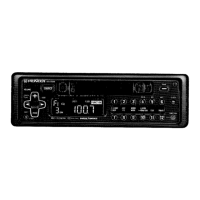
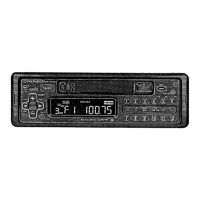
This document is an owner's manual for a PIONEER Multi-CD Control FM/AM Tuner Deck Amplifier, specifically covering models KEH-P7250 and KEH-P5250.
Function Description
The PIONEER KEH-P7250 and KEH-P5250 are car audio units that combine an FM/AM tuner, a tape deck, and an amplifier, with the added capability of controlling a multi-CD player. These units are designed to provide in-car entertainment through various media, including radio broadcasts, cassette tapes, and compact discs via an external multi-CD player. The multi-CD control feature allows users to manage multiple CDs loaded in a separate CD changer unit, offering extended music playback without manual disc changes. The units also feature a removable front panel for theft deterrence.
Important Technical Specifications
General:
- Power source: 14.4 V DC (10.8 – 15.6 V allowable)
- Grounding system: Negative type
- Max. current consumption: 8.5 A
- Dimensions (DIN mounting size): 178 (W) x 50 (H) x 150 (D) mm (nose: 178 (W) x 58 (H) x 19 (D) mm)
- Weight: 1.3 kg
Amplifier:
- Continuous power output: 15 W per channel min. into 4 ohms, both channels driven, from 50 to 15,000 Hz with no more than 5% THD.
- Maximum power output: 55 W x 4 (EIAJ)
- Continuous power output: 15 W x 4 (1% dist. at 1 kHz)
- Load impedance: 4 Ω (4 – 8 Ω allowable)
- Preout output level/output impedance: 500 mV/1 kΩ
- Tone controls (bass): ±8 – 16 dB (100 Hz)
- Tone controls (treble): ±12 dB (10 kHz)
- Loudness contour: +10 dB (100 Hz), +7 dB (10 kHz) (Volume: -30 dB)
Tape player (KEH-P5250):
- Tape: Compact cassette tape (C-30 – C-90)
- Tape speed: 4.8 cm/sec.
- Fast forward/rewind time: Approx. 100 sec. for C-60
- Wow & flutter: 0.09 % (WRMS)
- Frequency response: 30 – 16,000 Hz (±3 dB)
- Stereo separation: 45 dB
- Signal-to-noise ratio: 61 dB (IEC-A network)
Tape player (KEH-P7250):
- Tape: Compact cassette tape (C-30 – C-90)
- Tape speed: 4.8 cm/sec.
- Fast forward/rewind time: Approx. 100 sec. for C-60
- Wow & flutter: 0.09 % (WRMS)
- Frequency response: Metal: 30 – 19,000 Hz (±3 dB)
- Stereo separation: 45 dB
- Signal-to-noise ratio: Metal: Dolby B NR IN: 67 dB (IEC-A network), Dolby NR OUT: 61 dB (IEC-A network)
FM tuner:
- Frequency range: 87.5 – 108 MHz
- Usable sensitivity: 11 dBf (1.0 μV/75 Ω, mono, S/N: 30 dB)
- 50 dB quieting sensitivity: 16 dBf (1.7 μV/75 Ω, mono)
- Signal-to-noise ratio: 70 dB (IEC-A network)
- Distortion: 0.3 % (at 65 dBf, 1 kHz, stereo)
- Frequency response: 30 – 15,000 Hz (±3 dB)
- Stereo separation: 40 dB (at 65 dBf, 1 kHz)
AM tuner:
- Frequency range: 531 – 1,602 kHz (9 kHz), 530 – 1,710 kHz (10 kHz)
- Usable sensitivity: 18 μV (25 dB) (S/N: 20 dB)
- Selectivity: 50 dB (±9 kHz)
- Selectivity: 50 dB (±10 kHz)
Usage Features
Installation:
The units support both DIN Front-mount and DIN Rear-mount installations. For front-mount, a holder is inserted into the dashboard, and tabs are bent to secure it. For rear-mount, the unit is fastened to a factory radio mounting bracket using screws. Proper wiring and connections are crucial, including a 12-volt battery and negative grounding. The manual provides detailed connection diagrams for both KEH-P7250 and KEH-P5250, specifying connections for antenna, rear out, power amp, multi-play CD player, IP-BUS input, auto-antenna relay control terminal, ignition switch, speakers, and optional cellular telephone mute.
Removable Front Panel:
The front panel can be detached to deter theft. To remove, press the ON/OFF button and then the detach button. To reattach, push the front panel into the main body until it clicks into place. The unit emits a buzzer sound if the front panel is not attached 5 seconds after the ignition is turned off.
Tuning Steps:
The AM tuning steps can be switched between 9 kHz and 10 kHz. The FM tuning steps can be switched between 100 kHz and 50 kHz. This adjustment is made by pressing specific buttons on the unit while the ignition is on.
Adjusting Volume and Tone:
Volume is adjusted using a dedicated control. Tone adjustments include bass, treble, and loudness. The F.I.E. (Front Image Enhancer) function allows for adjusting the front speaker output to create a wider soundstage.
Radio Operations:
- Source Selection: Users can switch between tuner, tape, and multi-play CD player.
- Tuning: Manual tuning, seek tuning, and best stations memory (BSM) are available. BSM automatically stores the strongest stations in memory.
- Preset Tuning: Up to 18 FM and 6 AM stations can be stored as presets.
- Local Seek Sensitivity: The sensitivity of the seek tuning can be adjusted (LOC-1 to LOC-4 for FM, LOC-1 to LOC-2 for AM) to receive stronger or weaker stations.
- FM Stereo/Mono Switching: The unit can switch between FM stereo and mono reception, which is useful in areas with weak signals.
Tape Deck Operations:
- Cassette Insertion/Ejection: Cassettes are inserted into a dedicated slot. The unit automatically begins playback when a tape is inserted.
- Fast Forward/Rewind: Buttons are provided for fast forward and rewind.
- Music Search: This feature allows skipping to the beginning of the next or previous song on the tape.
- Blank Skip: The unit can automatically skip blank sections of the tape.
- Repeat Play: The tape can be set to repeat playback.
- Dolby B NR: The KEH-P7250 model includes Dolby B Noise Reduction for improved sound quality with compatible tapes.
- FLEX (Frequency Level Expander): The KEH-P7250 also features FLEX, which can improve the sound quality of poorly recorded cassettes.
Multi-CD Player Control:
- Disc Selection: Users can select specific discs from the connected multi-CD player.
- Track Selection: Tracks can be selected by number.
- Disc Number Search: Allows searching for discs by number.
- Random Play: Plays tracks in a random order from a single disc, all discs in a magazine, or all discs in multiple magazines.
- Repeat Play: Offers various repeat modes: one-track repeat, disc repeat, magazine repeat, and all repeat.
- Scan Play: Plays the first 10 seconds of each track or disc.
- ITS (Instant Track Selection): This function allows programming up to 100 favorite tracks from up to 99 discs. Programmed tracks can be played in ITS play mode.
- Pause: Playback can be paused.
- Fast Forward/Reverse: Fast forward and reverse operations are available for CD playback.
- CD Sound Quality Adjustment: The unit can connect to a multi-play CD player with COMP (Compression) and D.B.E. (Dynamic Bass Emphasis) functions for sound enhancement.
Clock Display:
The unit features a clock display. Users can adjust the hour and minute, and reset the clock.
Remote Control:
The KEH-P7250 comes with a remote control unit. The KEH-P5250 does not have this feature. The remote control uses two AAA or IEC R03 1.5V batteries.
Maintenance Features
Cleaning the Head (Tape Deck):
If the tape heads become dirty, the sound quality will deteriorate. Regular cleaning with a cleaning tape or a cotton swab moistened with cleaning fluid is recommended to prevent dropouts and other imperfections.
Cassette Care:
The manual advises against using C-90 type (90 min.) cassettes, as longer tapes can interfere with tape transport. It also warns against using warped or loose-label cassettes, which can cause the tape to become jammed.
Remote Control Battery Precautions:
- Always check that batteries are loaded with the correct polarity.
- Do not mix old and new batteries.
- Replace batteries with two new ones.
- Remove batteries if the remote control is not used for more than one month to prevent fluid leakage.
- Keep the remote control unit away from direct sunlight, high temperatures, and moisture.
- Do not drop the remote control or subject it to strong impact.
General Precautions:
- Do not touch the contacts on the front panel or unit body, as this may result in poor electrical contact.
- Clean contacts with a clean, dry cloth.
- Do not leave the front panel in areas exposed to high temperatures or direct sunlight.
- Do not drop the front panel or otherwise subject it to strong impact.
- Do not allow volatile agents such as benzene, thinner, or insecticides to come into contact with the surface of the front panel.
- Never attempt to disassemble the front panel.
- If the unit does not operate properly, contact an authorized PIONEER Service Station. Never remove the top case of the unit to attempt check or repairs.

 Need help?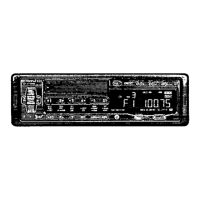



 To Next Page
 General