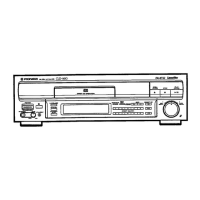
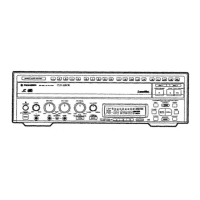
This document describes the Pioneer CLD-D501 and CLD-D550 LaserDisc players, which are capable of playing CD, CDV, and LD discs.
Function Description
These devices are multi-source players designed to handle various disc formats, including CD (Compact Disc), CDV (Compact Disc Video), and LD (LaserDisc). They offer comprehensive playback capabilities, including standard play, extended play (CLV), and compact disc with video. The players support various search functions such as fast forward/reverse, chapter/track skip, time number search, and frame number search. Repeat functions are available for between 2 points (A-B repeat), chapter/track, side, two-side, program, and random repeat. Additional features include still/step playback, time display (elapsed, remaining, total), and an on-screen display (OSD) system. The players also feature an AUTO DIGITAL/ANALOG SWITCH for audio channel selection and digital level control.
Important Technical Specifications
General System:
- Laser: Semiconductor laser, wavelength 780nm
- Power Requirements:
- U.S. and Canadian models: AC 120V, 60Hz
- Multi voltage models: AC 110-127V/220-240V (switchable) 50/60Hz
- Power Consumption:
- U.S. and Canadian models: 39W
- Multi voltage models: 40W
- Weight: 9.0kg (19 lbs 13 oz)
- Dimensions (W x H x D): 420 (W) x 134 (H) x 435 (D) mm (16-9/16 (W) x 5-1/4 (H) x 17-1/4 (D) inches)
- Operating Temperature: +5°C to +35°C (41°F to 95°F)
- Operating Humidity: 5% to 90% (No condensation)
Video Characteristics:
- Format: NTSC
- Video Output: 1 Vp-p nominal, sync negative, terminated
- Impedance: 75Ω unbalanced
- Jacks: Two RCA jacks
- Number of Channels: 2
S-Video Output:
- Y (luminance): Output level 1 Vp-p (75Ω)
- C (color): Output level 286 mVp-p (75Ω)
- Jack: S-VIDEO jack
Audio Characteristics:
- Output Level: 200 mVrms (1 kHz, 40%)
- During digital audio output: 500 mVrms (1 kHz, 20 dB)
- Jacks: Both RCA jacks
- Number of Channels: 2
Digital Audio Characteristics:
- Frequency Response: 4 Hz - 20 kHz (EIAJ)
- S/N Ratio: 114 dB (EIAJ)
- Dynamic Range: 99 dB (EIAJ)
- Total Harmonic Distortion: 0.0018% (EIAJ)
- Wow and Flutter: Limit of measurement (EIAJ)
Other Terminals:
- Control Input/Output: Both miniature jacks
- CD-DECK Synchro: Miniature jack
- Optical Digital Output: Optical digital jack
Remote Control:
- Type: CU-CLD069
- Batteries: Two AA (IEC R06) dry cell batteries
Disc Playback Time:
- LaserDisc (LD):
- 12-inch standard play disc: 1 hour/both sides
- 12-inch extended play disc: 2 hours/both sides
- 8-inch standard play disc: 14 min/both sides
- 8-inch extended play disc: 28 min/both sides
- Compact Disc (CD):
- 5-inch: 74 min, 5-inch discs
- 3-inch: 20 min, 3-inch discs
- Compact Disc Video (CDV):
- 5-inch: Audio portion 1.2 - 1.4m/sec, Video portion 5 min (CLV)
- 8-inch: Audio portion 20 min (Digital)
Usage Features
Playback:
- Disc Loading: Discs are loaded onto a disc table. The player supports 5-inch, 8-inch, and 12-inch discs.
- Power On/Off: The unit can be powered on/off via the front panel or remote control.
- Display Window: The front panel features a display window that shows track/chapter numbers, time information (elapsed, remaining, total), pause indicators, digital sound indicators, intro scan indicators, and side indicators.
- Remote Control: A comprehensive remote control unit (CU-CLD069) provides full control over all playback functions, search operations, and settings.
- Audio/Video Connections: The player offers various connection options, including standard video output, S-video output, audio output, and optical digital output. It can be connected to a TV, stereo amplifier, or a Pioneer projection monitor/component display.
- System Control: The player can be integrated into a larger Pioneer system via control input/output jacks, allowing for synchronized operation with other Pioneer components.
- Adjusting Sound Volume: The sound volume can be adjusted via the front panel SCAN control or the remote control unit. Digital level control is also available.
- Karaoke Play: The player supports karaoke functions, allowing users to select tracks and adjust settings for karaoke playback.
- Extra Playback: Features include still frame and frame-by-frame advance, as well as variable playback speed (faster or slower).
- Direct CD Play: A dedicated Direct CD mode allows for direct CD playback, bypassing video circuitry for enhanced audio quality.
- Repeat Playback: Users can repeatedly play a desired passage (A-B repeat), a chapter/track, an entire side, both sides of a disc, a programmed sequence, or random tracks.
- Program Playback: Chapters/tracks can be programmed to play in a specific order, or within a specified time period using Compu Program Edit or Auto Program Edit functions.
- Search Functions:
- High Speed Scan: Allows for rapid scanning through tracks, with adjustable speeds (low, medium, high).
- Hi-Lite Scan/Intro Scan: Enables scanning the beginning of tracks or chapters.
- Chapter/Track Search: Allows searching for specific chapters or tracks by number.
- Time Search: Enables searching for specific time points within a track or disc.
- Frame Search: Allows searching for specific frames on CAV discs.
Maintenance Features
Care of Discs:
- Handling: Always hold discs by the edges. Avoid touching the playing surface.
- Cleaning: Use a soft, clean cloth to wipe discs from the center outwards. Do not use solvents like benzene or thinner.
- Storage: Store discs in their protective envelopes, upright, and away from heat and humidity. Do not stack heavy objects on discs.
- Warped Discs: Do not play cracked or warped discs. If an LD disc is warped, it can sometimes be corrected by placing it between two flat plates with heavy books on top for a day or so.
Troubleshooting:
- The manual provides a comprehensive troubleshooting guide with common symptoms, their causes, and recommended remedies. This includes issues like disc not ejecting, disc not coming out, remote control not working, and problems with video or sound output.
- Abnormal Functioning: In case of static electricity or other external interference, turn the power off and then on again, or unplug the AC power cord and plug it in again.
- Service: If problems persist, users are advised to contact an authorized Pioneer service center or dealer.
Safety Instructions:
- Ventilation: Ensure adequate ventilation by not blocking slots and openings.
- Power Source: Use only the specified power source.
- Power Cord Protection: Protect the power cord from being walked on or pinched.
- Water and Moisture: Do not expose the unit to rain or moisture.
- Cleaning: Unplug the unit before cleaning.
- Attachments: Use only recommended attachments.
- Mounting: Place the unit on a stable surface.
- Lightning: Unplug the unit during lightning storms.
- Overload: Do not overload wall outlets.
- Foreign Objects: Do not insert objects into the unit.
- Servicing: Refer all servicing to qualified personnel.
- Replacement Parts: Use only specified replacement parts.
- Outdoor Antenna Grounding: Ensure the outdoor antenna system is properly grounded.
- Static Electricity: In case of abnormal functioning due to static electricity, turn the power off and then on again, or unplug and replug the AC power cord.

 Need help?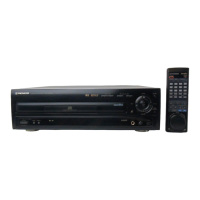




 To Next Page
 General