 To Next PageTo Next Page
 Need help?
Do you have a question about the Pioneer MVH-X300BT and is the answer not in the manual?
 General
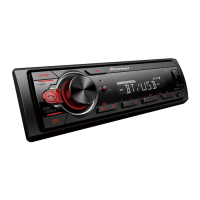
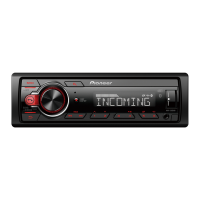
| Power Output | 50 W x 4 |
|---|---|
| Bluetooth | Yes |
| USB Port | Yes |
| Display Type | LCD |
| DIN Size | 1-DIN |
| Preamp Voltage | 2V |
| Peak Output | 50 W x 4 |
| Sub Preamp Output | Yes |
| Auxiliary Input | Yes |
| iPod/iPhone Control | Yes |
| Android Control | Yes |
| Radio Tuner | AM/FM |
| Display Color | White |
| Remote Control | Yes |
| Compatible Formats | MP3, WMA, AAC |
| RMS Power Output | 22 W x 4 |
| Equalizer | 13-band |
Covers essential warnings and cautions regarding installation, operation, and potential hazards.
Directs users to contact dealers for assistance with product malfunctions.
Explains the fundamental controls, ports, and operation of the head unit.
Configure display language and set the unit's clock time.
Select FM and AM tuning step increments for radio reception.
Configure speaker output modes and system updates/resets.
Instructions for receiving, storing, and seeking preset radio stations.
Guides on connecting and playing audio from USB devices, iPhones, and AUX inputs.
Explains USB, iPhone, AOA, and MTP connection methods.
Details playback controls like selecting tracks, folders, repeat, and shuffle.
Introduction to the MIXTRAX function for music mixing and illumination.
Step-by-step guide to establish a Bluetooth connection between devices.
Manage paired devices, add new devices, and configure connection settings.
Instructions for making, answering, ending, and managing phone calls via Bluetooth.
Explains how to use voice commands with an iPhone connected via Bluetooth.
Access recent calls, dialed numbers, received calls, and phone book contacts.
Manage preset phone numbers and configure automatic answer/ring tone.
Steps to connect a Bluetooth audio player and control playback.
Details basic playback operations like track selection, pause, and repeat.
Information on app compatibility for iPhone/Android and important usage notes.
Guides on connecting and controlling applications from mobile devices through the unit.
Guides on connecting and using the Spotify application with the unit.
Details basic playback controls for Spotify content.
Compatibility information for Pioneer ARC App on iPhone and Android devices.
Step-by-step guide to connect the unit with the Pioneer ARC App.
Details basic playback controls for music playback from Android devices.
How to adjust cut-off frequencies and slopes for speaker crossover settings.
Accesses functional adjustments and detailed audio configuration options.
Configure general system preferences and customize display illumination.
Accesses settings for the MIXTRAX music mixing feature.
Configures BSM, Seek, Save/Unsave to Spotify, and device selection.
Settings for enhancing audio and controlling playback for various sources.
Customize EQ curves, front/rear balance, and left/right balance.
Configure subwoofer output, phase, and individual speaker levels.
Adjust crossover frequencies, listening position, and time alignment.
Save current audio configurations for later recall.
Configure sound settings like D.BASS, Loudness, SLA, and set the clock.
Manage language, beep tone, info display, and source enable/disable settings.
Manage Bluetooth memory, phone connection type, and app auto-on.
Configure wired remote control and automatic USB source switching.
Select key and display colors, including SCAN and CUSTOM options.
Adjust display brightness and sync illumination with other sources.
Configure playback time, illumination effects, and sound effects.
Details essential wiring connections, safety warnings, and installation precautions.
Identifies unit terminals and provides instructions for power cord connection.
Advises on checking connections, using correct parts, and optimal installation angles.
Details connections for optional power amplifiers and direct subwoofer setup.
Steps for installing the unit into the dashboard using the mounting sleeve.
Procedure for removing the unit and alternative mounting without the sleeve.
Instructions for mounting the microphone on the vehicle's sun visor.
Provides solutions for common operational problems and display messages.
Explains common error messages and their corresponding troubleshooting steps.
Troubleshoots format read, no audio, skipped, protected, and unsupported USB devices.
Addresses iPhone failures, communication errors, and Bluetooth connection issues.
Provides precautions for safely handling USB storage devices and iPhones.
Details compatibility for WMA, MP3, WAV, and AAC audio file formats.
Details on FLAC file formats and potential playback issues.
Information on playable folder hierarchy and file limits for USB devices.
Details power, grounding, dimensions, output power, and equalizer settings.
Details USB standard, speed, and current supply.