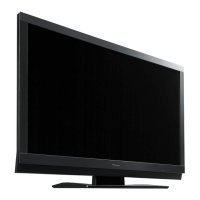
This document outlines the service and maintenance procedures for the Pioneer PDP-LX5080D and PDP-LX508D Plasma Televisions. It is intended for qualified service technicians and emphasizes safety precautions, technical specifications, operational details, and diagnostic flowcharts.
Function Description
The Pioneer PDP-LX5080D/PDP-LX508D Plasma Televisions are designed to provide high-definition video and audio output. The service manual covers various aspects of the device's functionality, including power supply operation, signal processing, and panel drive. It details how different components interact to produce the final image and sound, and how to diagnose and resolve issues related to these functions.
The television features a comprehensive power management system, including standby modes, power-on sequences, and shutdown mechanisms. It also incorporates various protection functions, such as high-temperature protection for the panel and SCAN IC, and mechanisms to decrease brightness levels to prevent phosphor burn and panel cracking.
The device supports multiple input sources, including HDMI, SCART, Component Video, S-Video, and PC input, allowing for versatile connectivity with various external equipment. It also includes digital and analog tuners for receiving broadcast signals.
Important Technical Specifications
The PDP-LX5080D/PDP-LX508D models are 50-inch plasma televisions with a native resolution of 1920 x 1080 pixels, supporting Full HD content.
Audio Specifications:
- Audio amplifier output: 17 W + 17 W (1 kHz, 10 %, 6 Ω).
- Sound effects: SRS FOCUS/SRS/SRS TruBass.
- Speaker impedance: 6 Ω to 16 Ω.
- Headphone impedance: 16 Ω to 32 Ω recommended.
Power Specifications:
- Power requirements: 220 V to 240 V AC, 50 Hz/60 Hz.
- Power consumption: 421 W (0.3 W Standby).
- The power supply unit generates various voltages for different components:
- POWER SUPPLY UNIT: 205 V
- 50F X DRIVE Assy: 205 V
- 50F Y DRIVE Assy: -270 V to 400 V
- 50F SCAN A/B/C/D Assys: -270 V to 400 V
- Charged sections and high voltage generating points are clearly identified, with voltages exceeding 100 V. Residual VSUS voltage can remain for several minutes after power-off, requiring a 10-minute wait or confirmation with a tester before handling.
Dimensions and Weight:
- Dimensions: 1232 mm (width) x 722 mm (height) x 120 mm (depth).
- Weight: 38.3 kg (84.4 lbs).
Connectivity:
- Rear Terminals:
- INPUT 1 (SCART: AV in, RGB in, TV out, HDMI in*1)
- INPUT 2 (SCART: AV in/out, S-VIDEO in, AV link*2, Component Video in, AUDIO in)
- INPUT 3 (SCART: AV in/out, S-VIDEO in, RGB in, AV link*2, HDMI in*1)
- INPUT 4 (HDMI in*1)
- CONTROL OUT (1)
- SPEAKERS (6 Ω to 16 Ω)
- Antenna (75 Ω Din Type for VHF/UHF in)
- PC INPUT (Analogue RGB in, Audio in)
- AUDIO OUT (Fixed)
- SUB WOOFER (Variable)
- DIGITAL OUT (Optical)
- COMMON INTERFACE (CA Module)
- Side Terminals:
- INPUT 5 (S-VIDEO, AV in)
- USB (USB in*3)
- PHONES (16 Ω to 32 Ω recommended)
*1 Conforms to HDMI1.3 and HDCP1.1.
*2 Switchable from menu.
*3 Conforms to USB 1.1 and 2.0 specifications.
Tuner Specifications:
- Analogue TV Function:
- Receiving System: B/G, D/K, I, L, L’
- Tuner VHF/UHF: E2–E69 ch, F2–F10 ch, I21–I69 ch, IR A–IR J ch
- CATV: Hyper-band, S1–S41 ch
- Auto Channel Preset: 99 ch, Auto Preset, Auto Label, Auto Sort
- STEREO: NICAM/A2
- Digital TV Function:
- Receiving System: DVB-T(2K/8K COFDM)
- Tuner VHF/UHF: VHF Band III (170 MHz to 230 MHz) and UHF Band IV, V (470 MHz to 862 MHz)
- Auto Channel Preset: 99 ch, Auto Preset, Auto Label, Auto Sort
- STEREO: MPEG layer I/II, Dolby Digital
Usage Features
The television can be operated via a remote control unit (AXD1551) and side-mounted buttons. The remote control offers extensive functionality, including input selection, channel and volume control, menu navigation, and specific modes like Teletext and EPG (Electronic Programme Guide).
Front Panel Facilities:
- Power button: Turns the TV on/off or into standby.
- POWER ON indicator: Lights up when the TV is on.
- STANDBY indicator: Lights up when in standby.
- TIMER indicator: Lights up when DTV programs are preset for watching or recording.
- Room Light Sensor: Automatically adjusts brightness based on ambient light.
- Remote control sensor: Receives signals from the remote.
- INPUT button: Selects input sources.
- VOLUME +/- buttons: Adjust volume.
- CHANNEL +/- buttons: Changes channels.
- USB port: For USB input.
- PHONES output terminal: For headphones.
- INPUT 5 terminals: S-VIDEO, VIDEO, AUDIO.
Remote Control Features:
- 1 (Power): Turns the TV on/off or into standby.
- 2 (INPUT): Selects input sources.
- 3 (0 to 9): Channel selection, Teletext page selection, turns power on from standby.
- 4 (PC): Selects PC input.
- 5 (INPUT 5): Selects INPUT 5 input.
- 6 (Screen Mode): Switches between 2-screen, picture-in-picture, and single-screen modes.
- 7 (P+/P-): Channel selection in TV/External input mode.
- 8 (TV/DTV): Switches between TV and DTV input modes.
- 9 (SELECT): Controls connected equipment (TV, STB, DVD/DVR, VCR).
- 10 (TV, STB, DVD/DVR, VCR indicators): Shows current selection and status for connected equipment.
- 11 (RETURN): Restores previous menu screen.
- 12 (Navigation/ENTER): Selects items, executes commands.
- 13 (EXIT): Returns to normal screen.
- 14 (Colour buttons): Teletext page selection.
- 15 (Subtitle): Jumps to Teletext subtitle page, turns subtitle on/off.
- 16 (Hidden Characters): Displays hidden characters.
- 17 (HDMI CONTROL): Displays HDMI Control menu.
- 18 (Sound Multiplex): Sets sound multiplex mode.
- 19 (INFO): Displays channel information.
- 20 (PIP Position): Moves small screen in picture-in-picture mode.
- 21 (Screen Swap): Switches between two screens.
- 22 (Volume +/-): Adjusts volume.
- 23 (Mute): Mutes sound.
- 24 (HOME MENU): Displays HOME MENU screen.
- 25 (EPG): Displays Electronic Programme Guide.
- 26 (Teletext Mode): Selects Teletext mode (all TV image, all TEXT image, TV/TEXT image).
- 27 (Index Page): Displays Index page for CEEFAX/FLOF format. Displays TOP Over View page for TOP format.
- 28 (Screen Size): Selects screen size.
- 29 (Freeze Frame): Freezes a frame from a moving image. Stops updating Teletext pages.
HDMI Control Function:
The HDMI Control (HDMI-CEC) function allows for integrated control of connected Pioneer-manufactured equipment. It requires proper connections and settings to function correctly. The manual provides detailed instructions on confirming operations and troubleshooting issues related to HDMI Control.
Brightness Level Decreasing Function:
The TV incorporates several protection functions that automatically decrease the brightness level to protect the panel:
- High-temperature protection function 1: Decreases plasma discharge count if panel temperature (TEMP1) reaches 80 °C.
- High-temperature protection function 2: Decreases plasma discharge count if panel temperature (TEMP1) reaches 55 °C or higher, based on APL (average picture level).
- Panel protection function 1 (protection against still picture): Decreases plasma discharge count if a still picture is displayed for 3 minutes or more to minimize phosphor burn.
- Panel protection function 2 (SCAN IC protection): Decreases plasma discharge count if a particular load is applied to the SCAN IC.
- Panel protection function 3 (protection against panel cracking): Decreases plasma discharge count if a bright window pattern is recognized on the screen, which increases panel heat.
Maintenance Features
The service manual provides extensive guidance for maintenance, including safety precautions, diagnostic flowcharts, and adjustment procedures.
Safety Precautions:
- Service should only be performed by qualified technicians.
- Use an isolation transformer when servicing the PDP UNIT.
- Replace all protective devices (barriers, nonmetallic knobs, shields, isolation resistor-capacitor) after servicing.
- Maintain original lead dress, especially in high voltage areas.
- Use manufacturer's replacement components, especially critical safety components marked with a ">".
- Ensure no screws or soldering scraps remain inside the product.
- Thoroughly test the unit for electrical shock hazards and protective device functionality before returning to the customer.
- Perform precautions against unwanted radiation and internal temperature rise (return internal wiring to original styling, attach parts like gaskets, ferrite cores, ground, rear cover, shield case).
- Handle the PDP panel carefully during disassembly to prevent damage to the glass or panel vents.
- Handle FPC (Flexible Printed Circuit) connections carefully to avoid peeling.
- Exercise caution when removing front and rear panels due to potential disturbance to TVs and radios.
Soldering Notes:
- Lead-free solder is used on PCBs. Use lead-free solder and a compatible soldering iron (tip temperature around 373 °C).
- Lead-free solders have higher melting points and slower wetting times than eutectic solders.
- Available lead-free solder service parts: GYP1006 (1.0 in dia.), GYP1007 (0.6 in dia.), GYP1008 (0.3 in dia.).
Leakage Current Checks:
- Cold Check: With AC plug removed, jumper prongs, turn AC power switch on. Use a DC 500V insulation tester to measure resistance between the jumpered plug and exposed metal parts. Resistance should be at least 4 MΩ.
- Hot Check: Plug AC cord directly into power source (no isolation transformer), turn AC power switch on. Use a "Leakage Current Tester" to measure current from exposed metal parts to earth ground. Current must not exceed 1 mA.
Important Check Points for Good Servicing:
- Product Safety: Use specified genuine parts, do not modify without instructions, ensure proper soldering, tightly fasten screws, correctly insert connectors, set wiring cables to original state, ensure no debris inside, check power cord for damage, check power plug for spark traces, and ensure a safe servicing environment.
- Adjustments: Perform optimum adjustments and confirmations according to the manual to maintain original performance.
- Lubricants, Glues, and Replacement Parts: Use specified substances in proper amounts.
- Cleaning: Perform proper cleaning for parts like optical pickups, tape deck heads, lenses, and mirrors.
- Shipping Mode and Screws: Set shipping mode or install shipping screws to prevent transit damage.
Diagnostic Flowcharts:
The manual includes detailed flowcharts for failure analysis, covering the whole unit, power supply unit, drive assy, digital assy, main assy, video system, and audio system. These flowcharts guide technicians through a systematic troubleshooting process based on symptoms and LED display patterns.
LED Display Information:
A table provides LED patterns (POWER, ON, STANDBY, TIMER) for various states, including AC off, standby power management, power-on, power-down, shutdown, no digital adjustment data copied for backup, microcomputer program rewriting, and factory operation.
Power On Sequence:
A block diagram illustrates the power on sequence, detailing the interaction between the remote control, side keys, IF microcomputer, MOD microcomputer, and MAIN microcomputer to control the power MOD RELAY.
Factory Mode:
The service factory mode allows for detailed diagnostics and adjustments. It can be accessed via a PDP service remote control or RS-232C commands. Functions include:
- Information: Displays software versions, temperature, hour meter, HDMI signal info, VDEC signal info.
- Panel Factory: Panel information, panel works (pulse-meter count, hour-meter count, power-on count, temperature), power down history, shut down history, panel adjustments (driving pulse timing, voltage, white balance, ABL, panel degradation correction, phase adjustment, streaking correction), raster mask setup, pattern mask setup, combi mask setup.
- Option: EDID write mode, CH preset, sync det.
- Initialize: Side mask level, final setup (reset to factory defaults), wide XGA auto.
RS-232C Commands:
A comprehensive list of RS-232C commands is provided for controlling and querying the device, including:
- Adjusting ABL, audio mute, address settings, APL interlocked functions.
- Copying/clearing backup data, hour meter, max temperature, power-on count, power-down history, shutdown history.
- Changing tuner preset channels, contrast.
- Dither settings, panel drive power on/off.
- Factory mode on/off, setting memory to shipment state.
- User white balance (green highlight/low light), terrestrial analog/digital signal switching, HomeGallery switching, input switching.
- Panel mask indication, various raster patterns, screen size settings.
- Theater port interlock operation.
- Adjusting reference values for various voltages (Vrst-p, Vsus, Vxpofs1/2, Vyknofs1/2/3/4).
- Panel WB standard output mode.
- Initializing video EEPROM data and setting data.
Disassembly Procedures:
Detailed instructions and diagrams are provided for disassembling the unit, including:
- Rear case removal (with tightening sequence).
- Accessing PCB Assys (SIDE IO, 50F X DRIVE, 50F Y DRIVE) and handling capacitors.
- Removing bridge connectors between MAIN and TANSHI Assys.
- Terminal Panel B removal (with tightening sequence).
- Front Case Assy removal.
- Accessing 50F DIGITAL Assy.
- Exchanging SCAN ICs (Front chassis HT, Front chassis HB, Panel holder V1/V2).
- Handling three-piece connectors (40P).
Adjustment Procedures:
Instructions for adjustments required after replacing assemblies:
- Digital Assy: Writing backup data from PANEL SENSOR Assy.
- Main Assy: Final setup.
- Service Panel Assy: Clearing history data, panel adjustments.
- Drive Assys (X DRIVE, Y DRIVE): Time lag adjustment of control signals (SUS-B, SUS-D).
- Panel Sensor Assy: Writing backup data.
The manual also includes a list of accessories, PCB locations, jigs list, and exploded views with parts lists for various sections of the television.

 Need help?

 To Next Page
 General