
 Need help?
Do you have a question about the Pioneer Premier DEH-P710BT and is the answer not in the manual?
FCC and IC compliance, operational conditions, and troubleshooting for interference.
Overview of file format and media/storage device compatibility, including iPod and Bluetooth.
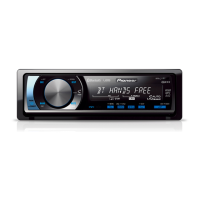
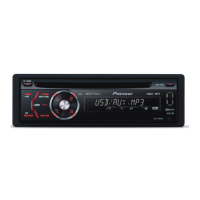
Identifies and explains the functions of the main unit's controls and indicators.
Instructions on how to turn the unit on and off using the SRC/OFF button.
How to choose different audio sources like Tuner, iPod, USB, AUX, etc.
How to control the sound level using the MULTI-CONTROL.
Instructions for loading, ejecting, selecting tracks/folders, and fast forward/reverse playback.
Details on Play mode, Random mode, Scan mode, and Pause for USB playback.
General controls for iPod playback, including fast forward/reverse and track selection.
Searching for songs by category like playlists, artists, albums, and genres.
Detailed steps for navigating and selecting music by category.
Overview of connecting Bluetooth devices for audio and phone.
Steps to access the connection menu and available functions.
Step-by-step guide to pair a new Bluetooth device with the unit.
Initiating a search for nearby Bluetooth devices to pair.
Setting or entering the PIN for Bluetooth pairing.
Important notes regarding Bluetooth audio player compatibility and operations.
Steps to prepare the unit for Bluetooth audio playback, including connection and pairing.
Important notes and indicators related to the Bluetooth phone function.
Initial setup for hands-free calls, including pairing and volume adjustment.
How to dial numbers, call from the phone book, or use voice recognition for calls.
Answering, ending, or rejecting incoming calls.
Accessing and navigating phone book, missed, dialed, and received call lists.
Detailed steps to find and call contacts from the phone book.
Copying phone contacts from the cellular phone to the unit.
Manually dialing a phone number for a call.
Overview of voice commands for operations like dialing and accessing help.
Specific steps to make a call using voice commands.
Using voice commands to call contacts stored in the phone book.
Overview of the audio menu and available adjustment categories.
Adjusting front/rear and left/right speaker balance for ideal listening.
Adjusting sound equalization to match interior acoustics.
Selecting from pre-set equalizer curves like Powerful, Natural, Vocal.
Fine-tuning factory equalizer curves and creating custom ones.
Customizing audio levels for each frequency band.
Overview of customizing various system settings for optimal performance.
Choosing the display and voice guidance language.
Basic operations for controlling iPod via USB interface.
List of error codes, their causes, and recommended actions.
Troubleshooting for USB devices, iPod, and communication errors.
Details on supported WMA, MP3, AAC, and WAV file formats and their specifications.
List of supported iPod models and software versions.
List of Bluetooth profiles supported by the unit (A2DP, AVRCP, HFP, etc.).
Wiring diagram and instructions for connecting the main power supply.
Instructions for mounting the unit in the dashboard via front or rear DIN methods.
Detailed steps for installing the unit in the dashboard using metal straps and screws.
Guidance on positioning the microphone for optimal voice recognition.
Safety warnings and instructions for attaching the remote control to the steering wheel.
Voice commands for making calls by number or name.
Lists of voice commands in English, French, and Spanish.
Crucial safety warnings about connecting electrical parts, ground wire, and speakers.
 General
| Max Power Output | 50 watts x 4 channels |
|---|---|
| Bluetooth | Yes |
| CD Playback | Yes |
| USB Port | Yes |
| Radio Tuner | AM/FM |
| Preamp Outputs | 3 (front, rear, subwoofer) |
| DIN Size | Single DIN |
| RMS Power Output | 22 watts x 4 channels |
| RMS Power Bandwidth | 20 Hz - 20 kHz |
| Subwoofer Preamp Output | Yes |
| AUX Input | Yes |
| Memory Card Slot | No |
| HD Radio | No |
| iPod Compatibility | Yes |
| Satellite Radio Ready | Yes |
| Remote Control | Yes |
| MP3/WMA Playback | Yes |
| High-Pass Filter | Yes |
| Low-Pass Filter | Yes |
| Faceplate Security | Detachable |
| Peak Power Output | 50 watts x 4 channels |
| Equalizer | 13-Band Graphic Equalizer |



 To Next Page
