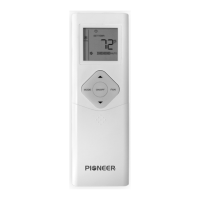
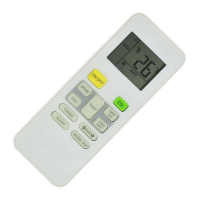
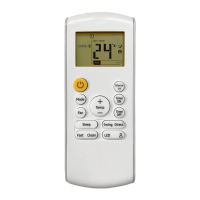
Howtousethebuttons
Cooling /Heating/Fan operation
MODE
UP/DOWN
FAN
ON/OFF
1. Press the button to select COOL,
HEAT(cooling & heating models only) or
FAN mode.
2. Press the buttons to set the
desired temperature.
3. Press the button to select the fan speed
in four steps- Auto, Low, Med,or High.
4. Press the button to start the air
conditioner.
The temperature can
besetwithinarangeof62F~86Fin1F
increments.
OOO
While using the FAN mode, the temperature setting
will not be displayed on the remote and the room
temperature settings will be inaccessible. Therefore
only the steps 1, 2 and 4 above can be operated.
NOTE
Auto operation
MODE
UP/DOWN
ON/OFF
Ensure that the system is powered. The
OPERATION indicator on LED display of the
indoor unit will start flashing.
1. Press the button to select Auto.
2. Press the button to set the
desired temperature. The temperature can
besetwithinarangeof62 F~86 Fin1 F
increments.
3. Press the button to start the air
conditioner.
OOO
1. In the Auto mode, the air conditioner can logically
choosethemodeofCooling,Fan,andHeating
by sensing the difference between the actual
ambient room temperature and the setting
temperature on the remote controller.
2.
For the AUTO mode, fan speed can not be selected
Fan speed is automatically controlled in Auto Mode.
3. If the Auto mode does not provide the desired comfort
levels, other suitable modes should be selected.
NOTE
Dehumidifying operation
MODE
UP/DOWN
ON/OFF
1. Press the button to select DRY mode.
2. Press the buttons to set the
desired temperature.
3. Press the button to start the air
conditioner.
The temperature
can be set within a range of 62 F~ 86 F in
1Fincrements.
OO
O
NOTE
How to use the buttons
Ensure that the system is powered. The
OPERATION indicator on LED display of the
indoor unit will start flashing.
Ensure that the system is powered. The
OPERATION indicator on LED display of the
indoor unit will start flashing.
For the DEHUMIDIFICATION mode, fan speed can not
be selected. Fan speed is automatically controlled in
Dehumidification Mode.
MODE
FAN
TEMP
ON/OFF
TIMER
ON
3
1


 To Next Page
 Loading...